After DevRel Uni Cohort 7, I plan my DevRel week with one rule from Francesco Andreoli of Consensys. Every task is human-led, AI-assisted or agent-led, and a task that belongs in the third column but sits in the first becomes a backlog item.
DevRel (developer relations) is the job of helping developers adopt a product. DevRel Uni is a cohort program for people who do it. Cohort 7 ran five live sessions between April 28 and May 26, 2026, beside a public project. Mine was the 10xDevRel workbench.
In short
Sort each recurring task into three columns, and move agent-shaped work out of column one.
Run your own quickstart as a coding agent would, one literal step at a time. A failing step is a docs bug.
Put a 45-minute scan on the calendar, so you taste new tools on purpose.
Turn one agent-led task into a scoped tool, because only a scoped tool can fail a test.
Ship something public every week. A post you cannot write means you do not understand the build yet.
Docs Written for a Human Fail When an Agent Runs Them
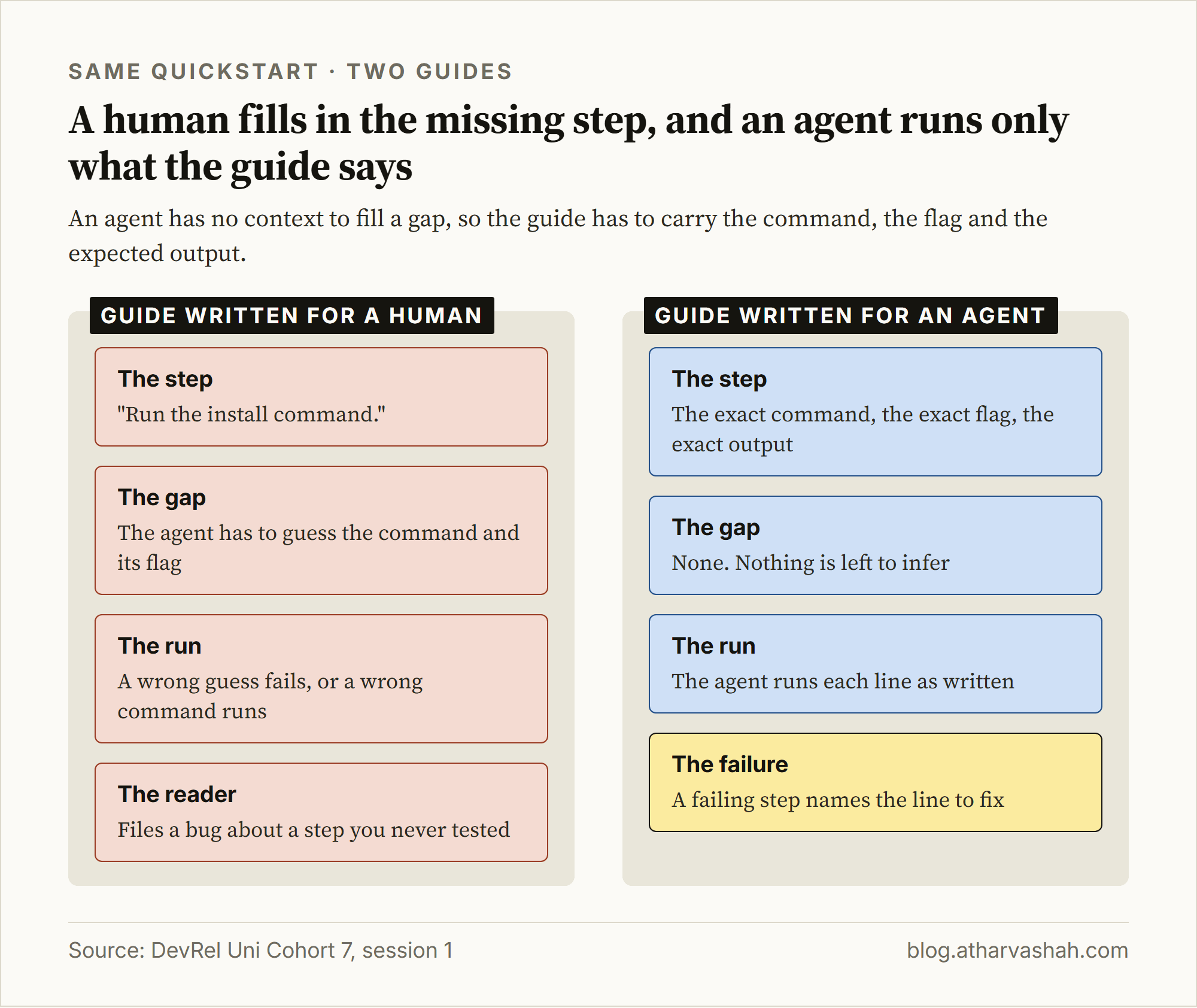
Your getting-started guide has a second reader now: a coding agent that runs each line as written. A human reads "run the install command" and infers the rest. An agent has to guess the command and its flag.
Take the same quickstart in both forms:
Before. The step says "run the install command". The agent picks a command and a flag, and a wrong guess fails.
After. The step gives the exact command, the exact flag and the expected output. The agent runs it as written.
The payoff. A failing step now names the line to fix, instead of becoming a bug report from a stranger.
Step 1. Sort Your Week Into Three Columns
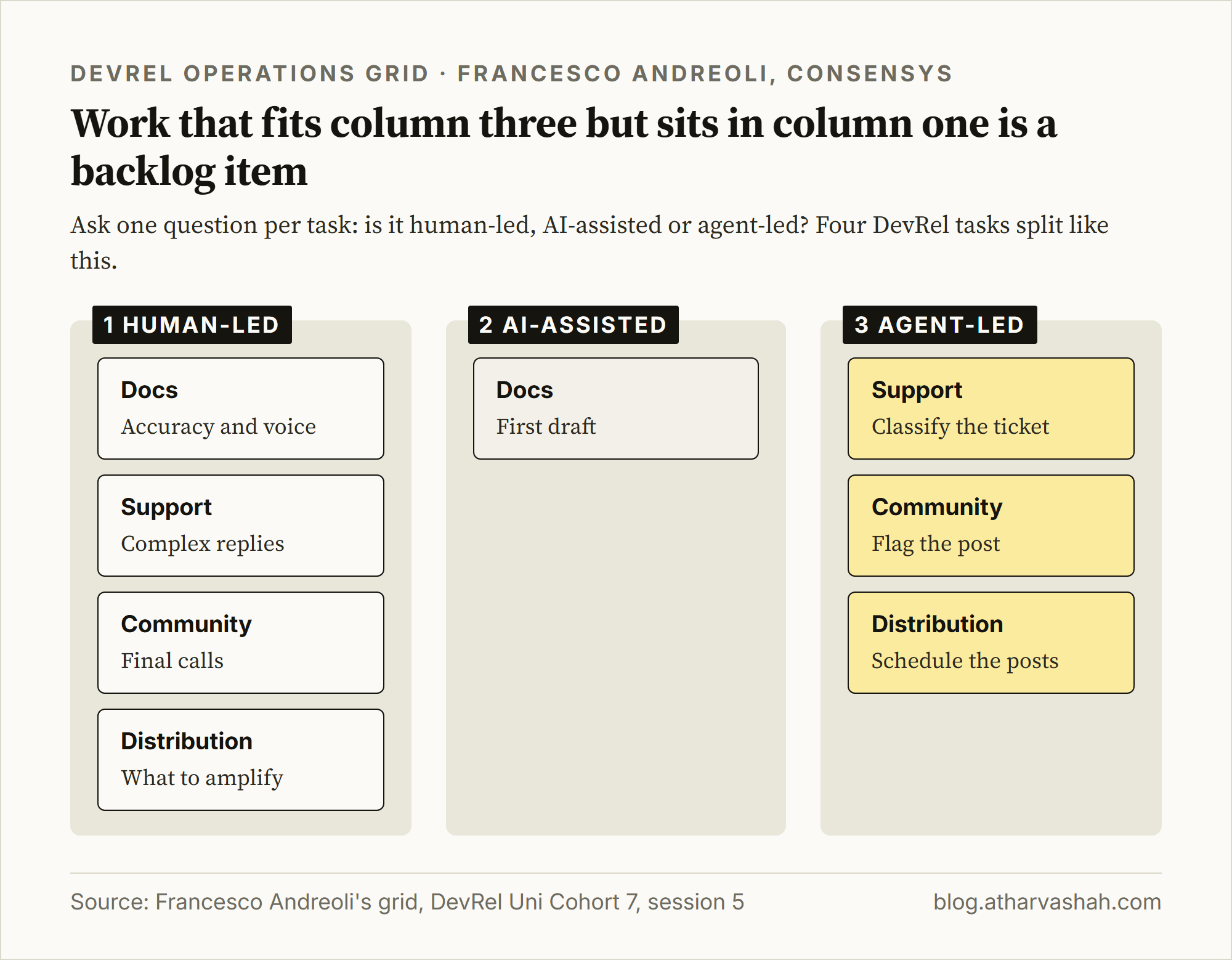
Francesco Andreoli closed Cohort 7 with a DevRel Operations Grid. It asks one question per task: is this human-led, AI-assisted or agent-led? That is a workflow design question, and most DevRel work has a concrete answer.
Run it on your own week:
List every task you repeat each week.
Split each task into its judgment and its routine.
Put the judgment in column one. Put a draft a human fixes in column two. Put a rule a script can apply in column three.
Mark every column-three item that you still do by hand as a backlog item.
I plan my own week this way. The shift is gradual, so move one task per week and never flip all of them at once.
Rule of thumb. If a task has a clear right answer that a script can check, it belongs in column three.
Step 2. Run Your Quickstart as a Coding Agent
Open an empty folder and give a coding agent your guide. Tell it to run each command exactly as written and to stop at the first failure. Any failure is a docs bug, whether or not a human would have worked around it.
Here is what that finds. The dbt DuckDB guide tells readers to run jafgen --years 6. My agent FirstRun hit the failure at step 10 of that guide on 10 October 2026. I reran the command on jafgen 0.4.6 on 13 October 2026.
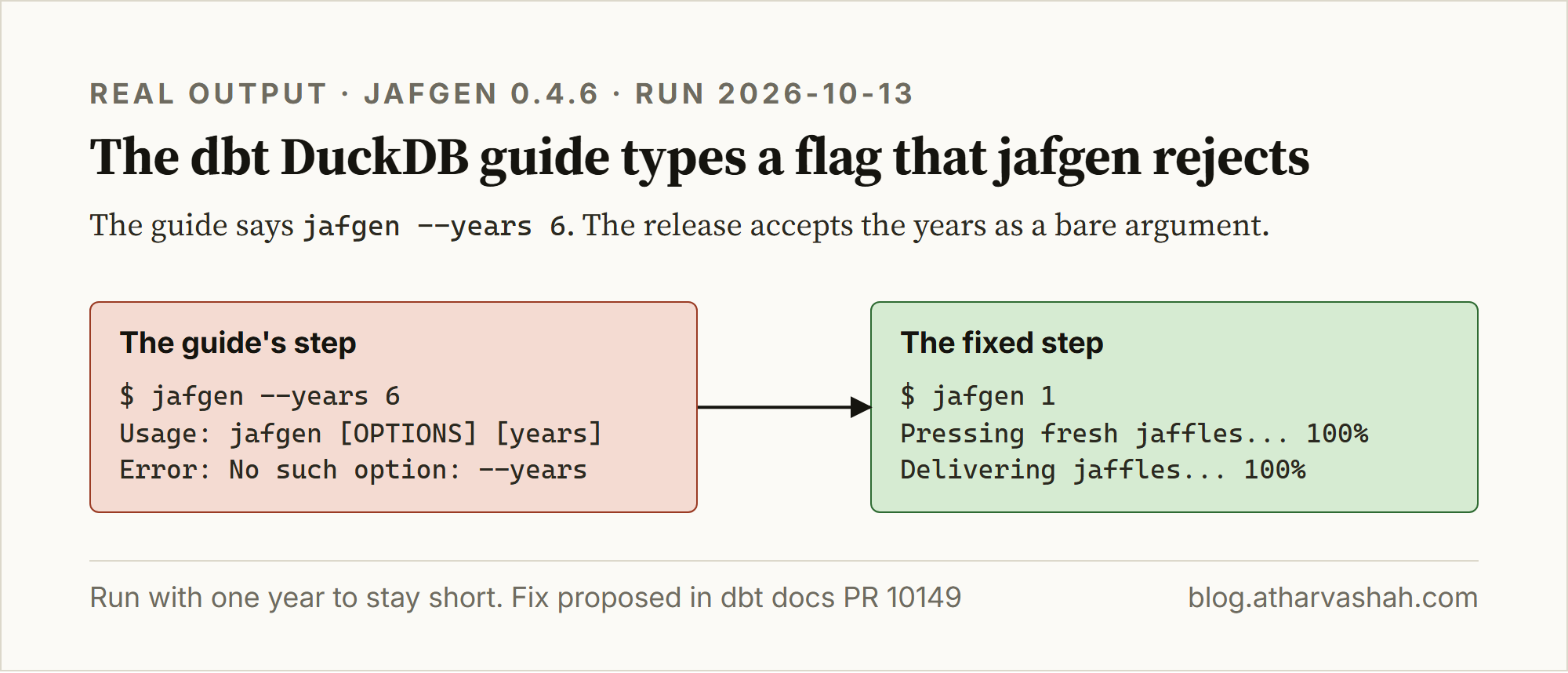
The fix is one word. The years became a positional argument, so the command is jafgen 6. dbt docs PR 10149 proposes that change.
Watch out. A step that exits 0 can still be wrong. Judge each step by its expected output, not by its exit code.
Agents also read your docs in conversations you never join. That is why Generative Engine Optimization (GEO), the practice of being the source an AI answer cites, now matters as much as ranking. I cover it in Forget Ranking #1 on Google.
Step 3. Put a 45-Minute Scan on the Calendar
Patrick Skinner's rule from session 3 was "Speed without system doesn't create progress. It creates queues." The system I took from it is a weekly block for ecosystem scanning.
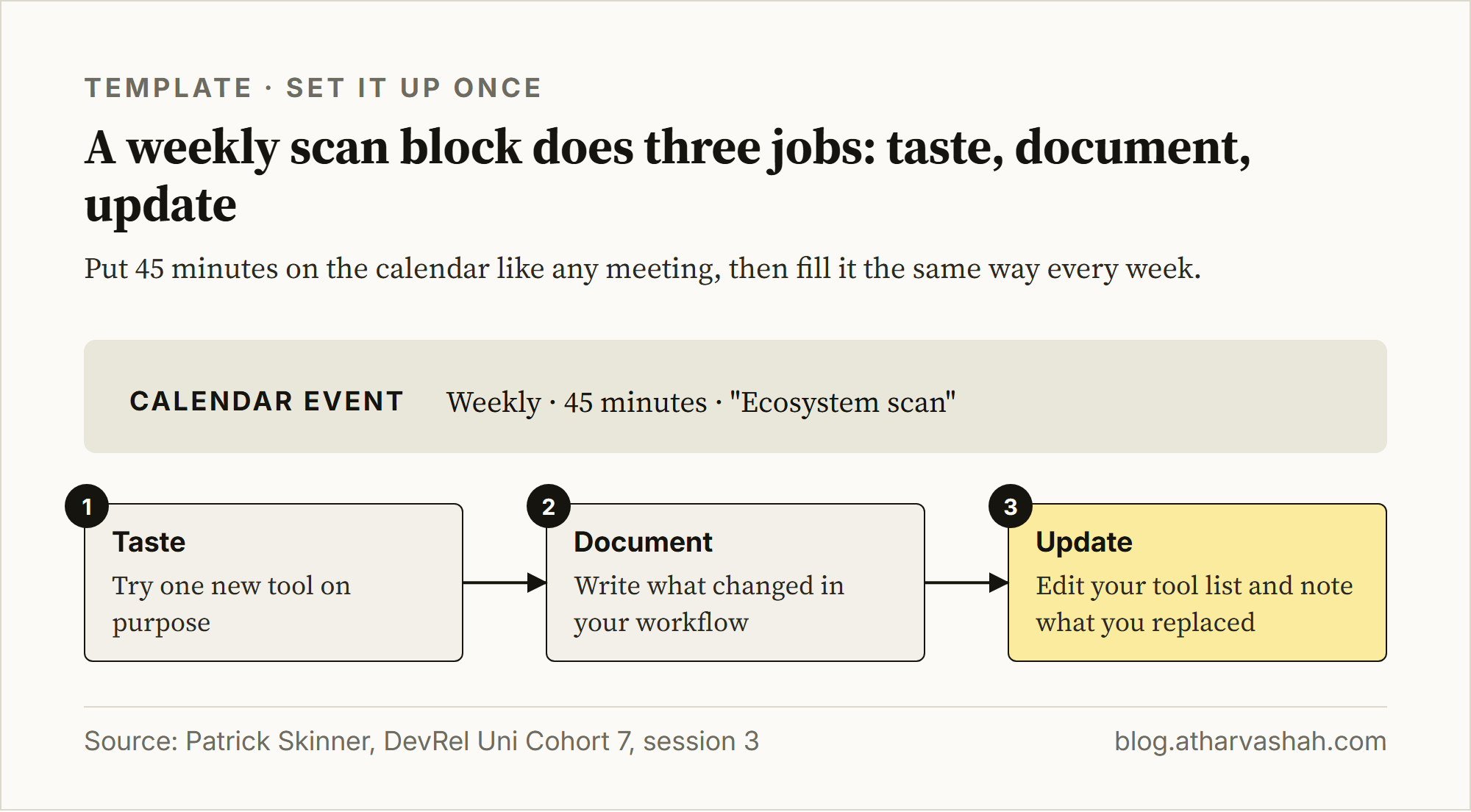
This figure is a template for you to copy. It is not a screenshot of my calendar. The block works because it has three fixed jobs:
Taste. Try one new tool on purpose, rather than reading about it.
Document. Write down what changed in your workflow.
Update. Edit your tool list, and note what you replaced.
Scans turn up tools like this one. Hassan El Mghari, the session 4 speaker, announced a design MCP server (a plug-in that gives an agent outside tools) that searches hundreds of websites for design inspiration.


Step 4. Turn One Agent-Led Task Into a Scoped Tool
Pick one column-three task and build a tool for only that task. The 10xDevRel Launch Checklist Generator started as the checklist my team at AccuKnox actually uses. It takes a changelog entry and returns a checklist.
A scoped tool can be tested. Ask: "Did this generate a valid launch checklist with owners, priority levels and correct task categories?" That question has an objective answer.
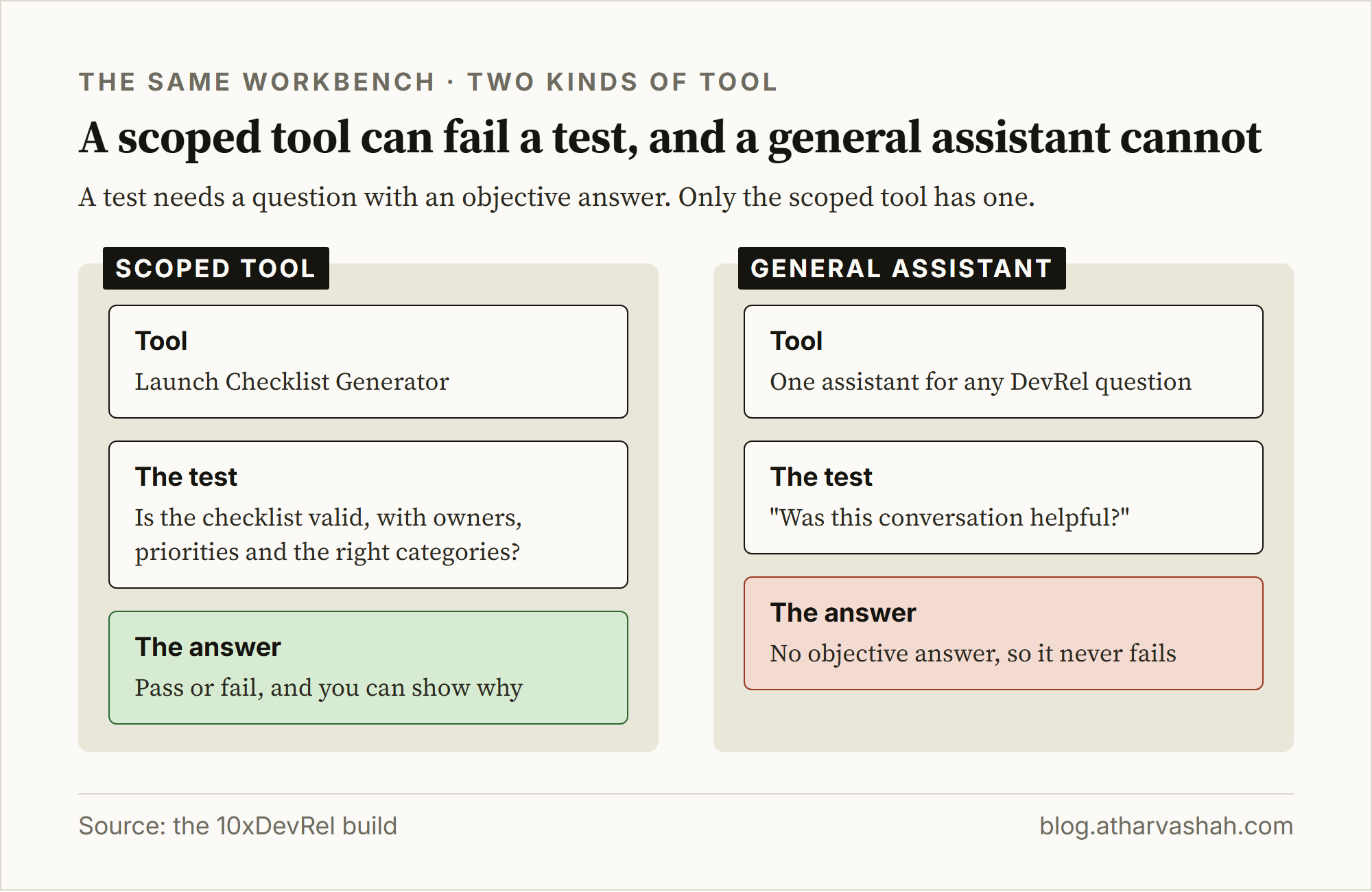
I built a general assistant for the workbench early on, and it did worse than the scoped tools. The question "Was this conversation helpful?" has no objective answer, so that assistant could never fail.
Rule of thumb. If you cannot write the pass or fail question for a tool, its scope is too wide.
The workbench now ships 16 playbooks and five AI tools. The case study on atharvashah.com lists what each one does.
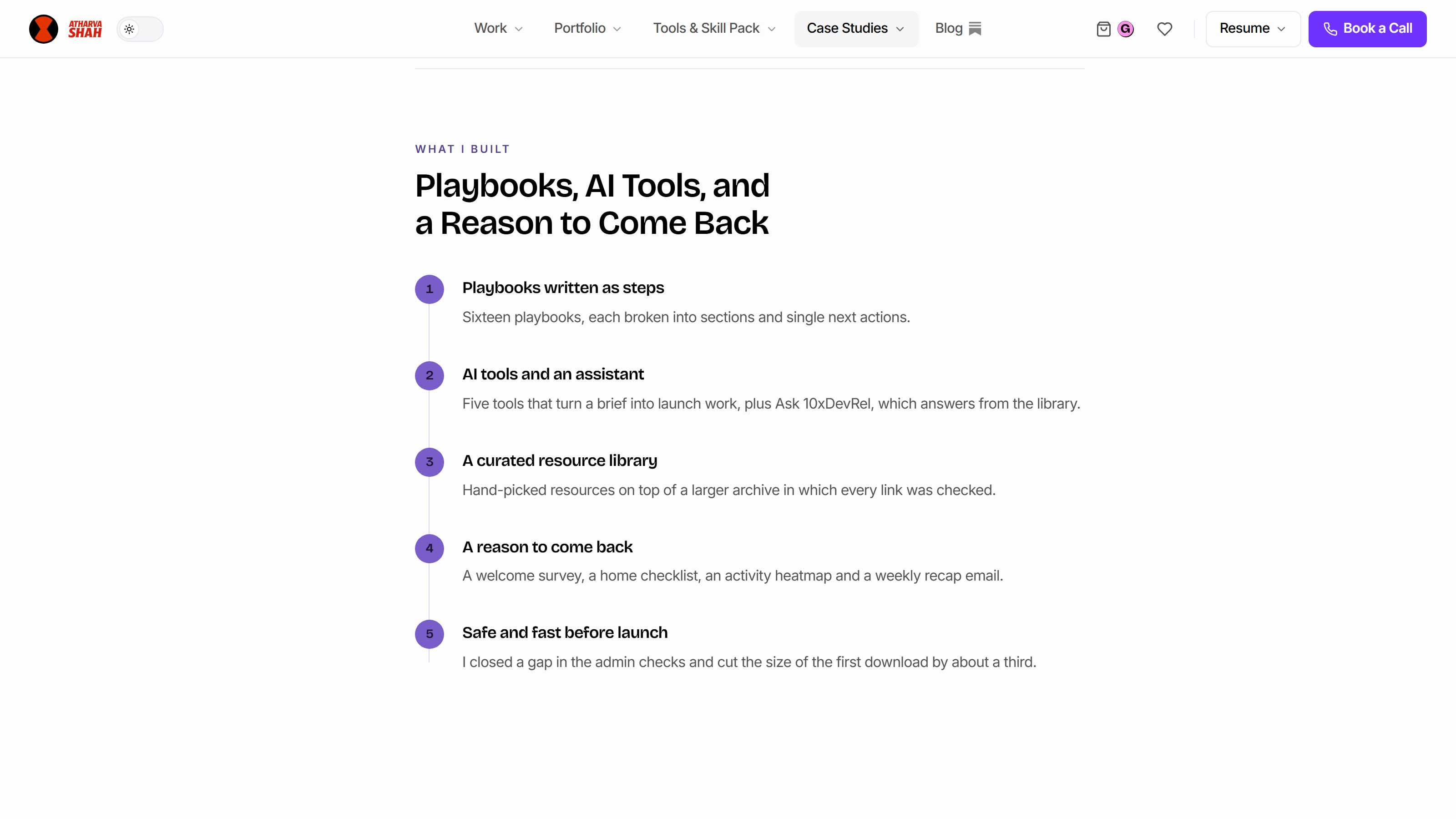
Each tool has one input and one exported artifact.
Step 5. Ship Something Public Every Week
I treat every project as a forcing function for public output. With the workbench, something shipped and something got posted every week. Posting tested whether I could explain the build to a reader who had not seen the code.
Nader Dabit's loop in session 2 was learn, build, share, get feedback, improve. Most people skip share. Readiness usually comes after movement, so you do not need every answer before the next step.
Tip. If the post will not write, you do not understand the build yet. Go back to the build, not to the post.
Here is the thread where I posted the first version of the workbench.


Each Habit Traces Back to One Speaker
Bianca Buzea, session 1. "More people can build now, which means more people need guidance." Docs now serve developers and agents, which led to step 2.
Nader Dabit, session 2. Show what you know in public, which led to step 5.
Patrick Skinner, session 3. A system beats raw speed, which led to the scan in step 3.
Hassan El Mghari, session 4. Find what a new model does uniquely well and build around it, which led to step 4.
Francesco Andreoli, session 5. The Operations Grid became step 1.
For the AI-first DevRel setup behind these steps, read Building DevRel AI-First.
Four Questions Readers Ask About This Routine
What is llms.txt? It is a markdown file at the root of a site that gives AI agents a short guide to your docs. Jeremy Howard proposed it on September 3, 2024, and it is still a proposal rather than a universal standard. See the llms.txt proposal.
Do I need the cohort to use this? No. Each step runs on its own. The cohort supplied the frame, and the steps are yours to run.
What is a coding agent? It is a model that runs commands in a terminal, reads the output and decides the next step. Claude Code is one.
Where do I start if I have one hour? Do step 2. Run your quickstart as an agent and fix the first step that fails.
Appendix
Reproduce the failing step from step 2:
python -m venv .venv && source .venv/bin/activate
pip install jafgen==0.4.6
jafgen --years 6    # fails: No such option: --years
jafgen 1            # runs
A prompt that turns any coding agent into a quickstart tester:
Open the guide at <URL>. In an empty folder, run each command exactly as written.
Do not fix, reorder or skip a step. Stop at the first failure and quote the step number,
the command and the full error.
The calendar event for step 3:
Weekly · 45 minutes · "Ecosystem scan"
Taste one new tool. Document what changed. Update the tool list.