Vibe coded app SEO fails in one place. Your React app serves one HTML file for every URL. A crawler that never runs your JavaScript reads the head of that file on all of them. I rebuilt my own app, 10xDevRel, from the commit before my fix and fetched its 43 sitemap URLs. All 43 returned the same title and the same canonical.
AI code generators build the layout you can see first. Title, canonical and description never show in a preview, so the model skips them. That is the cost of vibe coding at speed. This post shows the fix I shipped and the two prompts that apply it.
TLDR
A crawler or link preview reads the head in the served HTML, and a head that JavaScript writes arrives too late.
In 10xDevRel, 43 URLs returned 1 title before the fix and 43 titles after it.
Keep each route's title, description and canonical in one map, and write them into the HTML your server sends.
Check the raw HTML with curl, because your browser tab shows the head after JavaScript ran.
Run the audit prompt for the plan and the report prompt for the record. Both sit in the Appendix.
The Same URL Returned the Homepage Head Before the Fix
Here is the same URL on two builds of 10xDevRel, a React and Express app. I built the repo at its fix commit and at the commit before it. I then fetched each URL from the app's own static server.

Before: curl on /playbooks returned the homepage title, description and canonical. /tools and /book returned the same file, byte for byte.
In a browser: the page then added its own canonical, so the tab held two that disagreed.
After: the same URL returns its own title, description and canonical.
Unknown paths: /nope-xyz answered 200 before the fix and answers 404 after it.
A Crawler Reads Your HTML, Not Your React
A browser fetches the HTML, runs your JavaScript bundle and lets React write the page. Many fetchers stop after the first step. LinkedIn and Slack link previews read only the served HTML, so every shared URL unfurls as your homepage.

Google can run your JavaScript, but it queues the page for rendering first. Its own documentation says a page may wait on that queue for longer than a few seconds (Google Search Central). A head in the served HTML needs no wait.
Pre-launch checklists already list the layer this post fixes. Suraj Sharma posted 20 tasks to give Claude before a launch, and meta titles, descriptions and a sitemap sit on it.

Rule of thumb. If view-source on a URL shows your homepage title, so does every fetcher that skips JavaScript.
Step 1. Map Every Public Route Before You Edit
Start with a list. A head you cannot attach to a route cannot be checked. The audit prompt writes a plan file first and stops, so you read the list before an agent edits anything.

10xDevRel had 39 routes when I fixed it. Your list needs four kinds:
Static routes, such as /playbooks and /pricing.
Dynamic families, such as one page per playbook. Derive their heads from their own data so a new page cannot be forgotten.
Aliases, which render another route's page and take that page's canonical.
Private routes, such as /signin, which need noindex.
Step 2. Write Each Route's Head Into the Served HTML
The head must exist in the file your server sends. Two methods do that, and your hosting picks one.
The server writes it per request. 10xDevRel runs Express. A marker in index.html is replaced with that route's tags before the file goes out.
The build writes one file per route. atharvashah.com sits on GitHub Pages, which has no rewrite rule. A script writes an index.html at every route path with that route's tags baked in.
A framework that renders pages on the server removes this step. I did not test one for this post.

A runtime head library such as react-helmet-async can still own the tab title after the page loads. It cannot replace this step, because it runs after the bundle loads. React 19 places a rendered title in the document head (react.dev), and that happens when the component renders. A fetcher that skips the bundle never gets there.
Make an unknown path answer 404. Before the fix, 10xDevRel answered /nope-xyz with 200 and the 404 page, which tells a crawler the URL is real.
Watch out. Check
/too. In the build I ran from the fix commit, the static-file middleware answered/from the built index.html before the head handler ran. Inner routes carried their own head. The homepage kept the fallback title and no canonical.
Step 3. Give Every Route Its Own Title and Canonical
Each entry in the map carries five things:
Title: 50 to 60 characters that name the page.
Description: written for this route, never copied from the homepage.
Canonical: one absolute URL that points at the page the route renders.
Robots: noindex on private routes, and no robots.txt block on them, because a blocked page never shows its noindex.
Social tags: OpenGraph and Twitter tags built from the same title and description.
Example. Before the fix, the browser tab for /playbooks held two canonical tags,
/and/playbooks. After the fix both read/playbooks. A search engine cannot trust two canonicals that disagree.
Write structured data (JSON-LD) into the HTML the same way. 10xDevRel still ships one site-wide WebSite block. atharvashah.com writes blocks per route, and its SEO Blog Grader page returns two.
Step 4. Check the Raw HTML With One Command
Run curl against the live URL and read the head. Your browser tab hides the problem, because the tab shows the head after JavaScript ran.
curl -s https://your-site.com/playbooks | grep -E '<title>|rel="canonical"'This is the real output from 10xDevRel before the fix.
<title>10x DevRel — Playbooks & AI Tools for Developer Advocates</title>
<link rel="canonical" href="https://10xdevrel.atharvashah.com/" />This is the real output after the fix.
<title>DevRel Playbooks: 16 Interactive Checklists | 10x DevRel</title>
<link rel="canonical" href="https://10xdevrel.atharvashah.com/playbooks" />
Here is the same check on my own site today, for a route that the build wrote.
<title>AI SEO Blog Grader Skill for Claude | Atharva Shah</title>
<link rel="canonical" href="https://atharvashah.com/ai-skills/seo-blog-grader" data-head="static">
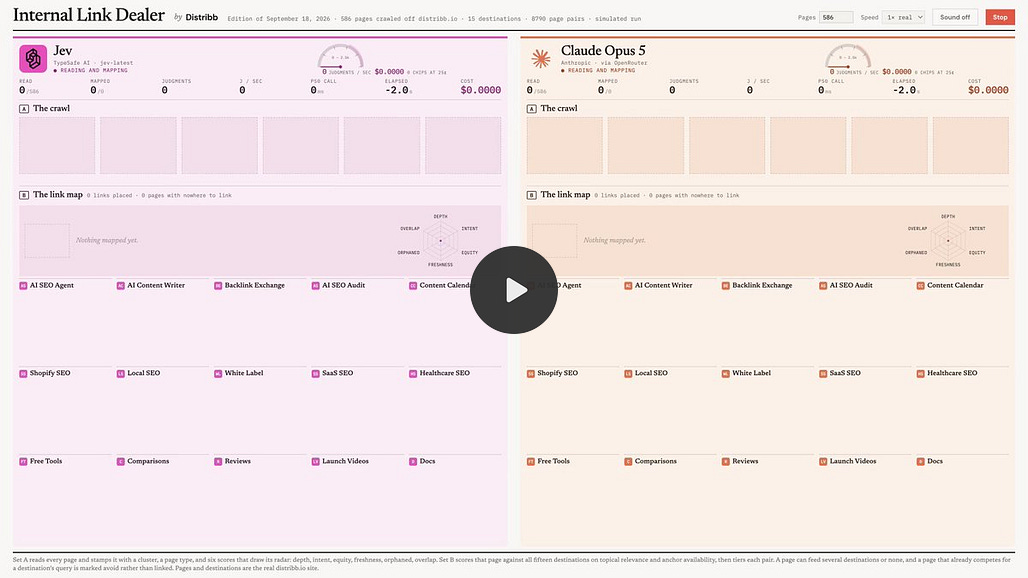
Past a dozen routes, loop the check over your sitemap and count distinct titles. One title means the fix did not land. The loop is in the Appendix. Scale is no excuse to skip it. Borja reports that a model read all 586 pages of his site in 45.1 seconds for $0.21, to rebuild its internal link map.


Step 5. Run the Report Prompt and Keep the Record
The report prompt runs after the audit prompt finishes. It compares the before state with the after state and writes SEO_REPORT.md. Build for a client and the report is the deliverable. Build for yourself and it is the reason a title reads the way it does, months after you approved the plan.
The report covers five areas:
Executive summary: SEO health before the overhaul and after it.
Technical infrastructure: every new file, why it exists and how it changes crawler behavior.
Page-by-page breakdown: every tag and semantic fix, route by route.
Head mechanism log: how each route's head reaches the served HTML, with curl output as proof.
Performance and accessibility: alt text and lazy-loading changes.
Keep the plan-first rule in your agent's instruction file so every session starts with it. The Copilot setup guide shows how instruction files work. Any app you ship in a day, such as the AI security CTF platform I built in one day, needs this layer before launch.
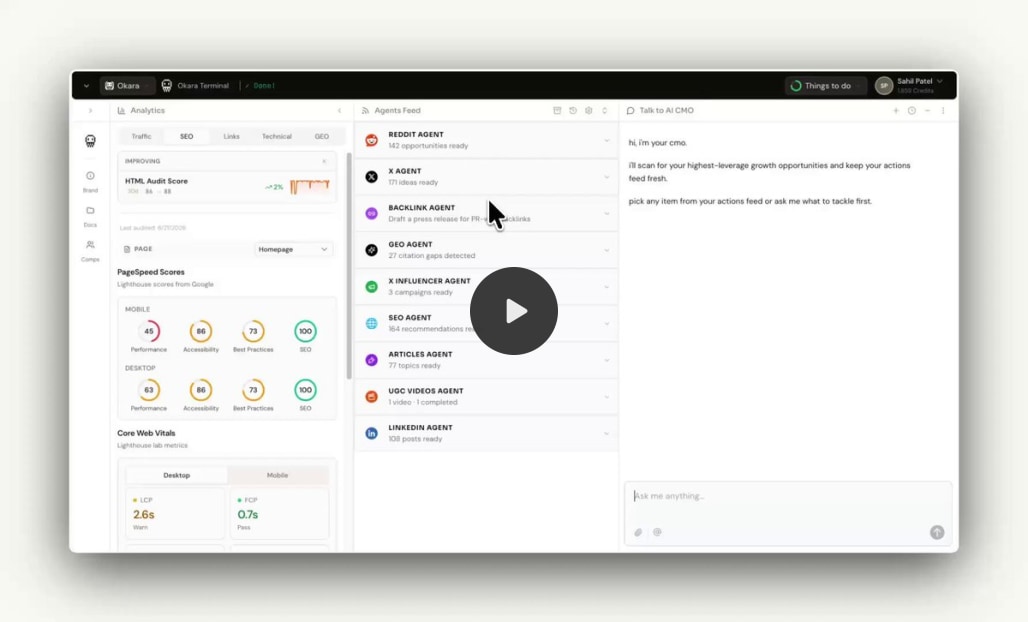
Once each route has a head, Search Console shows which pages sit at positions 5 to 20. Okara describes asking for a new title tag, an h1 and 2 or 3 h2 sections for each of them.

Your blog posts need the same check. The SEO Blog Grader skill scores a draft, a file or a live URL on six areas, and lists the fixes in priority order.

Tip. Run the audit prompt, read SEO_PLAN.md, and fix the plan before you approve it. A missing route costs nothing at that stage.
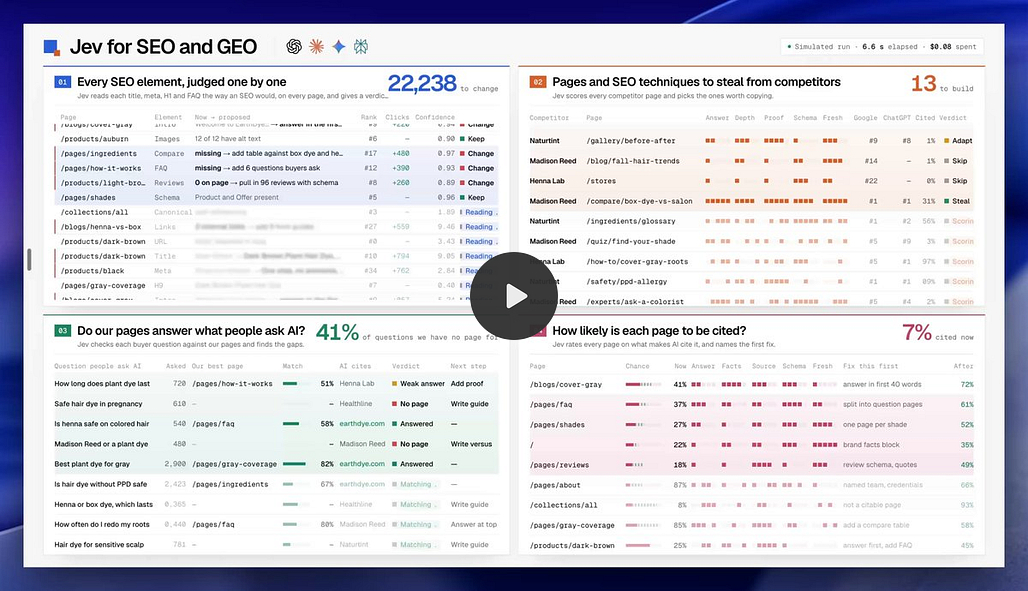
The next layer after a fixed head is being named by AI answers, which this guide to getting recommended by AI covers. Ira Bodnar lists seven SEO and GEO workflows, and the first scores competitor pages on answer, depth, proof and freshness.


Four Questions a Builder Asks About the Served HTML
Does Google run my JavaScript? It can. Google queues the page for rendering after the first fetch, and the wait can run long. Link previews and many AI fetchers stop at the served HTML, so write the head there for all of them.
Does React 19 fix this? React 19 places a rendered title in the head, and rendering happens in the browser. A fetcher that skips the bundle still sees your shell. The head has to be in the file.
Do I need to move to a framework? No. 10xDevRel kept its Vite and Express setup, and atharvashah.com kept a static host. A framework that renders on the server removes the step, but I did not test one for this post.
Which pages stay out of the index? Private routes such as sign-in and account pages. Give each one noindex in its served head, and leave it out of robots.txt so a crawler can read the noindex.
The Appendix Holds Both Prompts, the Check Loop and the Injection Code
This is the audit prompt, run first. Paste it into your coding agent with your React project loaded.
Role: You are an Expert Senior Full-Stack Engineer and SEO Specialist.

Task: Perform a comprehensive SEO overhaul of this React workspace. You must follow a strict "Plan-First" execution model.

Phase 1: Analysis & Documentation
Crawl the Project: Scan the /src folder, especially routes (e.g., App.js, routes.tsx, or react-router configs) to identify every public-facing page, every dynamic route family, every alias and every private route.

Sitemap Audit: Locate or create a strategy for a dynamic sitemap.xml.

Deliverable: Create a file named SEO_PLAN.md documenting:

A list of all identified routes, grouped as static, dynamic, alias and private.

The proposed robots.txt configuration.

How each route's head will reach the HTML the server sends. Pick one method and name the file that will hold each route's title, description and canonical: the server writes the head per request, the build writes one HTML file per route, or the framework renders it on the server.

A strategy for OpenGraph (OG) tags and structured data (JSON-LD).

Phase 2: Technical Infrastructure
Robots & Sitemap: Generate a robots.txt in the /public folder. Create a script (or a manual sitemap.xml) that includes all routes found in Phase 1. Do not block private routes in robots.txt. Give them noindex instead.

Head in the Served HTML: Implement the method chosen in SEO_PLAN.md so the HTML sent for each route already carries its own title, description, canonical, OpenGraph and Twitter tags before any JavaScript runs. A runtime head library may stay for the browser tab, but it never replaces this.

Unknown Paths: Make a path that matches no route answer with HTTP status 404.

Phase 3: Page-Level Optimization
For every page component identified:

Meta Tags: Give each route a unique <title> of 50-60 characters and a unique <meta name="description">.

Social Graph: Implement OpenGraph (og:title, og:description, og:image) and Twitter Card tags.

Semantic HTML: Review the JSX. Ensure the page uses a logical heading hierarchy (<h1> for main titles, <h2> for sections) and semantic tags (<main>, <article>, <nav>).

Clean URLs: Ensure all Link components use human-readable slugs.

Phase 4: Performance & Programmatic SEO
Image Optimization: Identify <img> tags and suggest/implement loading="lazy" and descriptive alt text.

Dynamic Routes: If the app uses dynamic parameters (e.g., /products/:id), derive each route's head from the data that renders the page, so a new page cannot be forgotten.

Implement a site-wide JSON-LD 'Organization' and 'WebPage' Schema to clarify brand identity for LLMs and search engines. Ensure all critical brand and service information is 'crawl-ready' without requiring JavaScript execution to prevent data loss during AI indexing.

Constraints:

Do not break existing CSS or functional logic.

Prioritize "Human-Readable" code and SEO-friendly URL structures.

Before you finish, run curl on the raw HTML of three different routes and paste each title and canonical into SEO_PLAN.md as proof.

Wait for my approval on SEO_PLAN.md before modifying any application files.
This is the report prompt, run second.
**Role:** You are a Senior Technical SEO Auditor.

**Task:** Conduct a post-implementation review of the SEO overhaul performed on this React workspace. You must generate a professional, comprehensive report named `SEO_REPORT.md`.

**Scope of Analysis:**

1. Compare the current state of the `/src` and `/public` folders against standard React SEO best practices.

2. Identify every route whose head is now written into the served HTML, and the file that holds its title, description and canonical.

3. Identify all new files created (e.g., `sitemap.xml`, `robots.txt`, `SEO_PLAN.md`).


**Report Structure Requirements:**

### 1. Executive Summary

- Provide a high-level overview of the SEO health of the application before vs. after implementation.


### 2. Technical Infrastructure Changes

For every **New File** created (e.g., `robots.txt`, `sitemap.xml`):

- **File Path:** [Path to file]

- **Purpose:** Why was this specific file created?

- **Impact:** How does this file affect search engine crawlers (indexing, crawl budget, etc.)?


### 3. Page-by-Page Breakdown

Create a section for **every page/route** modified. For each page, document:

- **Component Name & Path:**

- **Elements Added:** List specific Tags (Title, Meta Description, Canonical, OG Tags, Schema.json).

- **Technical Decisions:** Why was this specific keyword or description chosen for this route?

- **Semantic Improvements:** Note if tags like `<div>` were changed to `<main>`, `<article>`, or if `<h1>`-`<h6>` hierarchy was corrected.

- **SEO Impact:** Explain how these specific changes improve the "Relevancy Score" for that page.


### 4. Head Mechanism Log

- **Method:** Which method puts each route's head into the served HTML, and why was it chosen over the others?

- **Proof:** Paste the curl output for the title and canonical of three routes.

- **Unknown Paths:** Show the status code for a path that matches no route.


### 5. Performance & Accessibility (A11y)

- List improvements made to `<img>` alt tags and `loading="lazy"` attributes.

- Explain how these changes impact Core Web Vitals (LCP, CLS).


**Tone:** Professional, technical, and data-driven. Use before and after lists to compare meta-titles and descriptions.

**Final Output:** Save all of this into `SEO_REPORT.md` in the root directory.
This loop fetches every sitemap URL and counts distinct titles. One line of output means every route shares one title.
grep -o "<loc>[^<]*</loc>" public/sitemap.xml | sed 's#<loc>##;s#</loc>##' | while read url; do
  curl -s "$url" | grep -o "<title>[^<]*</title>" | head -1
done | sort | uniq -c | sort -rn
This is the core of the server method in 10xDevRel, trimmed. The function seoForPath reads the route map, and the marker in index.html is replaced before the file is sent.
export function injectRouteHead(template: string, rawPath: string): string {
  if (!template.includes("<!--ROUTE-HEAD-->")) return template;
  // drop the fallback <title> that sits above the marker
  const open = template.indexOf("<title>");
  const close = template.indexOf("</title>");
  const withoutTitle =
    open !== -1 && close > open
      ? template.slice(0, open) + template.slice(close + "</title>".length)
      : template;
  return withoutTitle.replace("<!--ROUTE-HEAD-->", routeHead(rawPath).trimStart());
}

// in the static handler: an unknown path gets a 404 instead of a 200
const status = seoForPath(routePath).canonical ? 200 : 404;
res.status(status).set({ "Content-Type": "text/html" }).end(injectRouteHead(template, routePath));