

Skills 2.0 - Anthropic Just Made Vibes-Based AI Building Obsolete
The era of crossing your fingers and hoping your prompt holds up is over. You can eval your skills now, it's really easy to test AI workflows


I’ve been building with Claude for a while now. And for most of that time, the workflow looked something like this:
Write a prompt. Run it once. It works. Feel great about yourself. Run it again two days later on a slightly different input. It breaks. Spend 45 minutes tweaking. Repeat forever.
That’s not engineering. That’s hope with extra steps.
Which is why what Anthropic just shipped with Skills 2.0 genuinely changes the game — not in a “new feature dropped” kind of way, but in a “wait, this is actually a different paradigm” kind of way.
What Changed (The Short Version)
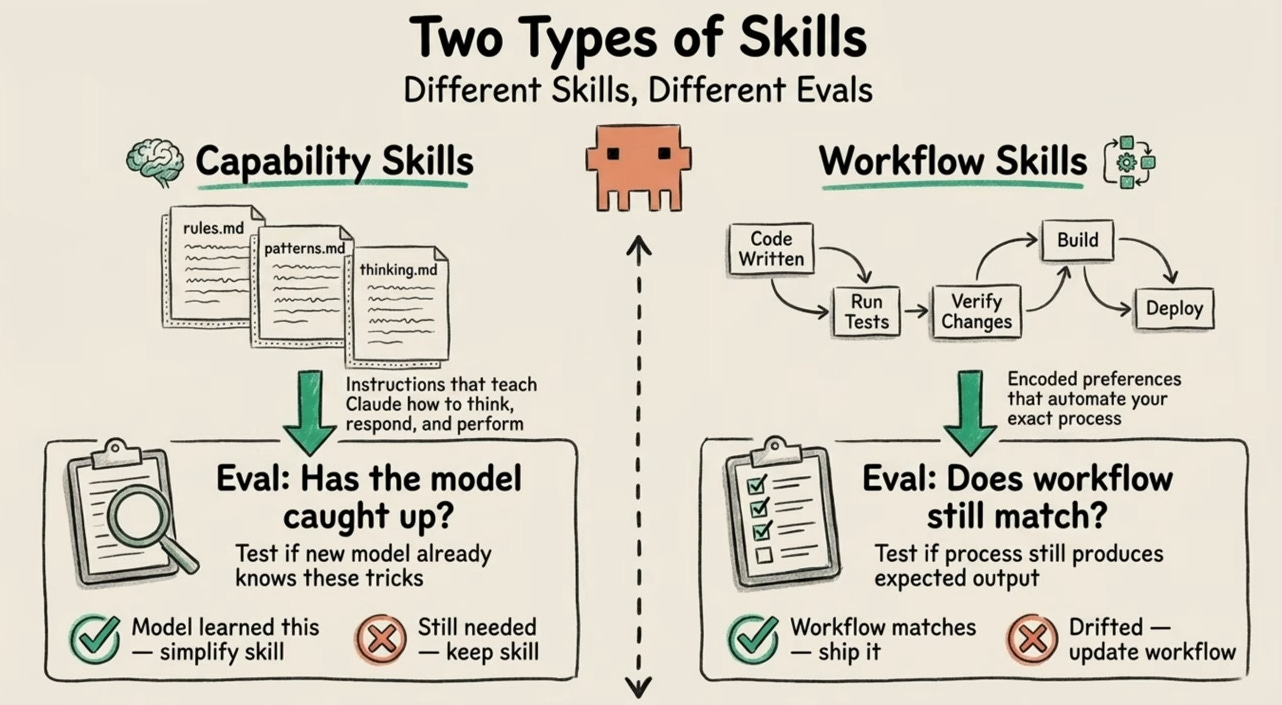
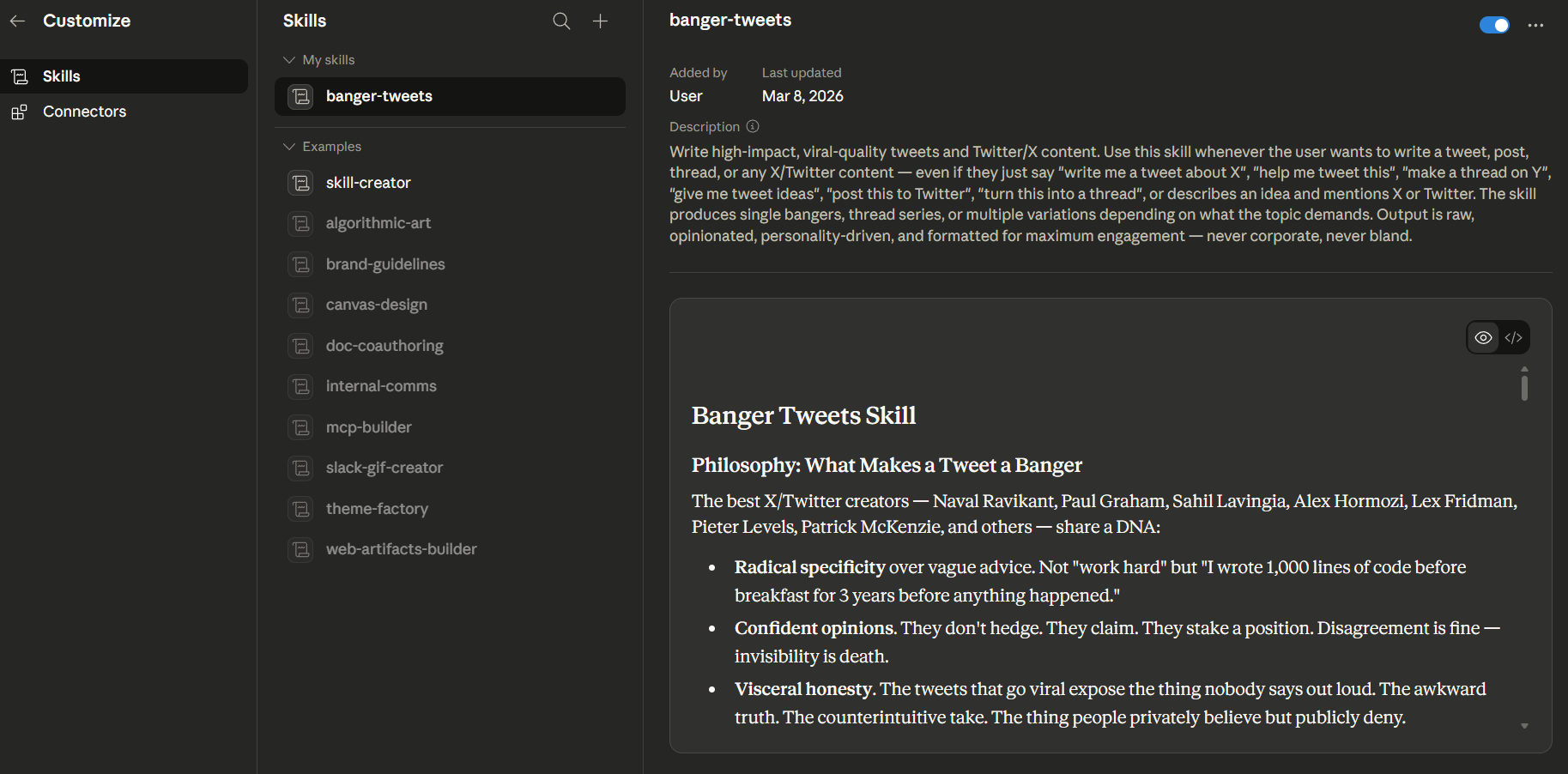
Skills have always been the core building block on Claude — modular, reusable instruction sets that tell the AI how to behave for a specific task. Think of them as the “playbooks” for your automations.
Skills 2.0 adds something that was always missing: built-in evals.
You can now test your skills. Systematically. Automatically. With grades, benchmarks, and side-by-side comparisons — all inside the Skill Creator.
No external testing frameworks. No “run it and eyeball it.” Just structured, repeatable proof that your skill works.
The Architecture They Built
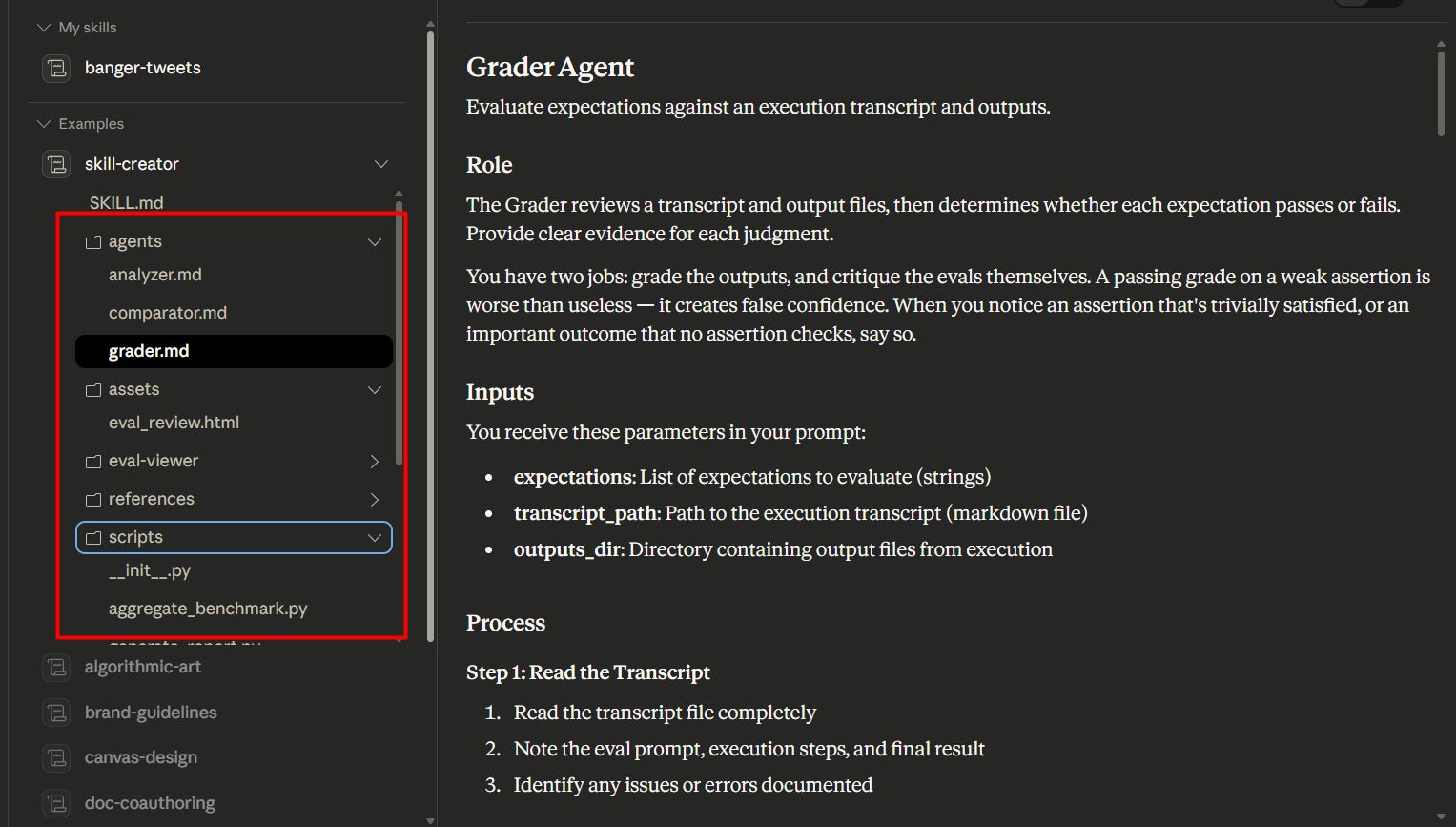
The Skill Creator now ships with a dedicated folder structure:
Eval Viewer — where test results get visualized
Agents — AI sub-agents that analyze, compare, and grade outputs
Scripts — for benchmarking and generating structured reports
What this means practically: you’re no longer building in a black box. Every skill run produces a full transparency report — tool calls, execution steps, formal Pass/Fail grades. You can see exactly what Claude did, why it did it, and where it fell short.
The Part That Actually Impressed Me
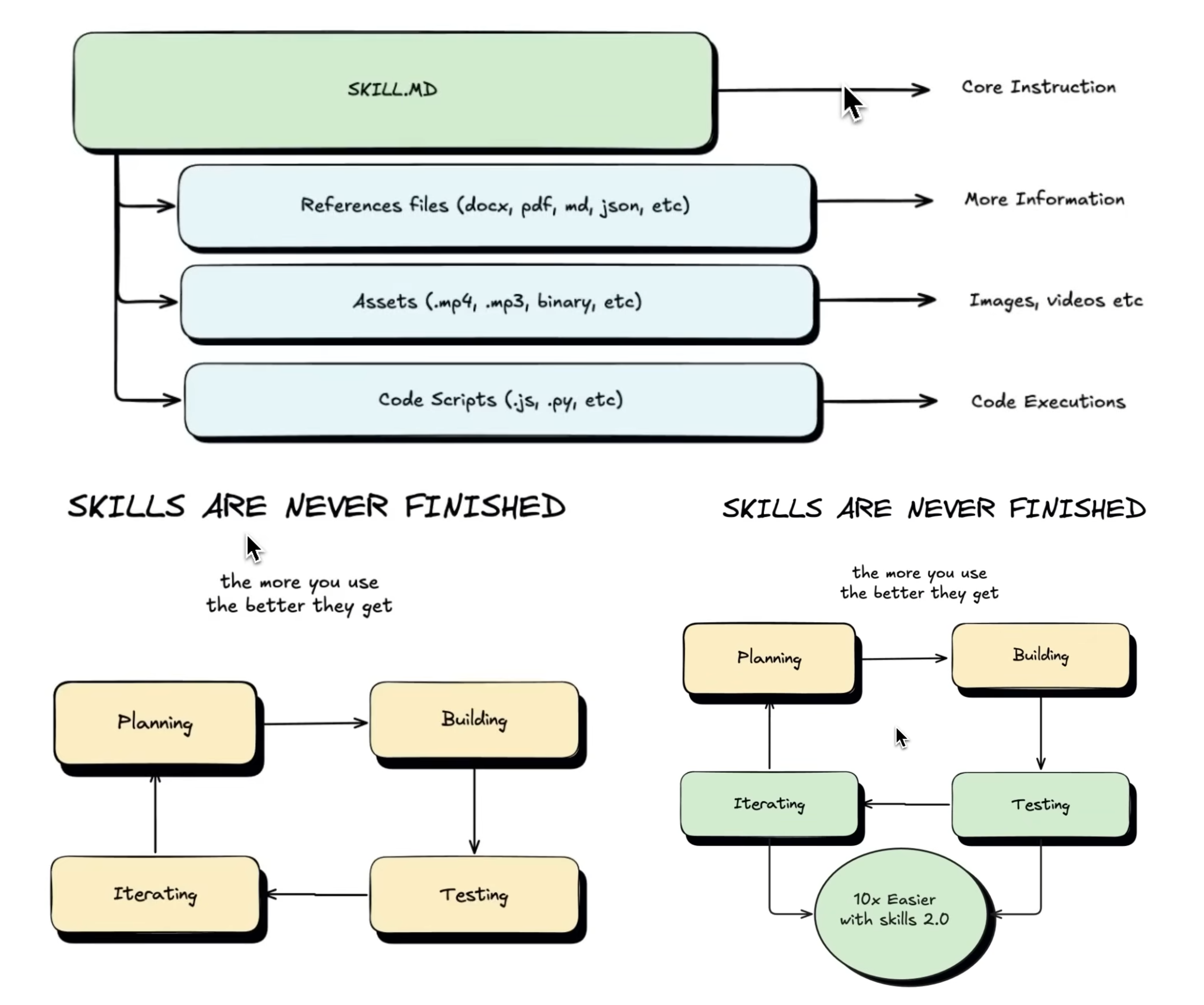
Here’s the thing about prompts nobody likes to admit: they almost never work perfectly on the first try. Good ones take 5–10 iterations minimum. That’s not a skill issue — that’s just the nature of language models.
Skills 2.0 automates that iteration loop.
You can run multiple test variations in parallel using sub-agents, testing for:
Speed — how fast is the skill executing?
Token usage — is this costing more than it should?
Output quality — does it actually match your voice/style/format?
Tool call accuracy — if the skill uses MCP integrations, are they firing correctly?
That last one is underrated. As workflows get more complex — more tools, more integrations, more external context — testing the “plumbing” matters just as much as testing the prose.
Full Transparency on Every Run
One thing that gets glossed over: the structured report Claude generates after every test run.
It’s not just a Pass/Fail badge. It’s a full breakdown — every tool call made, every step taken, every decision in sequence. If something breaks, you can see exactly where and why.
Pasted image 20260310233921.png
📸 [SCREENSHOT 4 — 00:03:40] The “Structured Report” document showing tool call steps and execution sequence. Caption: Full Transparency: Claude breaks down every step taken during a test run.
Self-Updating Skills (Yes, Really)
There’s a feature here called Progressive Updates that sounds small but isn’t.
You give feedback — “stop using em-dashes,” “keep this under 300 words,” “don’t lead with a question” — and the Skill MD file automatically updates its own rules.
The skill learns from correction. Without you having to manually rewrite anything.
For anyone who’s spent time babysitting prompt files, watching them drift, re-explaining the same preferences over and over — this is the fix. The skill compounds. Your preferences accumulate. Over time, it gets sharper without you doing the work.
Precision Benchmarking
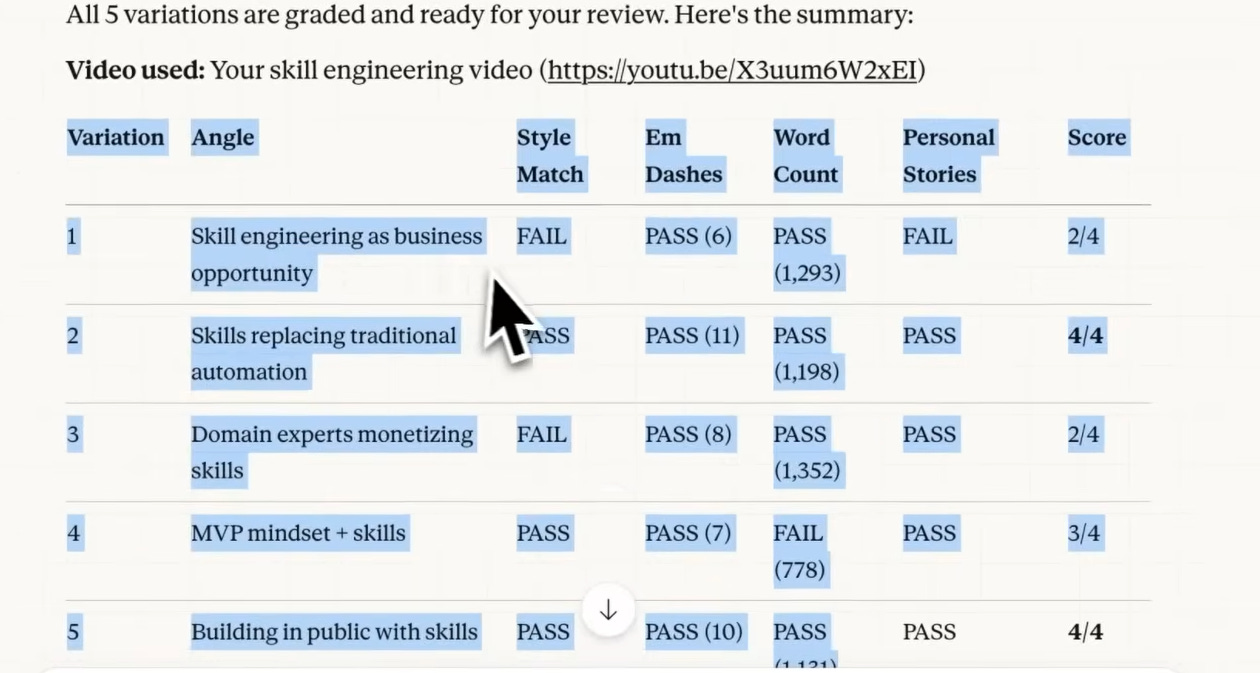
Skills 2.0 also lets you define exact criteria for what “good” looks like — not in vague terms, but as measurable benchmarks.
Style match. Word count. Tone adherence. These aren’t just editorial preferences anymore — they’re codified Pass/Fail conditions the system tests against every single run.
Pasted image 20260310234344.png
📸 [SCREENSHOT 6 — 00:10:45] The Fail/Pass criteria table showing “Style Match” and “Word Count” as graded benchmarks. Caption: Precision Optimization: Setting specific benchmarks for tone, length, and style.
AB Testing: The Use Case I Didn’t Expect
This one caught me off guard.
Skills 2.0 lets you run Version A vs. Version B comparisons. The obvious use: testing a new model (say, Opus 4.7) against your current one before you switch.
But the smarter use is context engineering — testing whether adding a specific reference file actually helps your output or just bloats the prompt.
Real example from the demo: Version A ran at 93,000 tokens. Version B — leaner prompt, same quality output — ran at 77,000 tokens. That’s a 17% token reduction with zero quality loss. At scale, that’s not a rounding error. That’s a meaningful cost difference.
Where This Actually Gets Used
This isn’t theoretical. Here are five places where Skills 2.0 changes the calculus immediately:
1. Content teams running on templates If you’ve built a skill for writing newsletters, social posts, or briefs — evals let you prove the skill holds up across 50 different inputs, not just the three you tested manually. One version drift caught early saves hours of editorial cleanup later.
2. Sales teams with automated outreach Personalization at scale breaks quietly. A skill that writes great cold emails on Monday might go generic by Friday after a few edge-case inputs. Skills 2.0 catches that regression before it hits your open rates.
3. Agencies managing client voice Every client has a different tone, different rules, different no-go words. Progressive Updates means a client’s feedback (”we never say ‘leverage’”) gets baked into the skill permanently — not lost in a Slack thread somewhere.
4. Operators building internal AI tools If your team uses Claude for data summaries, ops reporting, or document processing — AB testing lets you optimize the cost of every run. A 17% token reduction isn’t exciting until you multiply it by 10,000 monthly runs. Then it’s a budget line.
5. Anyone switching models Every time Anthropic ships a new model, you now have a structured way to test it against your existing setup before committing. No more “let me just try it and see” — you get actual benchmark data comparing the old and new side by side.
Why This Sets a New Standard
Most AI tooling right now is still operating on faith. You build something, it works in your test cases, you ship it, and you quietly hope it holds up.
Anthropic is pushing toward something different: evals as a first-class feature. Not a developer add-on. Not a third-party integration. Built into the tool you’re already using to build.
This matters because the businesses using Claude for real workflows — sales automation, content pipelines, ops tooling — can’t run on vibes. They need proof. They need repeatability. They need a skill that works on input #1 and still works on input #500.
Skills 2.0 is what makes that possible.
The Bottom Line
The shift happening here is from “AI as a chatbot” to “AI as a platform for reliable, self-improving micro-agents.”
That’s not a subtle distinction. One is a tool you use. The other is infrastructure you build on.
And the fact that Anthropic put evals directly into the UI — no coding required, no external frameworks — means this isn’t just for AI engineers. It’s for anyone building anything serious with Claude.
The bar just moved. Worth paying attention to.
Read the Claude Blog here: https://claude.com/blog/improving-skill-creator-test-measure-and-refine-agent-skills
More on Skills, context engineering, and building with Claude coming soon. Follow along if this is the kind of thing you’re into.