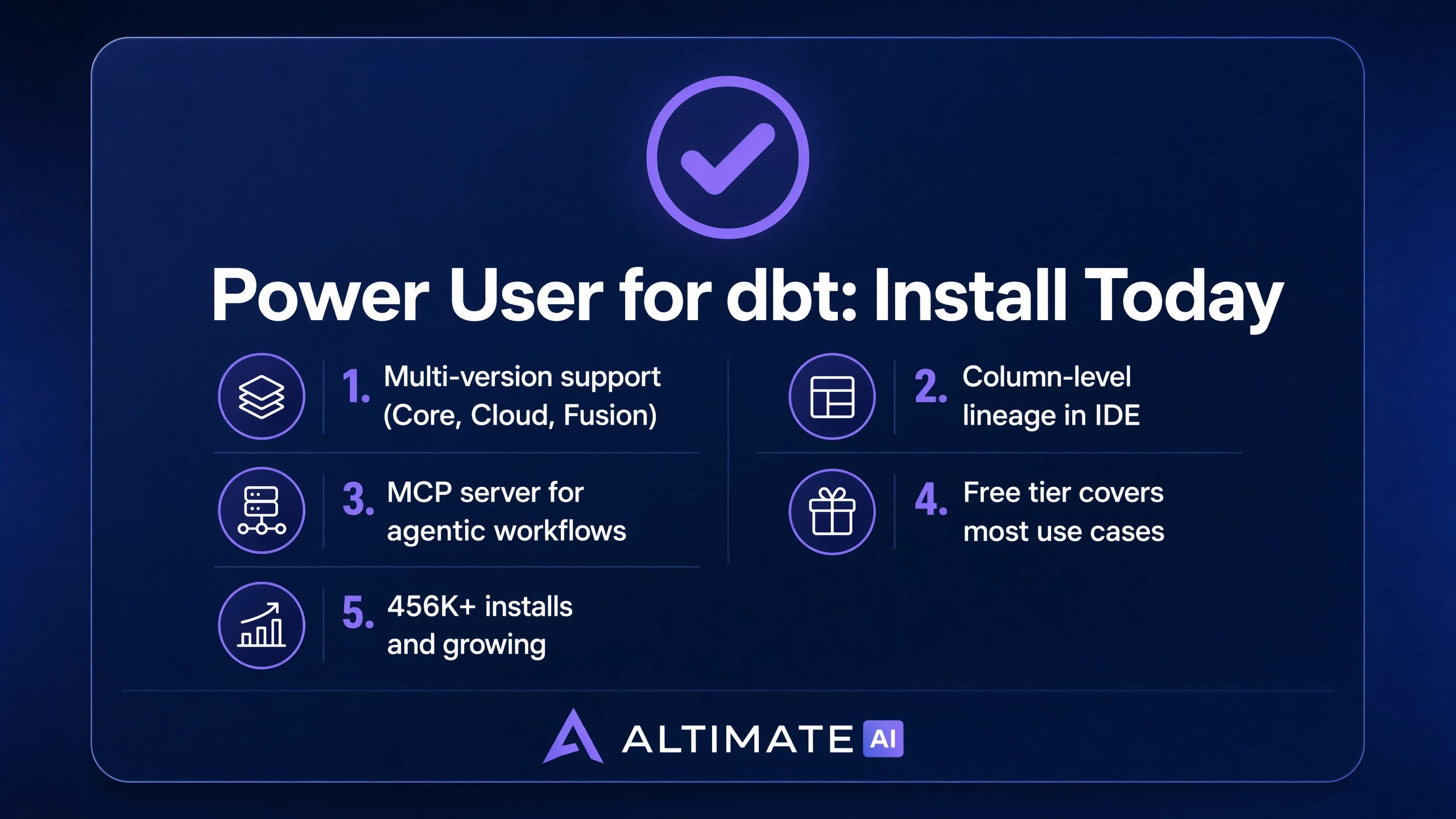
Power User for dbt: The Five Features Closing the Gap on the Official VS Code Extension
An engineering teardown of the 456K-install extension that turned VS Code into the dbt IDE most analytics engineers actually use.


The official dbt Labs VS Code extension launched into preview with a narrow promise: a first-party IDE experience for dbt Fusion. The bet is sound. Fusion is the Rust-based dbt engine that went GA at Coalesce 2025, and a first-party editor extension is overdue. The catch is that “Fusion-only” excludes the long tail of dbt Core, dbt Cloud, and the hybrid setups that almost every working data team runs in production.
That tail is where Power User for dbt has been operating for years.
Power User is the open-source VS Code extension shipped by Altimate AI, the same team that recently launched the agentic data-engineering harness Altimate Code. It has crossed 456,000 installs on the VS Code Marketplace, holds a 5.0 average across 48 reviews, and ships under MIT license. The repository on GitHub has 575 stars. The extension runs against dbt Core, dbt Cloud, and dbt Fusion, with full support for dbt 1.0 and above, devcontainers, codespaces, and remote workspaces.
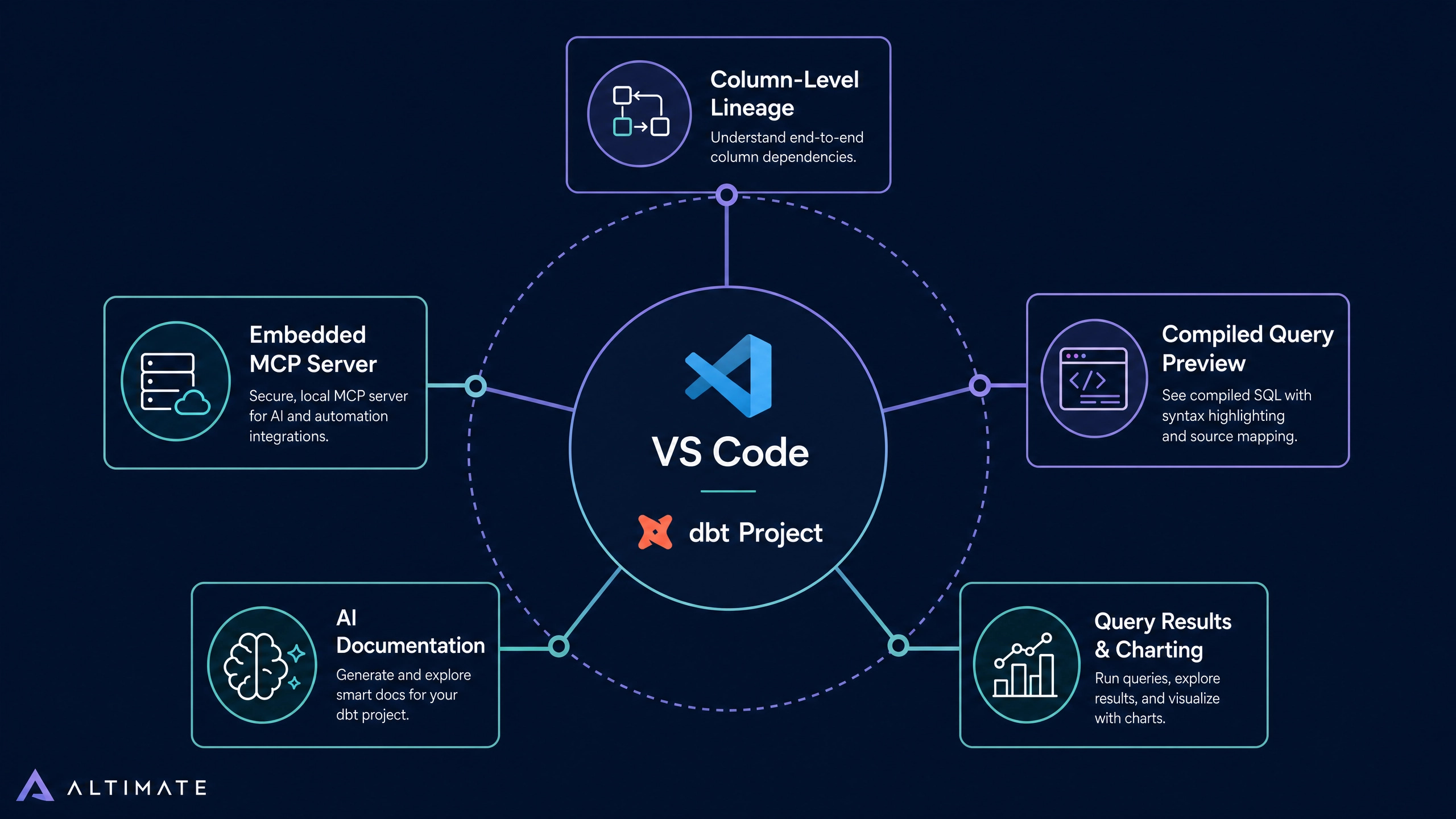
That breadth is the first reason Power User has out-shipped the official extension. The second reason is the feature set, which now reads less like an IDE plugin and more like a thin productivity layer over the entire dbt development loop. Five capabilities account for most of the daily value.
Why the Extension Surface Matters in 2026
Before the feature walkthrough, a market note. dbt itself has moved from “a transformation tool” to “the integration surface for the modern data stack.” Power User reads manifest.json and turns the editor into a dbt-aware workspace. Cosmos reads the same manifest and turns Airflow into a dbt-aware orchestrator. Recce diffs dbt change sets. Datafold validates them. Altimate Code wraps them in an agentic harness. Every meaningful new data tool in 2026 either integrates with dbt or builds on dbt’s metadata graph.
In that landscape the IDE extension is no longer a nice-to-have. It is the surface where transformations get written, reviewed, and shipped. For analytics engineers, the editor is where 80 percent of their work lives. The extension that wins the IDE wins the daily workflow.
That framing explains the strategic position of Power User. It is the only extension that covers the full dbt market today.
Feature 1: Column-Level Lineage Inside the Editor
dbt Cloud’s Explorer surfaces column-level lineage through a separate web UI. Power User surfaces the same graph inside VS Code, directly above the model file being edited.
The technical mechanism is straightforward. Power User parses the dbt manifest, walks the SQL AST of every model, and resolves which output column derives from which input columns. Renaming a column triggers a graph view that highlights every downstream model touching that exact column. Type changes propagate through the same view.
The interaction shift is the point. Lineage that lives in a separate browser tab gets opened occasionally. Lineage that lives in the editor gets consulted on every rename, every type change, every refactor. The lineage tab has gone from a once-a-week safety check to a per-commit reflex.
Field observations from teams that have moved from dbt docs serve to Power User show measurable reductions in downstream-breaking PRs. The mechanism is friction: lineage that costs zero extra clicks is lineage that gets used.
Feature 2: Compiled Query Preview While Typing
dbt’s Jinja templating sits between what a developer writes and what the warehouse runs. The official dbt compile command resolves the templating into raw SQL and writes it to target/compiled/. Anyone who has chased a macro bug knows the workflow: write, save, run dbt compile, open the compiled file, find the issue, repeat.
Power User collapses that loop into a live side-panel. Edit a model, the compiled SQL updates in real time. Change a Jinja variable, the resolved value appears. Toggle an if block, the compiled output adapts. A multi-macro CTE chain that previously took three iterations of compile-and-inspect now reveals itself instantly.
The productivity impact compounds in proportion to macro depth. Projects with shallow Jinja get marginal gains. Projects with deep macro hierarchies, the kind common in mature analytics-engineering teams, get back hours per developer per week. For a data team of ten, that is a measurable line item on the quarterly plan.
Feature 3: Native Query Execution and Results
The Power User gutter exposes a Run button on every model file. The query executes against the configured warehouse adapter, and results land in a VS Code results pane with sorting, filtering, CSV export, and basic charting.
That last capability deserves emphasis. The charting integration covers grouped bar, time-series line, and pie views, configured through a sidebar without writing visualization code. For exploratory analytics work the practical effect is that a quick “weekly active users by region” check no longer requires opening a BI tool. The query runs inside the editor and the chart renders within seconds.
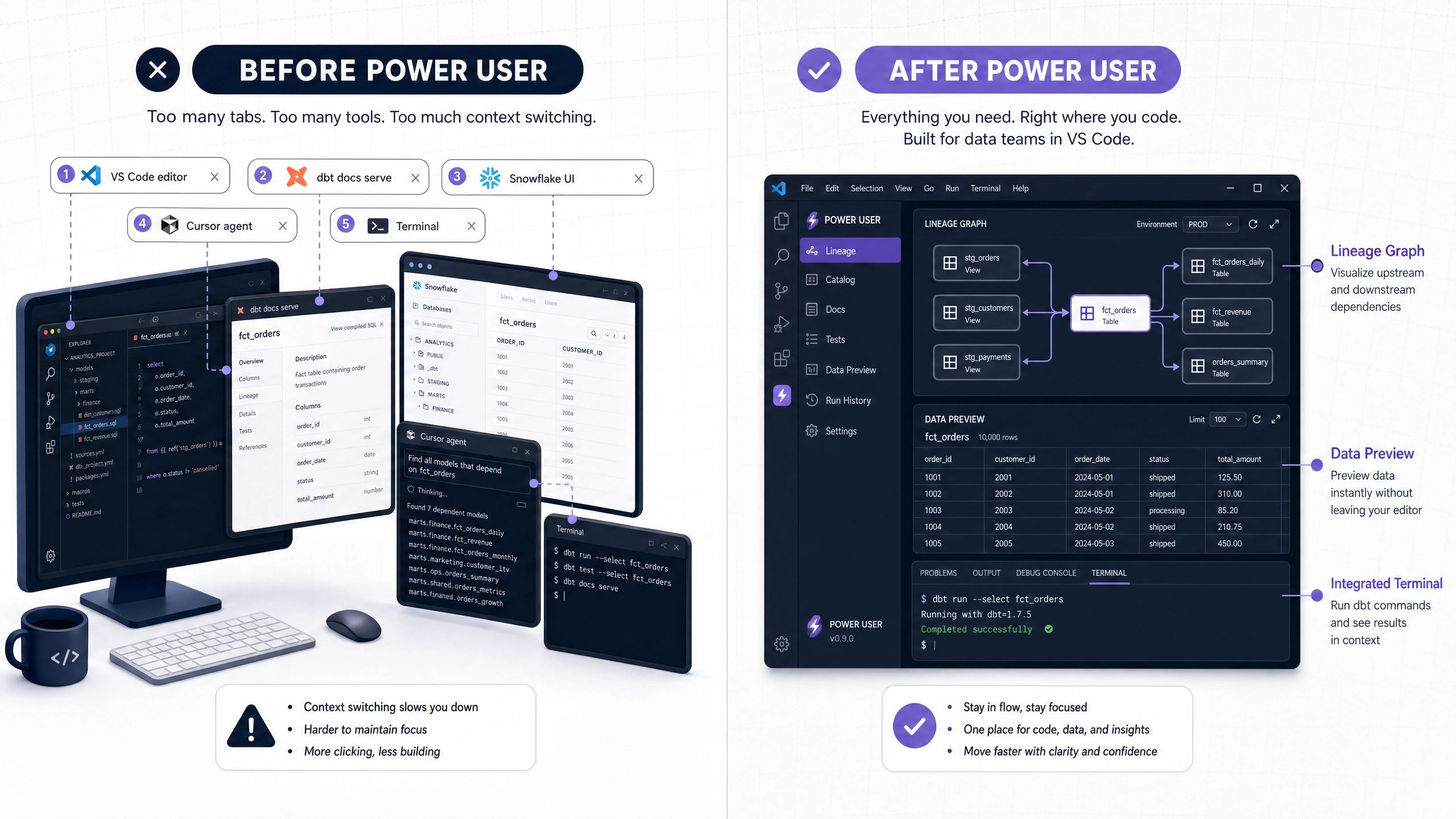
This is the consolidation pattern that drives extension stickiness. Removing the need to context-switch to a separate warehouse UI for the 70 percent of queries that are exploratory removes a friction point that the rest of the modern stack has not yet eliminated.
Feature 4: AI-Generated Documentation as a First Draft
Power User ships an AI documentation generator that writes the first draft of model and column docstrings directly into schema.yml. The generator reads the model SQL, the upstream lineage, the source declarations, and any existing documentation context, then writes structured descriptions that match dbt’s documentation schema.
The model is configurable in two dimensions. Persona selects the audience: technical (for engineering reference), business (for stakeholder consumption), or general (default). Language supports English, French, Dutch, and German. The output is committed straight into the YAML files where dbt expects it.
Output quality on representative models lands in a usable first-draft range. Standard dimensions and facts where naming follows conventional patterns produce documentation that requires light editing. Business-critical metrics with company-specific definitions need human revision because the AI cannot infer revenue recognition policies or fiscal calendars from SQL alone.
The economic case is straightforward. A dbt project of 200 models with an average of 20 columns has 4,000 columns to document. At two minutes per column of human time, that is roughly 130 hours of documentation backlog. The AI generator cuts that to a review-and-edit workflow that completes in days, not months. Documentation backlogs are why most dbt projects have stale schema.yml files. Closing that gap matters.
Feature 5: The Embedded MCP Server
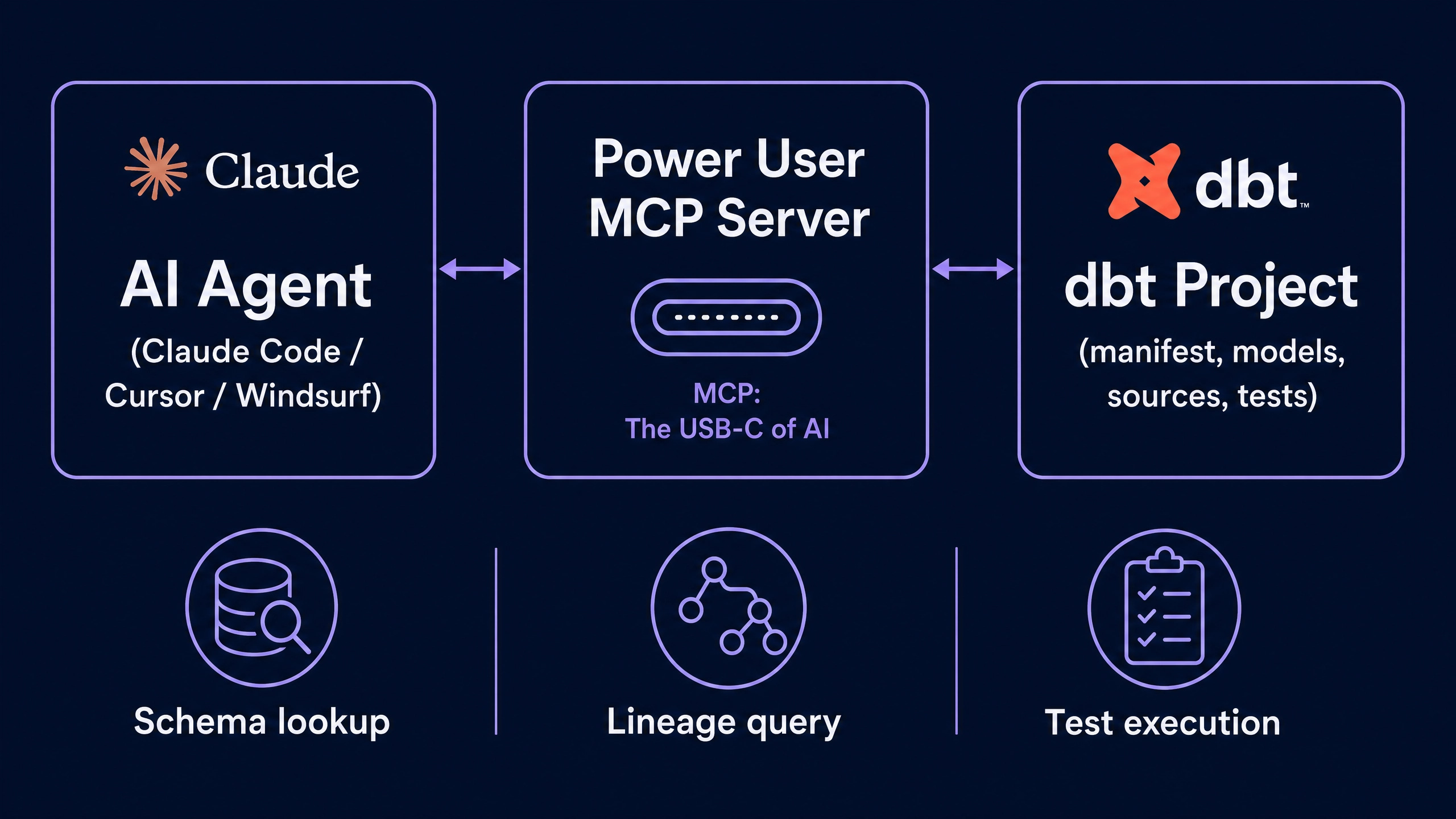
Power User ships with an embedded Model Context Protocol server. MCP is the open protocol Anthropic introduced in 2024 for connecting LLMs to external tools, and it has been adopted across Claude Code, Cursor, Windsurf, OpenAI’s agent SDK, and most modern data tooling.
The practical implication is large. A Claude Code session pointed at a dbt project without the MCP server has to discover the project structure by reading files, which is approximate and prone to hallucinated table names. The same Claude Code session connected to Power User’s MCP server can invoke the extension’s lineage tool, schema lookup, compile-and-run, and test-execution tools directly. The agent gets ground-truth answers from the same code that the IDE uses, with no guessing.
For teams running agentic workflows on dbt projects, this is the missing layer between “AI in the editor” and “AI that understands the dbt graph.” Without an MCP-enabled extension, the agent’s view of the project is a guess. With one, the agent’s view matches the IDE’s view, which matches the warehouse.
Power User vs the Official dbt VS Code Extension
The official dbt Labs VS Code extension is a real product and will improve. Today the comparison sits roughly as follows.
The competitive frame is not that Power User wins forever. The competitive frame is that Power User is the only mature option today and will retain that position as long as the official extension stays Fusion-only and lags on lineage and AI features. For organizations choosing a dbt IDE in mid-2026, Power User is the rational default.
The Pricing Model
Power User runs on a freemium credit model. The free community tier exposes the full feature surface. AI-powered features (documentation generation, query optimization suggestions, governance scans) consume credits. New free accounts get 10 million tokens at signup, sufficient for exploratory use on a single project.
Pro is $29 per seat per month, with 20 million tokens included monthly. Enterprise is custom and includes single sign-on, custom token quotas, and dedicated support. Most engineering teams qualify the Pro tier as a small line item against the productivity gains.
The credit-based model is worth noting because it differs from the per-seat-only pricing of older dbt productivity tools. Credits scale with usage, not with team size, which means a four-person analytics team with heavy doc-generation workload can predict cost accurately.
What Mature Teams Are Asking For Next
Conversations with practitioners suggest two extensions to the current feature surface that would expand adoption further.
Deeper test intelligence. The extension already generates dbt tests, including unit tests added in dbt 1.8. Surfacing missing tests proactively, with suggestions like “this model has no unique test on the primary key, add one?” would close a known gap in test coverage on most projects.
Persistent in-editor dashboards. The query result charting is functional but ephemeral. Pinning a chart to a personal dashboard that survives across sessions would convert exploratory analysis into a durable artifact and reduce the need for a separate BI tool for personal-use dashboards.
Both extensions are in line with the trajectory of the product. Neither is required for the extension to be the right choice today.
The Verdict for Data Engineering Teams
For analytics engineers and data engineers running dbt on Core, Cloud, or Fusion, Power User is the right install in 2026. The free tier is sufficient for the majority of use cases. The Pro tier pays for itself in the documentation workload alone. The MCP server is the strategic feature that ages best as agentic workflows become the dominant interface for data work.
The official dbt Labs extension will improve. Until it catches Power User on Core support, column-level lineage, and MCP integration, the productivity argument runs one direction. Install Power User. Point it at a project. Close the four other tabs that used to be required to do dbt work properly.