Inside 10xDevRel - A Platform Giving DevRels and PMs Superpowers with Playbooks & AI Toolkits
A guided tour of the product, tools, and workflows built to make DevRel work faster and more consistent.


You’re a developer advocate who just discovered this tool. Or maybe someone shared the link in your DevRel Slack. Or maybe you read the origin story last week and you want to see what’s actually inside.
This is the guided tour. Every page, every feature, every AI tool, every interaction pattern. By the end of this article, you’ll know exactly how the 10x DevRel Workbench fits into your daily workflow, and where to start.
Open the app in another tab and follow along. Everything I’m about to show you is free. No signup required.
The Homepage: Your Dashboard to Everything
The first thing you see when you land on 10xdevrel.atharvashah.com is the headline: “Everything a DevRel needs to ship faster.”
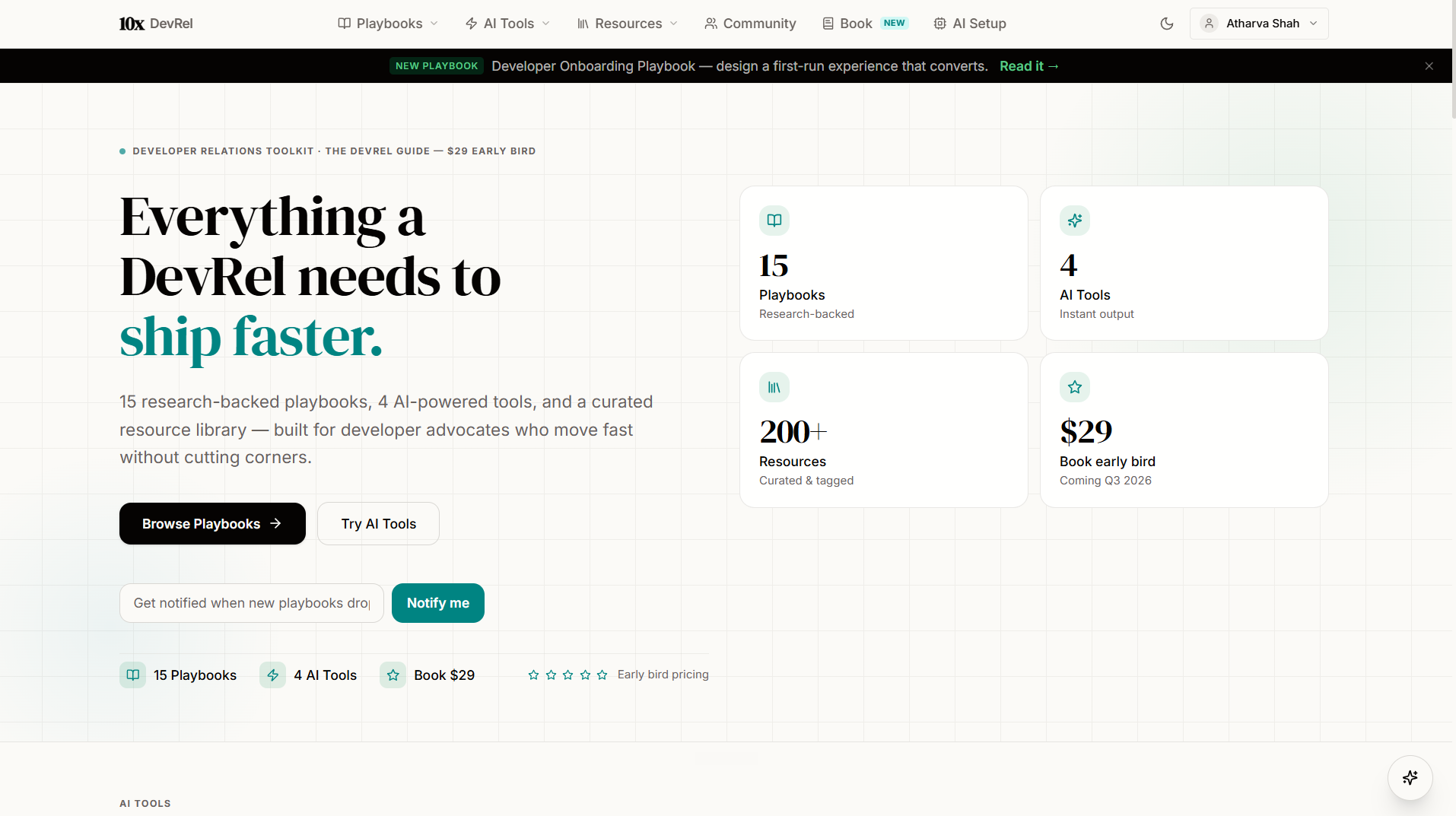
Below it, four stat cards that tell you exactly what’s inside:
15 Playbooks (research-backed frameworks)
4 AI Tools (instant output from your own API key)
200+ Resources (curated, tagged, and filterable)
$29 Book (The DevRel Guide, coming Q3 2026)
Two primary CTAs: Browse Playbooks and Try AI Tools. No signup wall. No credit card. No “book a demo.” You click and you’re in.
The “Without / With” Section
Scroll down and you hit a comparison that will feel personal if you’ve been in DevRel for more than a month:
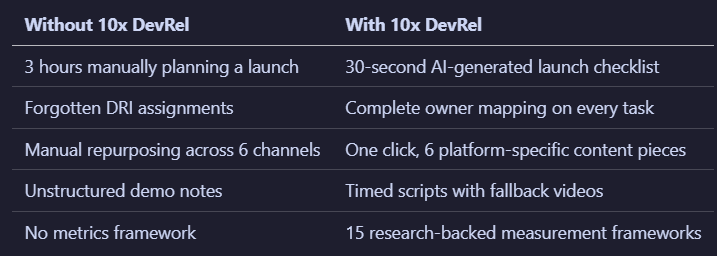
This isn’t marketing copy. These are the actual problems the workbench solves. Every one of them came from real DevRel practitioners describing their weekly pain.
Feature Previews, Playbook Grid, and Explore Section
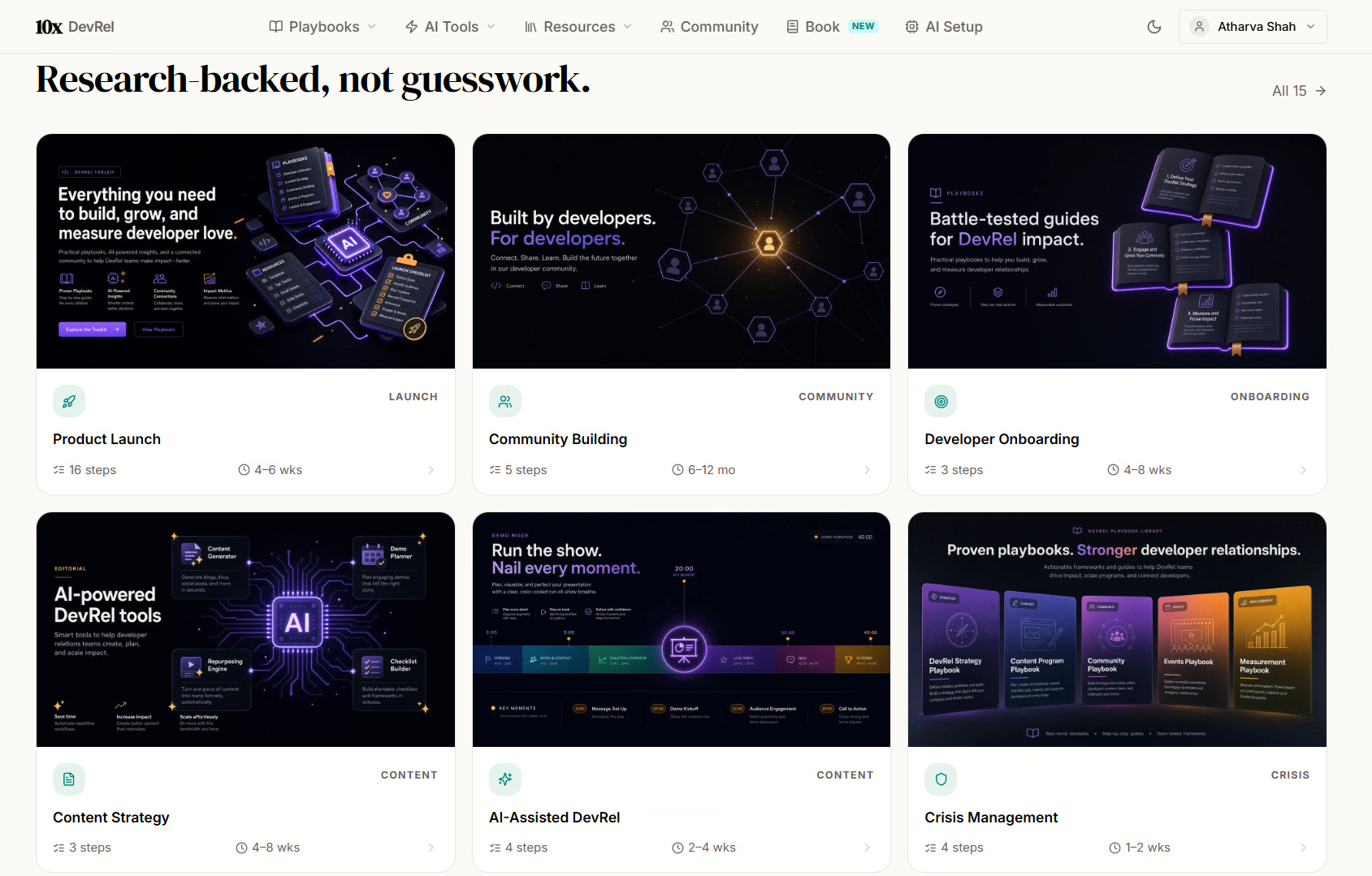
Below the comparison, you’ll see screenshot previews of all four AI tools, then a grid of all 15 playbooks (each showing its category, title, step count, and estimated time), then the “Explore” section with four cards:
Community — Share wins, ask questions, suggest tools, connect with other advocates
Resource Center — 200+ curated resources across events, communities, learning, tools, strategy, and reference
The DevRel Guide — The 240+ page book with deeper frameworks and templates
DevRel AI (Aria) — A beta AI chatbot for quick DevRel questions
Three testimonials from DevRel practitioners close out the homepage.
Playbook Library: 15 Frameworks That Replace Tribal Knowledge
Navigate to /playbooks from the top nav. This is where the core value lives.
What You See
A searchable, filterable library of all 15 playbooks. Each card shows:
Category badge (Launch, Community, Content, Events, Metrics, Onboarding, Feedback, Crisis, Demo)
Title
Step count (how many steps in the framework)
Estimated completion time
You can search by keyword or filter by category using the tabs at the top. Looking for everything related to community? Click the Community filter and you’ll see the Community Building, Open Source, Developer Advocacy, and Ambassador Program playbooks grouped together.
The Full Playbook List
Launch & Demo:
Product Launch Playbook — The complete T-30 to post-launch timeline. Every phase, every stakeholder, every deliverable, every DRI assignment.
Demo Engineering Playbook — Build demos that convert developers. Timed scripts, fallback matrices, audience-specific framing.
Community & Advocacy:
Community Building Playbook — Design communities that sustain themselves. Member journeys, engagement loops, moderation, growth mechanics.
Open Source Community Playbook — Contributor pipelines, governance structures, maintainer health. The specific dynamics of open source.
Developer Advocacy Playbook — Build advocacy programs from scratch. Positioning, outreach, content, measurement.
Developer Ambassador Program Playbook — Community-led advocacy at scale. Recruiting, onboarding, activating, retaining ambassadors.
Content & Communication:
Developer Content Strategy Playbook — Build a content engine. Prioritization, production systems, distribution.
Technical Writing Playbook — Write docs developers actually read. Structure, voice, code sample testing.
Developer Crisis Communication Playbook — What to say when everything breaks. Templates, escalation paths, post-mortems.
Operations & Measurement:
Developer Onboarding Playbook — Design first-run experiences that convert. Speed to first success.
Developer Feedback Loop Playbook — Systematic feedback pipeline. Collection, routing, closing the loop.
DevRel Metrics & ROI Playbook — Prove business impact. The frameworks that justify your budget.
Events:
Conference Talk Playbook — CFP through post-talk amplification. The full lifecycle.
Hackathon Playbook — Run hackathons that generate real signal, not just swag.
AI:
AI-Assisted DevRel Playbook — Scale DevRel output with AI without losing the human touch.
Inside a Playbook: The Interactive Experience
Click into any playbook and here’s what you get:
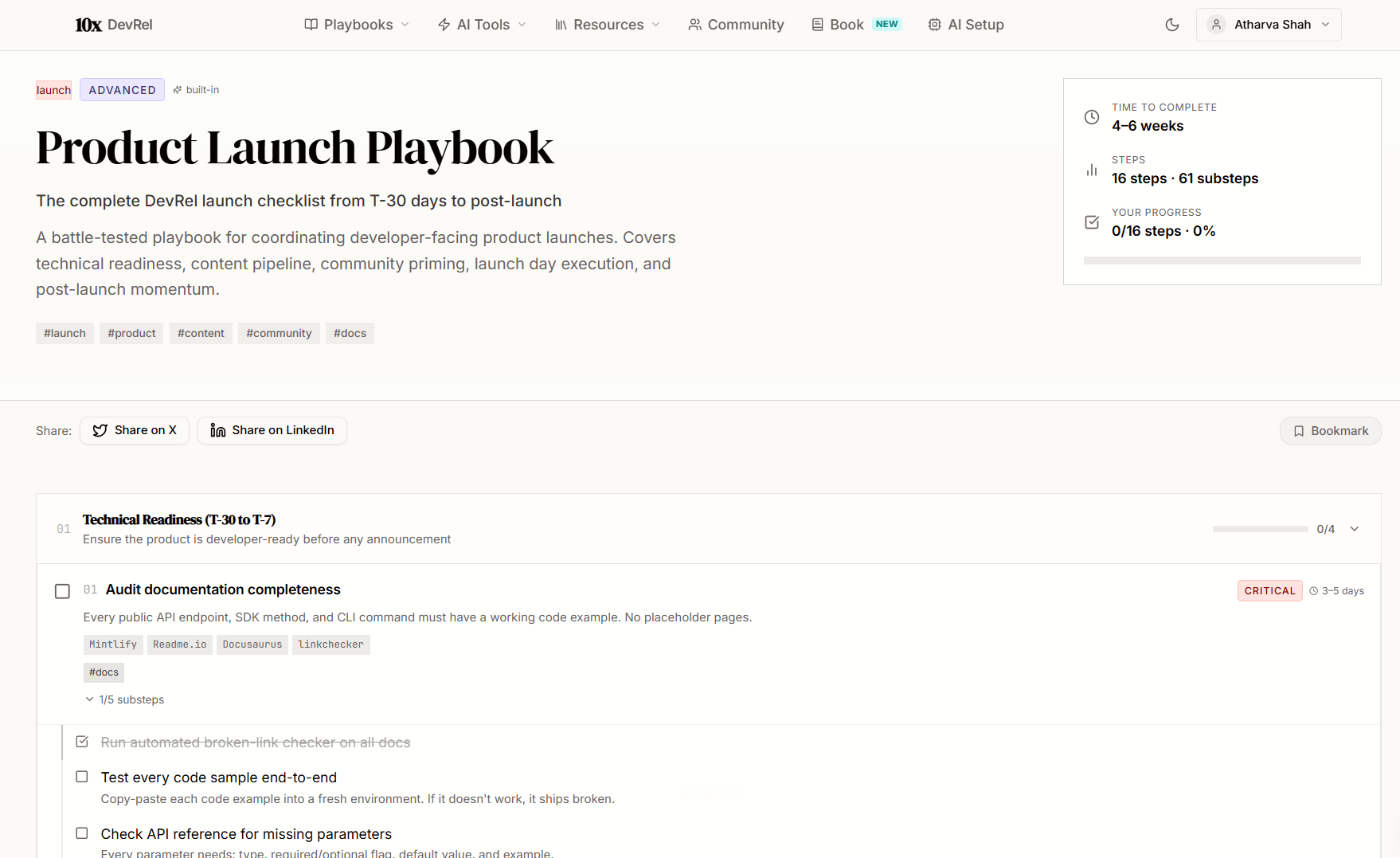
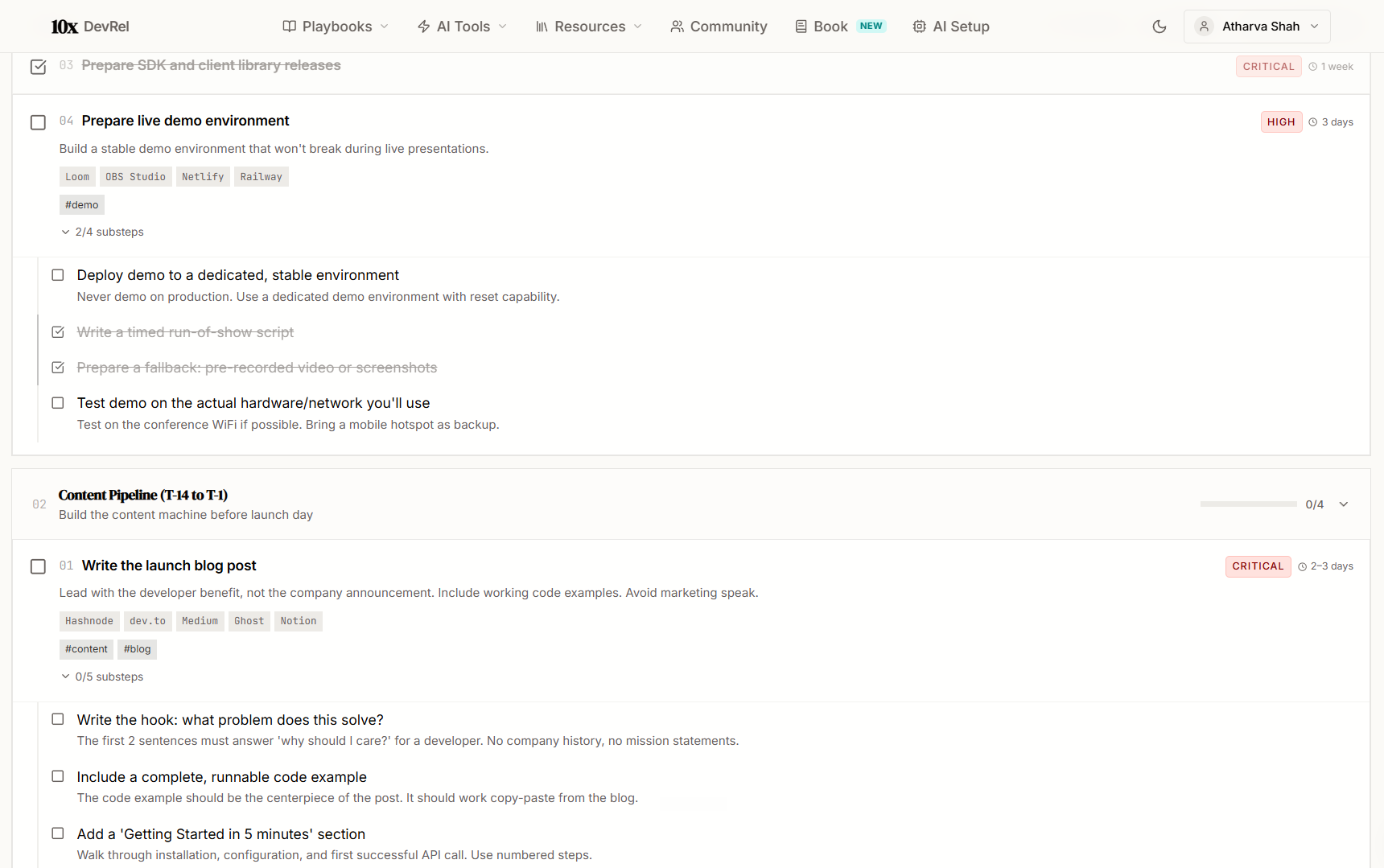
Step-by-step framework. Numbered steps with expandable substeps. Each step has the action, the reasoning behind it, and the specific deliverable. Not vague advice. Concrete actions.
Interactive checklist. Every step has a checkbox. Click it. It saves locally. Come back tomorrow, next week, next month. Your progress is right where you left it. A progress bar at the top shows how far through the playbook you are.
Reset button. Running the same playbook again for a new launch? Hit reset and start fresh.
Bookmark button. Sign in and bookmark any playbook. Your saved playbooks appear on your Bookmarks page for quick access. Building a custom collection of the playbooks you use most.
Share it. Every playbook has a clean URL. Copy it and share with your team. Your Head of DevRel wants a metrics framework? Send them the direct link to the Metrics playbook. Your new hire needs a launch guide? Send the Product Launch Playbook.
Make it yours. Each playbook is a framework, not a prescription. You adapt the steps to your product, your team size, your market. The AI-Assisted DevRel Playbook, for example, covers principles you can apply with any AI tool. The Community Building Playbook works whether your community is on Discord, Slack, or a forum.
Run the prompts against your own context. Many playbooks include questions and decision frameworks. Take those prompts. Feed them to Claude or GPT with your company’s context. Get answers specific to your organization, your product, your developer audience. The playbook gives you the right questions. AI gives you the specific answers.
AI Tools: Four Purpose-Built Workflows
Navigate to any AI tool from the top nav dropdown. Four tools. Four specific problems. Four instant outputs.
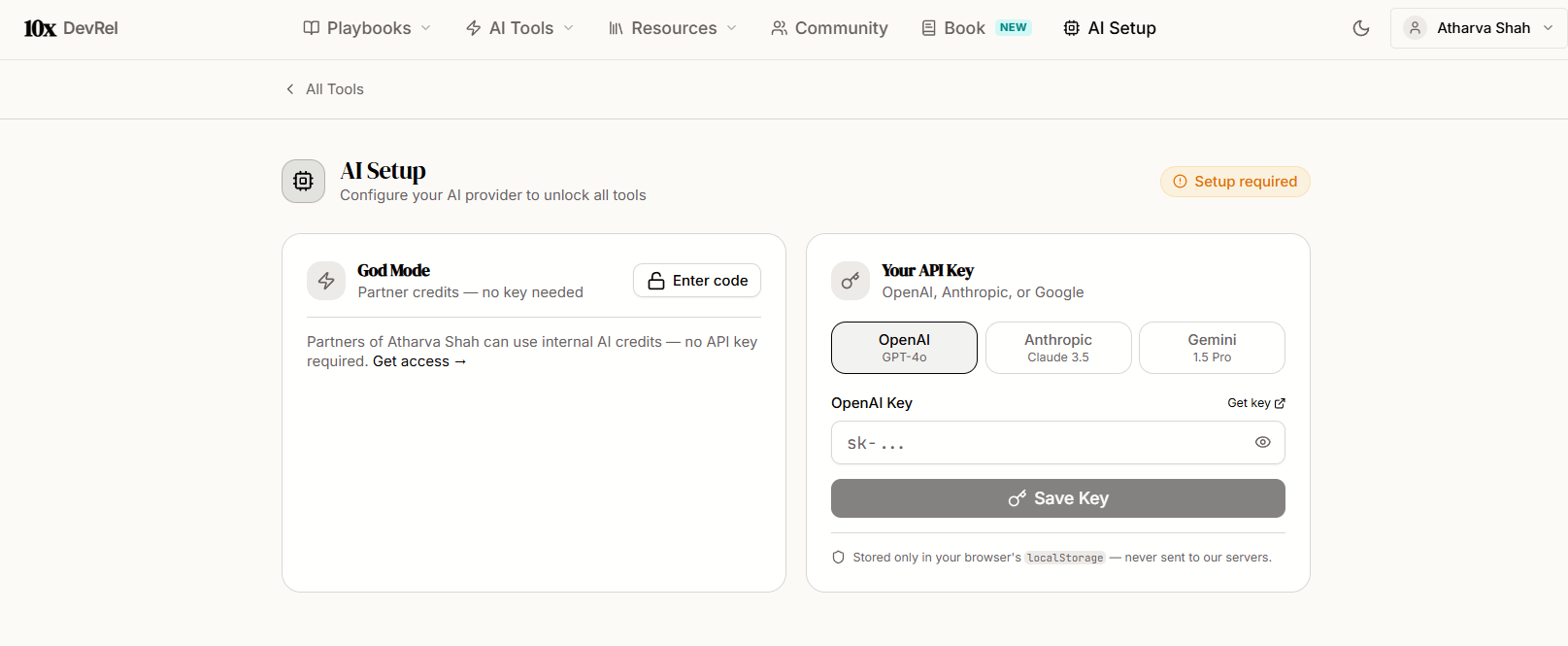
Setup (60 seconds, one time): Go to /settings/api-key. Enter your API key for Claude, Gemini, or GPT. That’s it. All four tools work immediately. Your key stays in your browser. Nothing goes to 10x DevRel servers.
Tool #1 - Launch Checklist
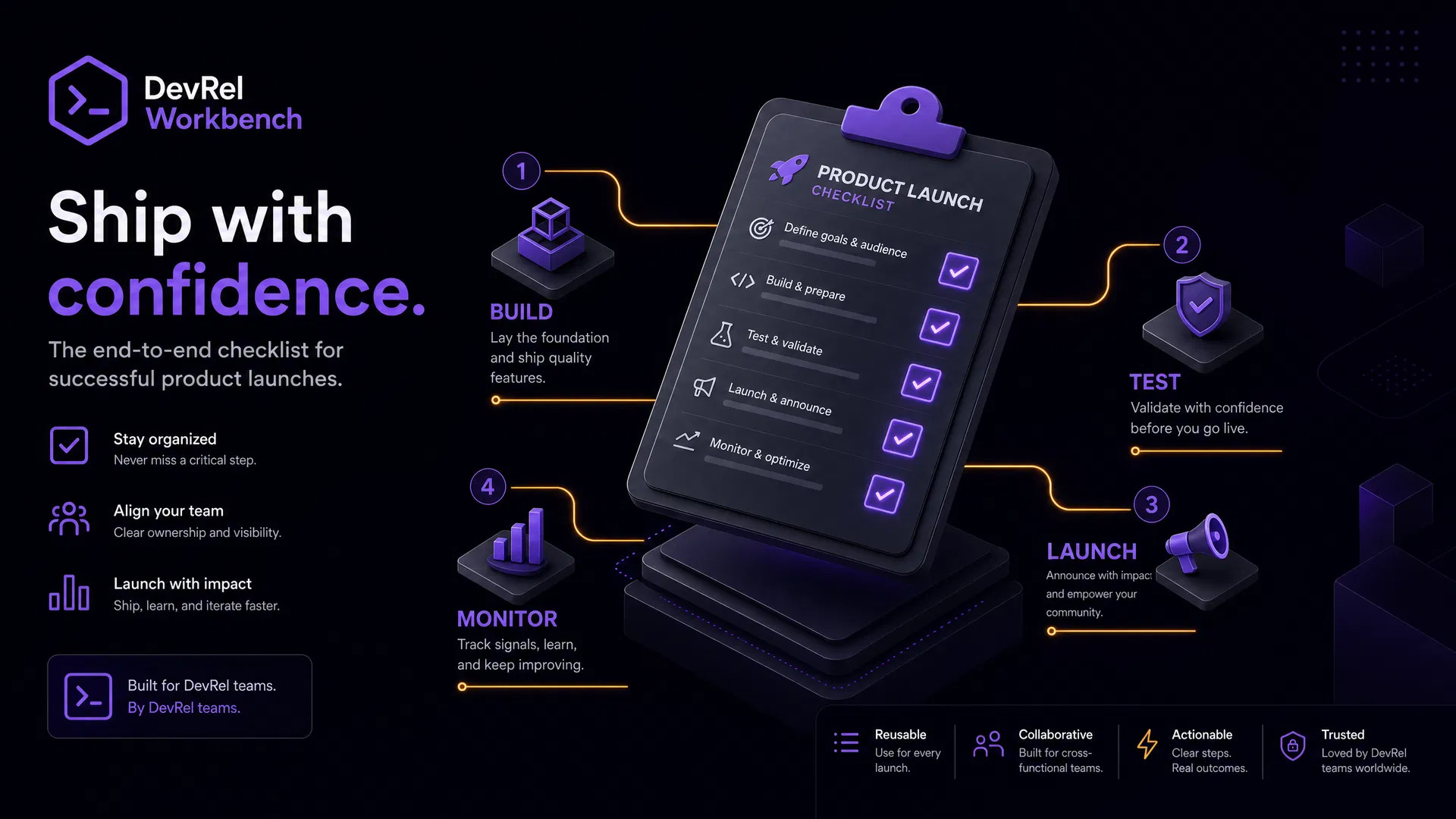
The problem it solves: You’re launching a feature and need a structured plan with tasks, owners, and timeline. Doing this manually takes 3 hours.
How it works: Paste your changelog entry, release notes, or feature description. Click generate. In about 30 seconds, you get a categorized launch checklist organized into phases (pre-launch, content, distribution, post-launch) with DRI suggestions and timing.
What the output looks like: Not a flat list. A structured plan with categories, subcategories, owner assignments, and dependency markers. Specific to what you’re actually launching. A minor SDK update gets a different plan than a major API version release.
What you do with it: Copy the plan. Paste it into your project management tool. Customize the DRI assignments for your team. Adjust timing. Execute.
Who this is for: Solo advocates who need to plan launches alone. DevRel leads who want consistent launch processes across the team. Engineering managers who just shipped a feature and need to figure out the go-to-market.
Tool #2 - Demo Run-of-Show
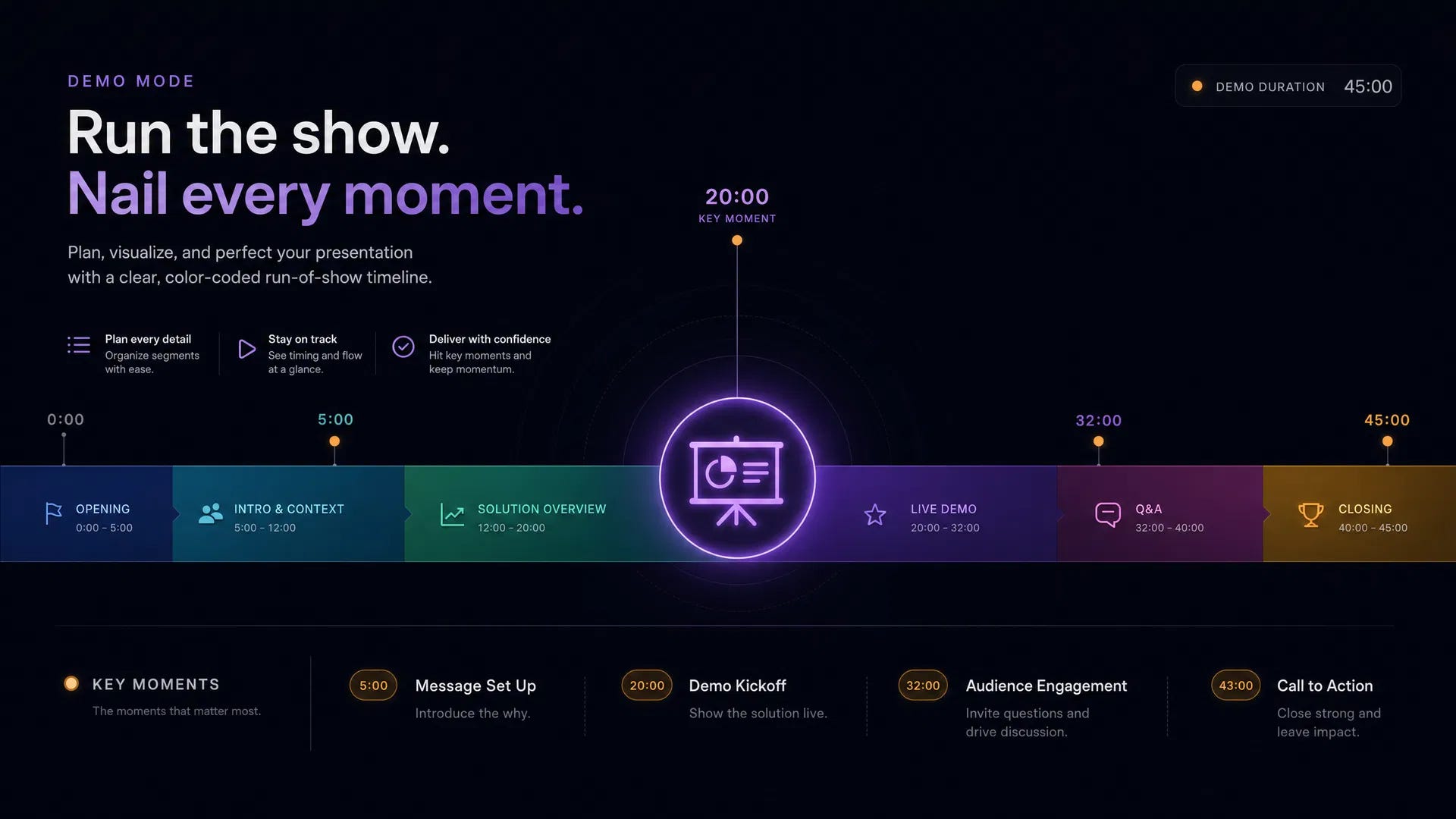
The problem it solves: You have a demo tomorrow and no script. Or you have a script but no timing. Or you have timing but no fallback plan for when the live API call dies on stage.
How it works: Describe your demo (product, feature, audience, time slot). Click generate. Get a minute-by-minute run-of-show with talking points, transitions, and a fallback matrix.
What the output includes:
Timed segments: Introduction (2 min), Core Demo (12 min), Expansion (3 min), Q&A (3 min). Each segment has a time budget.
Audience-specific talking points: Backend engineers get architecture depth. Product managers get workflow impact. Executives get strategic value.
Fallback matrix: For every live element, a pre-recorded or static fallback. “If API call fails, switch to pre-recorded segment at timestamp 2:15.”
Who this is for: Anyone who presents product demos. Conference speakers. Sales engineers who also do DevRel. Developer advocates prepping for a customer-facing walkthrough.
Tool #3 - Content Repurposing
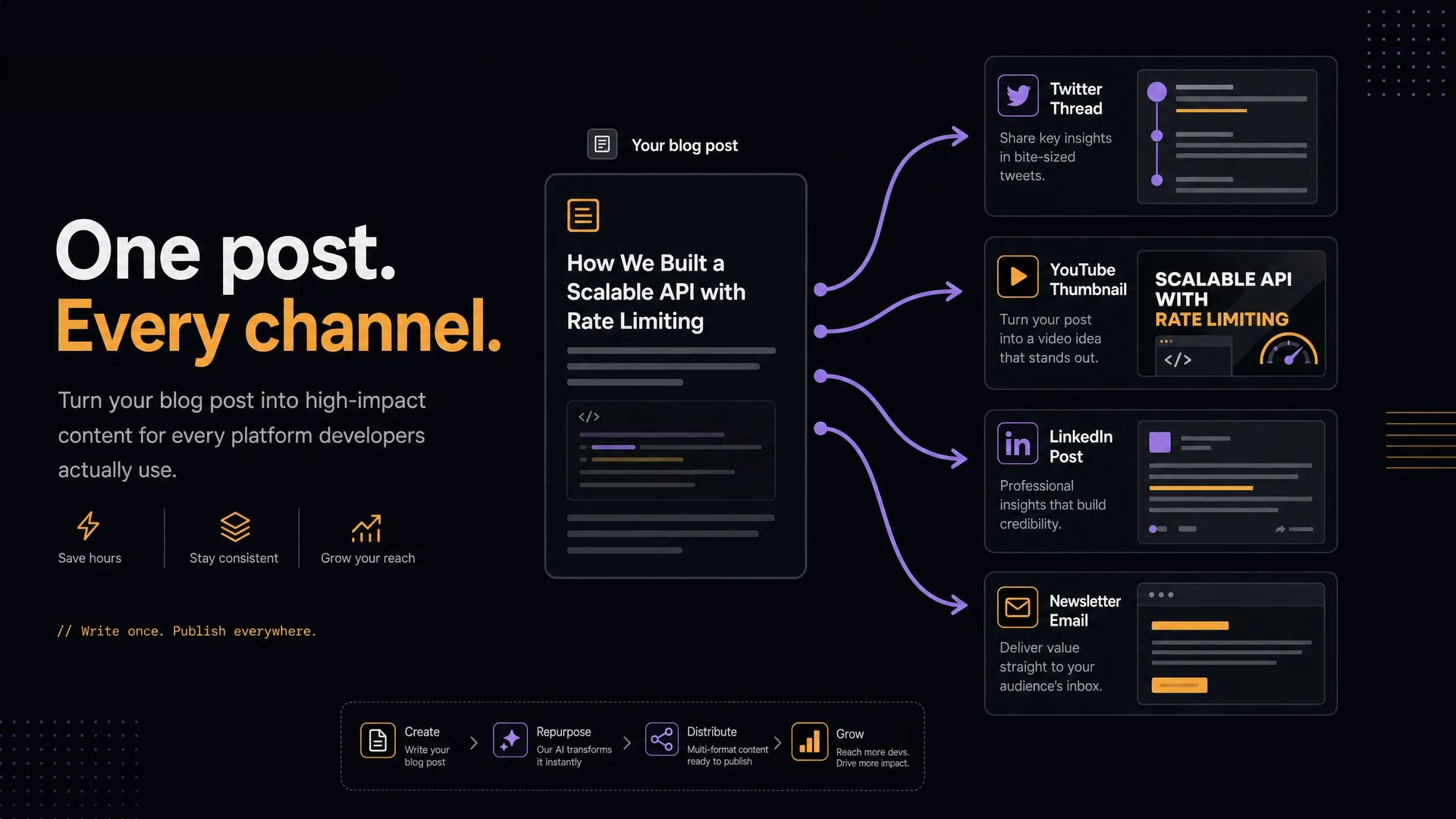
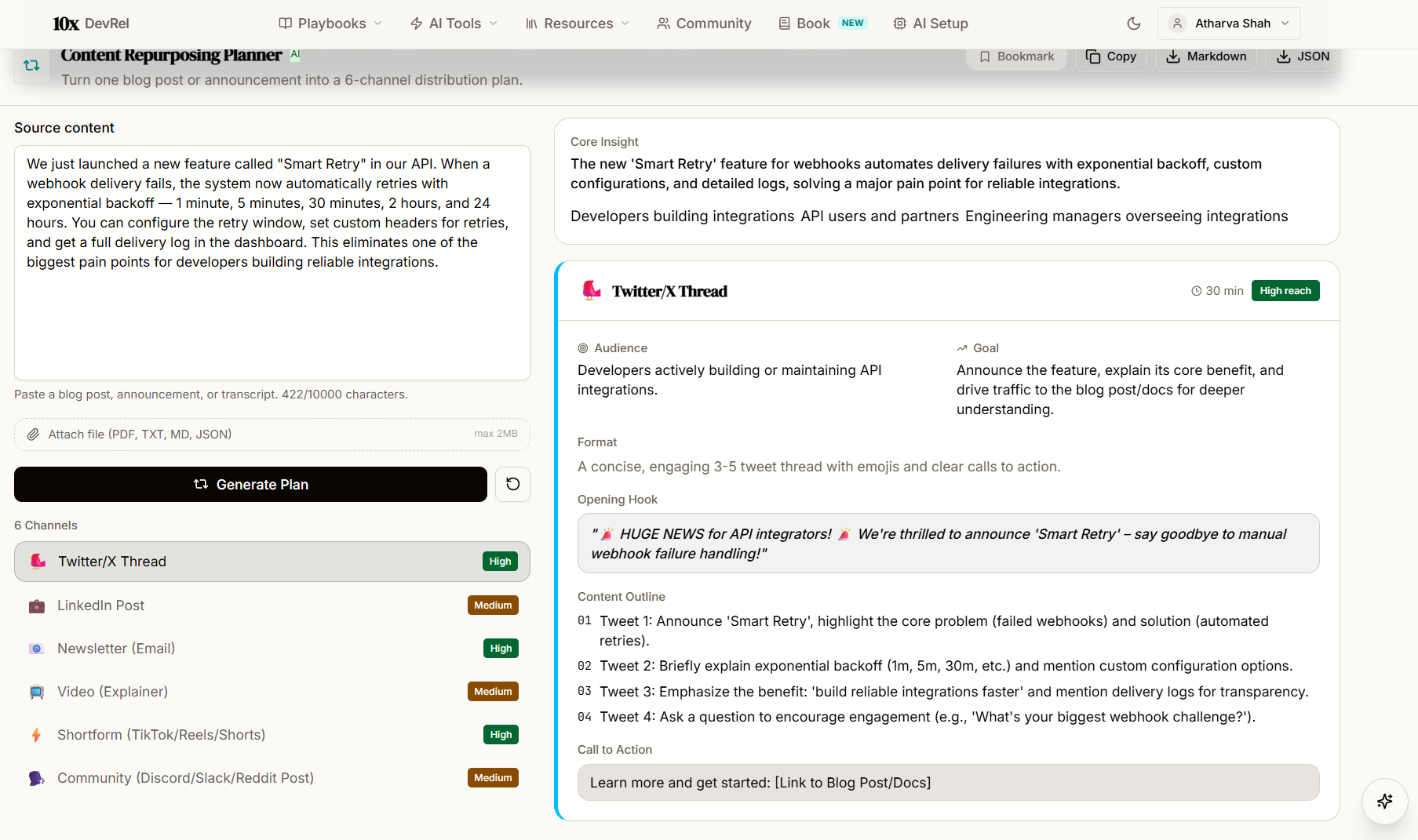
The problem it solves: You wrote a blog post. Now you need it on Twitter, LinkedIn, in your newsletter, as a video script, as a community discussion, and as a Hacker News submission. That’s 2-3 hours of manual adaptation.
How it works: Paste the blog post. Click generate. Get six channel-specific content pieces in 30 seconds.
What you get:
Twitter/X thread: Hook, numbered insights, conversational tone, link to full post
LinkedIn post: Professional framing, personal angle, audience-specific hook
Newsletter segment: Drop-in paragraph for your existing newsletter
Video script outline: 3-5 minute script with sections and talking points
Community discussion prompt: Open-ended question that invites participation, with context
Hacker News submission: Technical, understated title and comment. HN-native tone.
Each output is adapted, not copy-pasted. Twitter gets hooks. LinkedIn gets professional framing. HN gets technical understatement.
Who this is for: Every DevRel professional who creates content. This is the single biggest time-saver in the workbench.
Tool #4 - Demo to Distribution
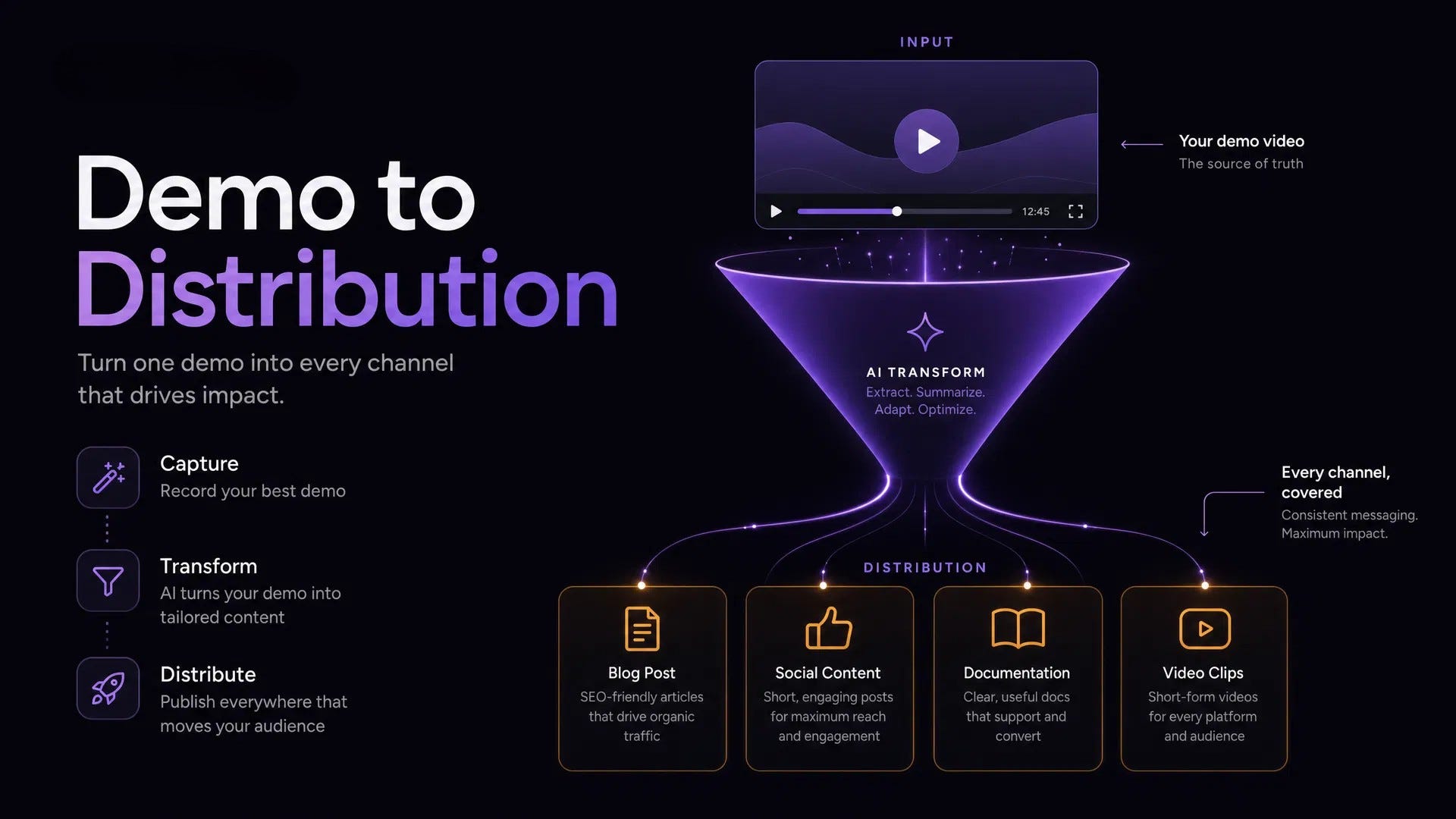
The problem it solves: You recorded a product demo. Now you need to turn it into a full distribution cycle: blog post, social campaign, email, community thread, changelog. Doing this manually takes hours.
How it works: Describe the demo (feature, audience, problem solved). Click generate. Get the complete distribution package.
What you get: Blog post outline with section structure, social media posts for Twitter and LinkedIn, email announcement draft, community discussion thread, and a developer-friendly changelog entry. All from one demo description.
Who this is for: DevRel teams that record product demos and need to maximize their distribution. Solo advocates who record a walkthrough and want to turn it into a week of content.
Resource Center - 200+ Curated Resources
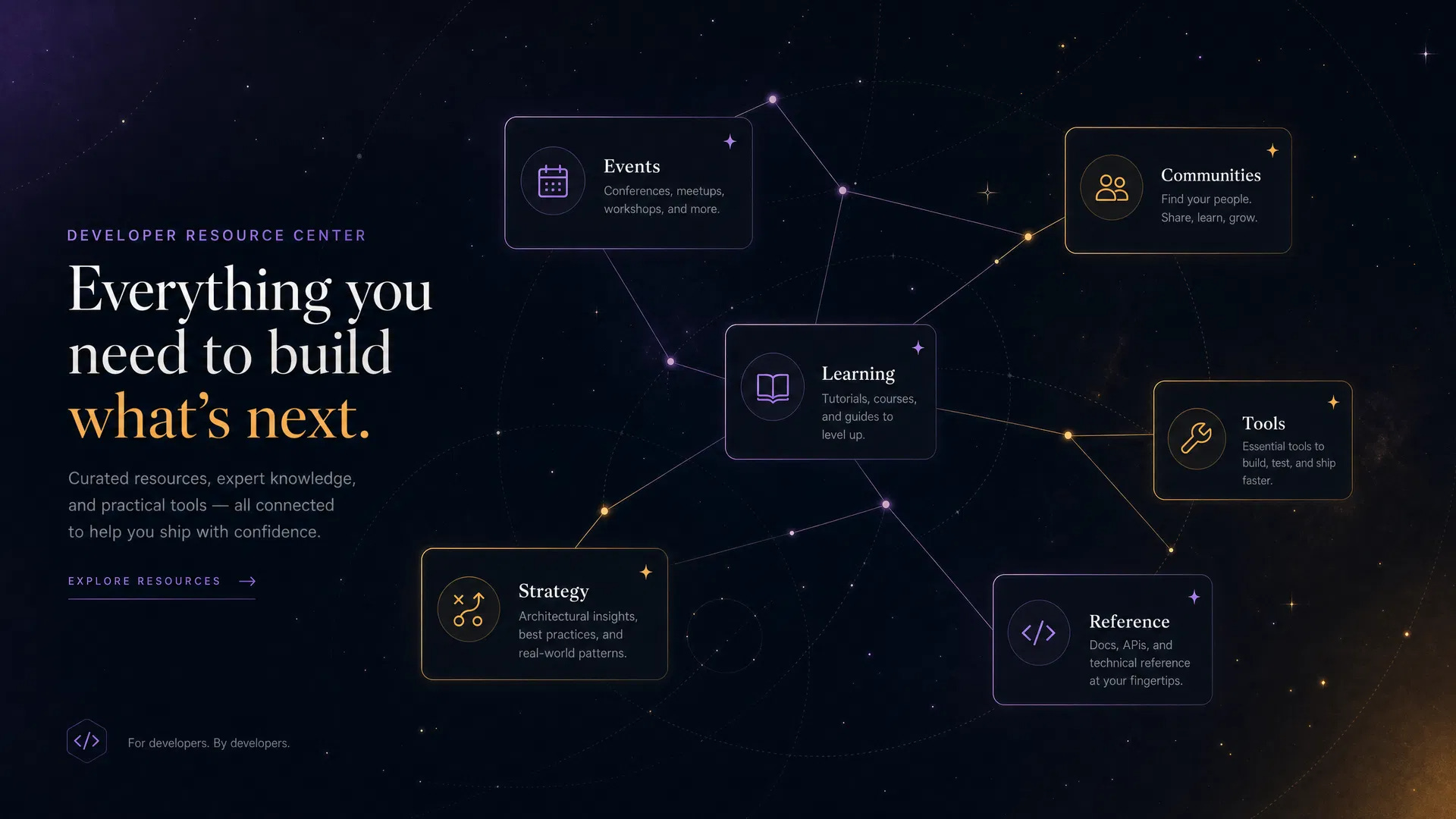
Navigate to /resources. A searchable, filterable library organized into six categories:
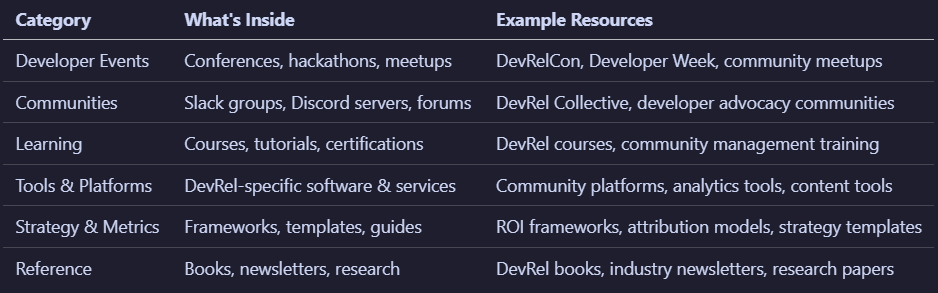
Each resource has a type badge (Event, Tool, Course, Article, Newsletter, Video, GitHub Repo, Book, Platform, Job Board), a description, and a direct link. Filter by category. Search by keyword. Every resource was selected because it connects to one or more playbooks.
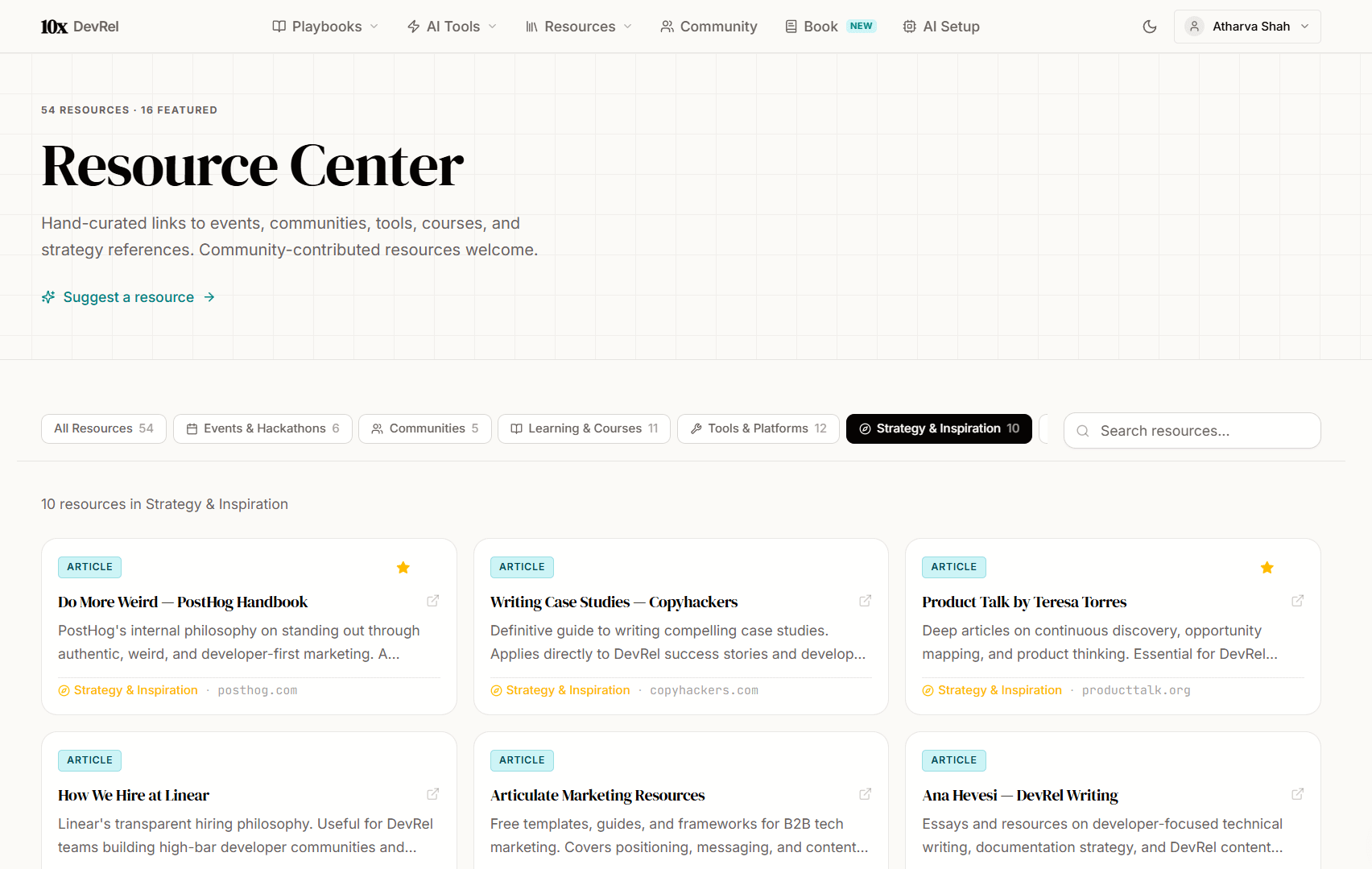
When a playbook tells you to “identify target conferences,” the Resource Center has the conferences. When it tells you to “evaluate community platforms,” the Resource Center has the platforms. The playbooks are the framework. The resources are the building blocks.
Community: A Living, Curated Knowledge Base
Navigate to /community. Two tabs:
Best Practices tab: Community-submitted tips, frameworks, and lessons learned. Each has a title, description, category badge, and upvote count. Filter by category (Launch, Demo, Content, Community, DX, Events, Advocacy, Retrospective). Search by keyword.
Resources tab: Community-submitted links to tools, events, courses, and useful content. Same filtering and search.
How contribution works:
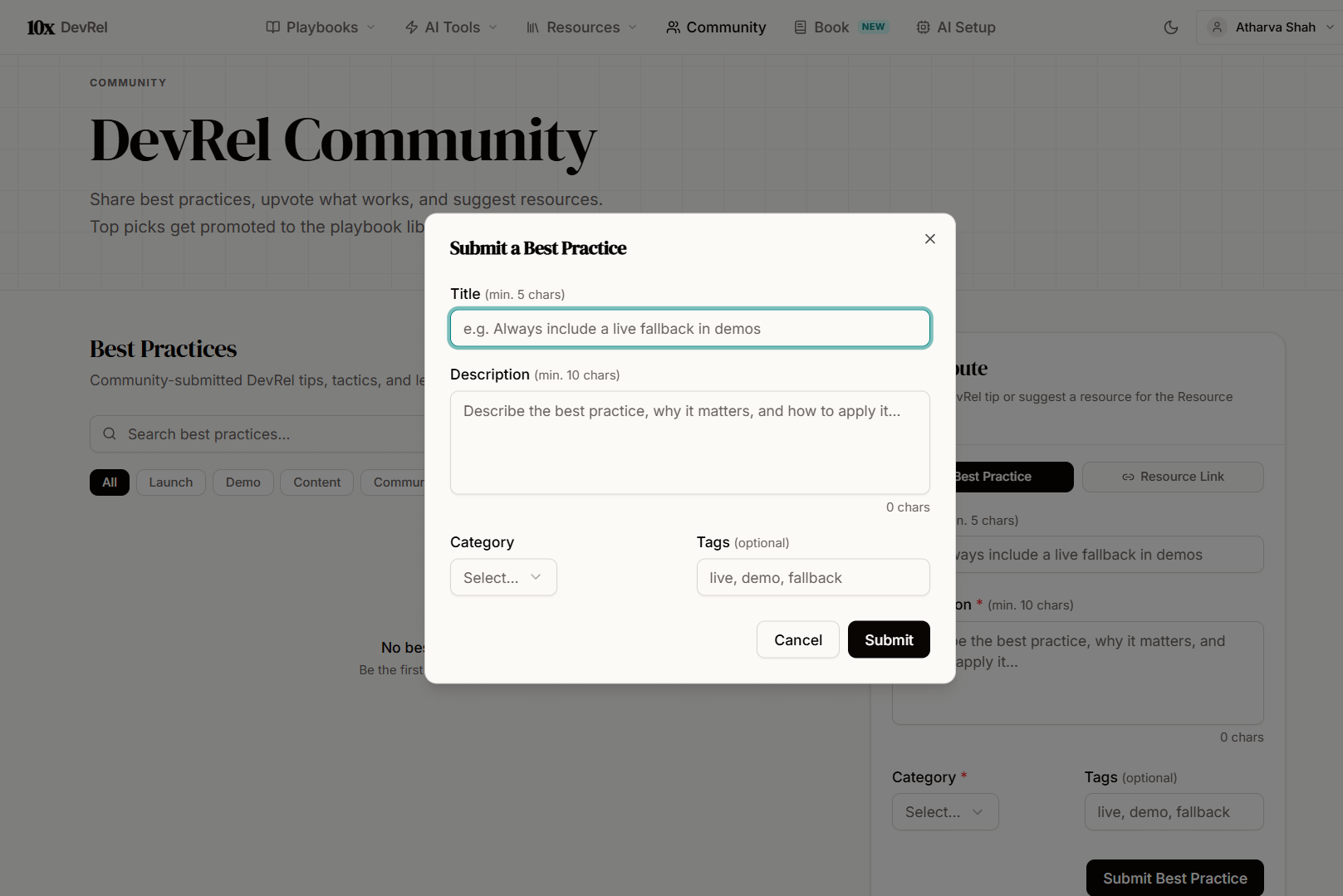
Click “Submit Suggestion” or “Suggest a Resource”
Fill in the form (title, description, category)
Your submission goes to a moderation queue
Once approved, it appears publicly with a Contributor Badge showing your profile, organization, and social links
Why this matters: The playbooks are curated by one person (me). The community section is curated by everyone. As more DevRel practitioners contribute, the knowledge base grows. Your specific insight about running hackathons at a 50-person startup, or your framework for crisis communication in open source, becomes part of the shared resource.
The DevRel Guide (Book)
Navigate to /book. This is the 240+ page companion guide launching Q3 2026.
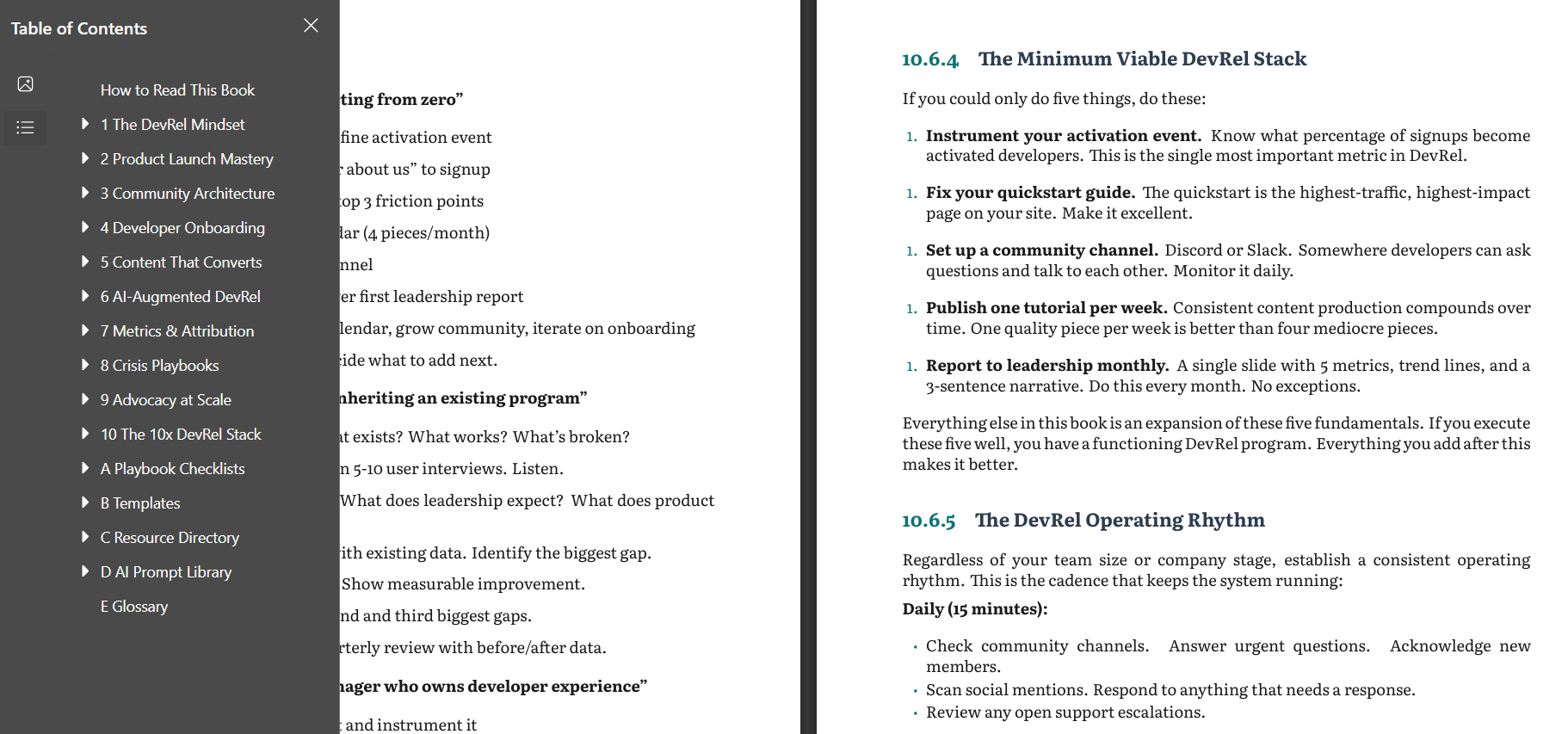
10 chapters:
The DevRel Mindset
Product Launch Mastery
Community Architecture
Developer Onboarding
Content That Converts
AI-Augmented DevRel
Metrics & Attribution
Crisis Playbooks
Advocacy at Scale
The 10x DevRel Stack (200+ resources, templates, full playbook library)
Chapter 1 is free to read on the page. Expand each section with the accordion layout. If you like what you read, the early bird price is $29 (goes to $49 at launch). PDF + EPUB. Lifetime updates.
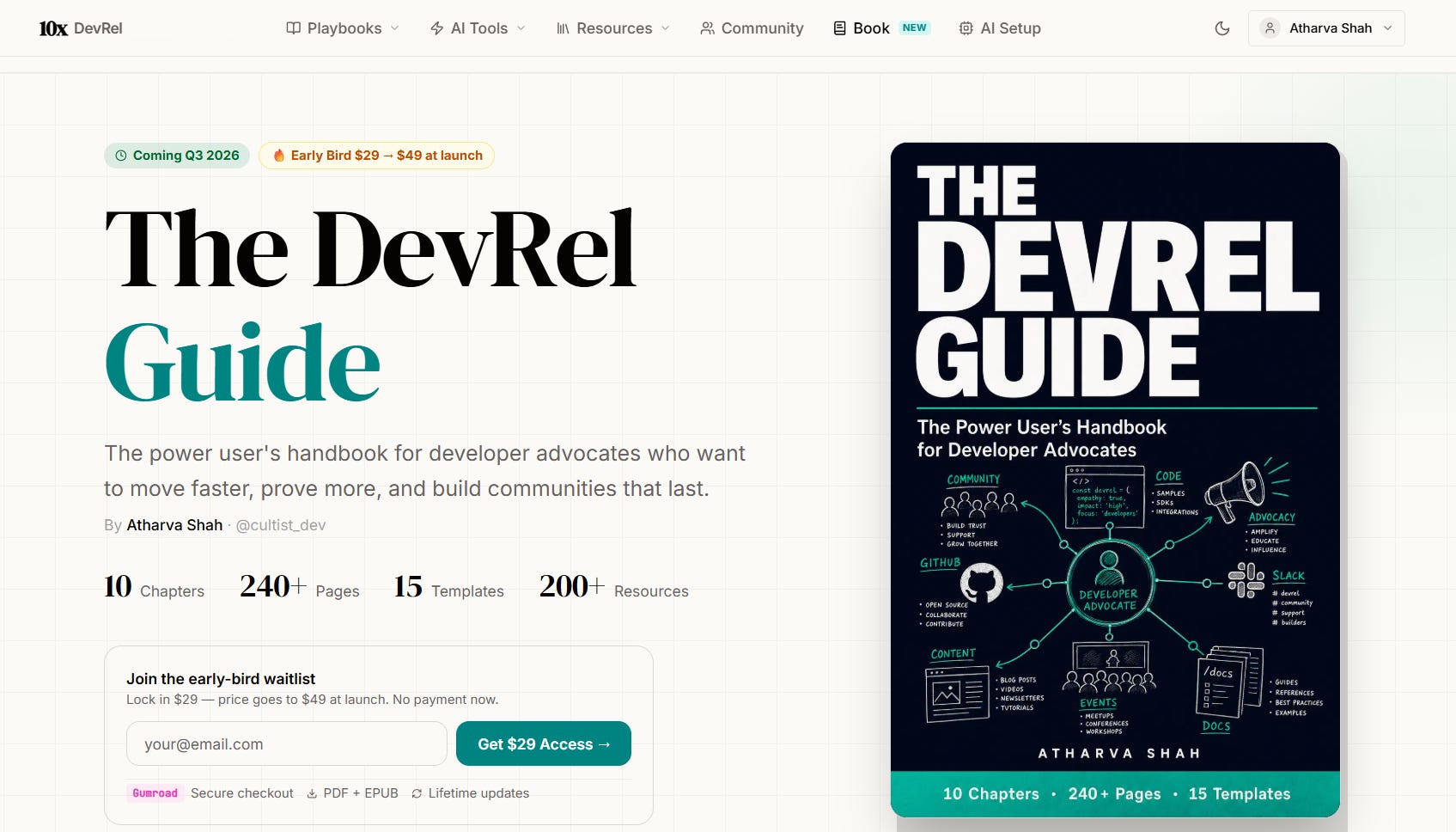
The relationship between the workbench and the book: The workbench is the free, living, interactive version. You use it daily. The book is the portable, deep version. You read it on a flight, reference it in a planning session, hand it to a new hire.
User Features That Make It Yours
Bookmarks. Sign in and bookmark any playbook or resource. Your /bookmarks page groups everything you’ve saved by type. Build your personal collection.
Profile. Set your avatar, view your account info at /profile.
Theme toggle. Switch between light and dark mode from the navbar.
Local progress tracking. Every playbook checklist saves progress locally. Works without an account. Persists across sessions.
No account required for core features. You can browse all 15 playbooks, use all 4 AI tools, explore all 200+ resources, and read Chapter 1 of the book without creating an account. Sign in to bookmark and contribute to the community.
The Technical Details (For Those Who Care)
Stack: React + TypeScript on Vite. Wouter router. shadcn/ui components (Radix + Tailwind CSS). tRPC backend with Drizzle ORM.
Design: OKLCH color system. Fraunces serif for display type. Inter for body text. Dark theme default.
Performance: All images compressed to WebP under 80KB. Lazy-loaded on scroll. AI tools rate-limited at 35 requests/day per user.
Where to Start (Your First 10 Minutes)
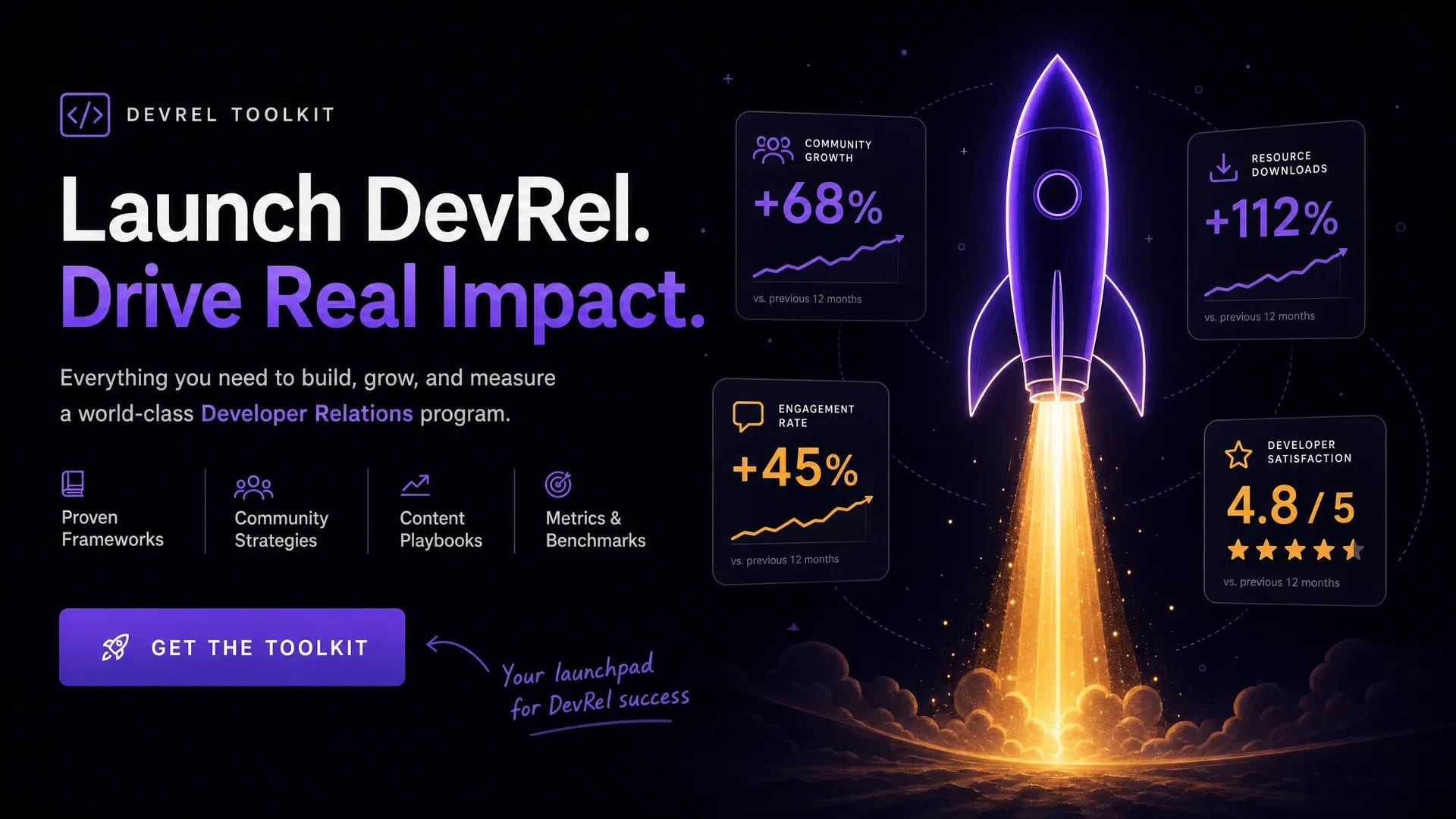
If you have 10 minutes right now, here’s your quickest path to value:
Open the Playbook Library. Find the playbook that matches your most urgent current project.
Read through the steps. Check off the ones you’ve already done. Note the ones you haven’t.
Try one AI tool. Go to AI Setup, enter your API key, then paste a recent blog post into the Content Repurposing tool. See six distribution pieces appear in 30 seconds.
Bookmark what you’ll use again. Sign in and save the playbooks and resources you’ll return to.
That’s it. No onboarding flow. No tutorial video. Open, explore, use.
Start exploring the 10x DevRel Workbench