
Our sales team at AccuKnox, which sells a B2B security platform, used a shared Excel file for customer quotes.
Realistically, two people fully understood how it worked.
I am a DevRel (developer relations) engineer. Pricing tools are not in my job description.
I built one anyway.
The Spreadsheet Ritual
Quoting pain can look like a small nuisance from the outside. It burns hours every week, and everyone tolerates it because the sheet "works."
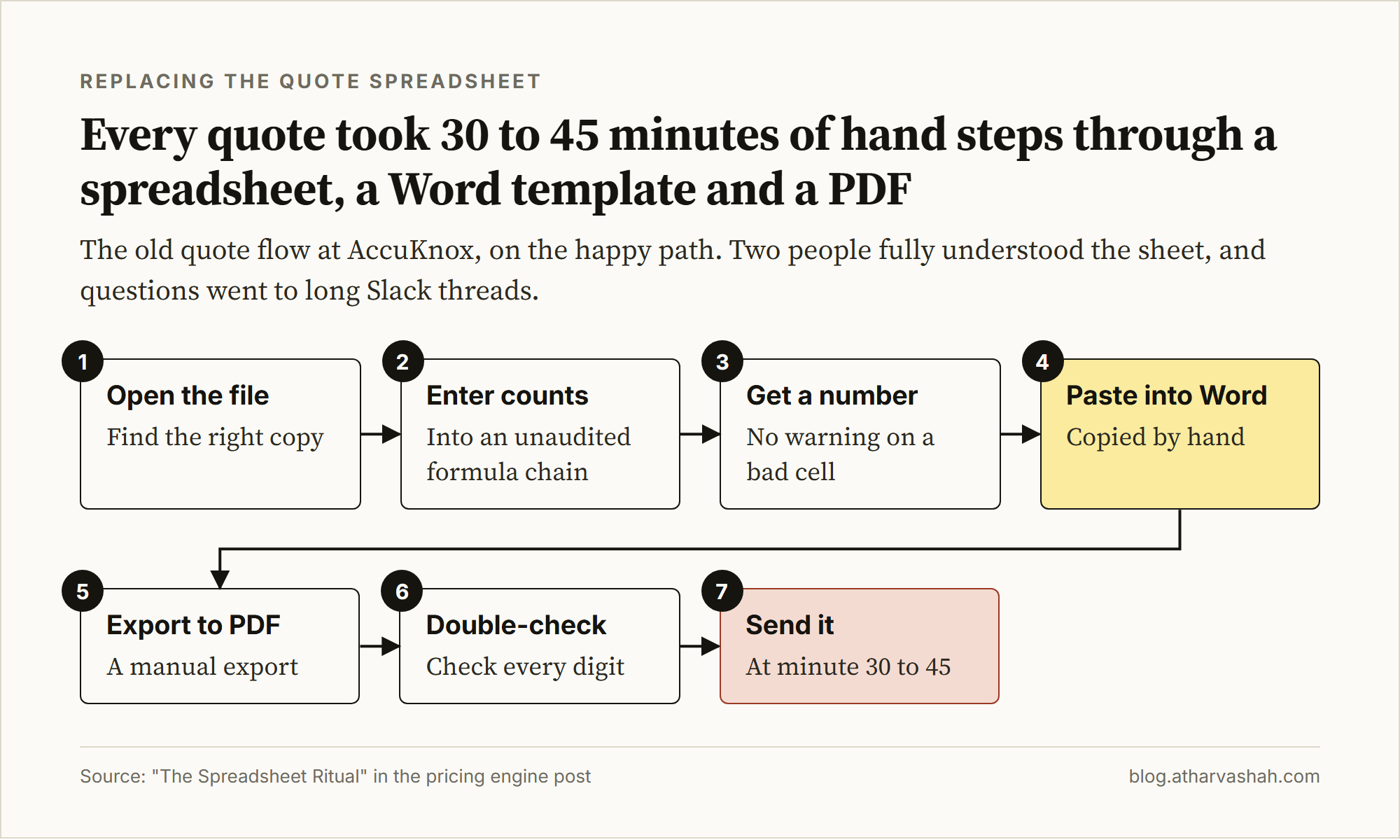
This is what quote creation actually looked like:
Open the file. Find the right version, hopefully.
Enter asset counts into a formula chain nobody has audited in months.
Wait for a number.
Copy that number into a Word template.
Export the file to PDF.
Double-check the final amount, because we had already seen dropped digits.
Send it.
That took 30 to 45 minutes per quote, on the happy path.
Then came the hidden failures.

None of this is theoretical. I watched all of it happen.
The Calculation Had Eight Dependent Steps
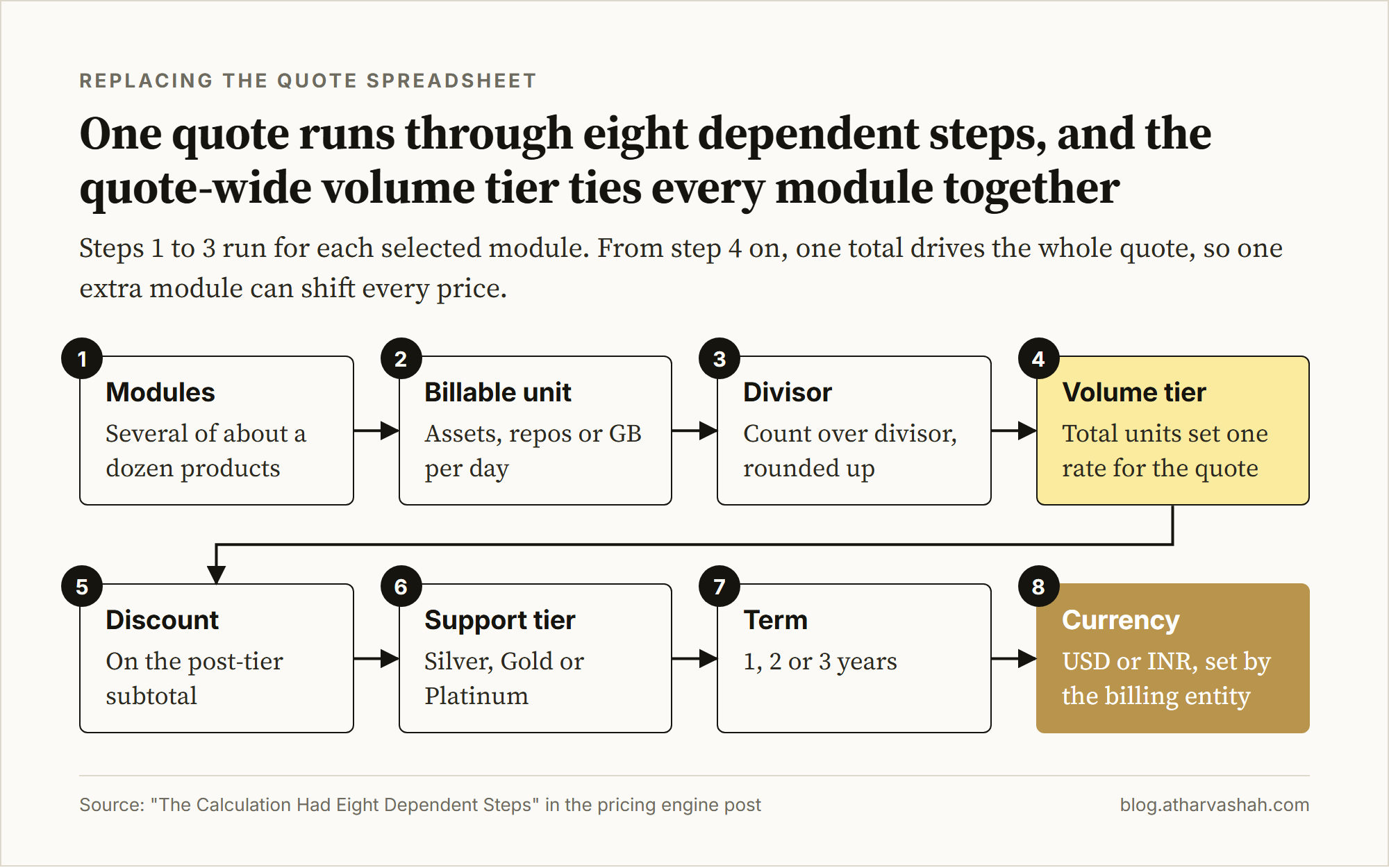
A calculator sounds like the obvious fix. Pricing for a multi-module B2B security platform is not seat count times price, though. The calculation ran through eight dependent steps, and each one changed the others.
Pricing analyst Kyle Poyar tracks why SaaS pricing moved from seats toward usage.

Modules: About a dozen products, including cloud posture, workload protection, API security, multiple appsec modules, AI model security, prompt firewall, vulnerability scanning, and log analytics. Customers rarely bought one.
Billable unit per module: There was no universal seat model. Billing could be assets, nodes, endpoints, repos, apps, AI models, prompts per month, container images scanned, or GB ingested per day.
Per-module divisors: Raw counts had to be normalized first. 1,500 API endpoints was not 1,500 units. Divisors varied heavily by module.
Volume tiers: Normalized units across all selected modules rolled up to one total. That total set the tier, and the tier set per-unit rate across the whole quote. One extra module could shift pricing for everything.
Discount: Applied to the post-tier subtotal.
Support tier: Silver, Gold, or Platinum, each with its own multiplier.
Subscription term: One, two, or three years.
Currency and billing entity: USD or INR. INR also needed lakh-crore formatting.
10,000,000should render as1,00,00,000. Locale differences between machines made outputs inconsistent. Billing entity also controlled address, footer text, and legal language.
That is eight to ten linked pricing steps per quote.
A spreadsheet hides those links. One wrong cell reference gives the customer a wrong price, and nothing warns you.
One bad spreadsheet formula contributed to JPMorgan's $6.2 billion London Whale loss.

What I Built
I built a passcode-gated web app with a three-step wizard that outputs a branded PDF quote.
The design choices behind it mattered more than the interface.
Why Passcode-Gated Instead of Full Auth
A full login system would have delayed launch and added onboarding friction that this workflow did not need. Reps and select partners needed instant access from any device, including right before calls. A rotatable shared passcode fit the threat model and shipped fast.
OAuth could wait.
The entry point. One URL. No file attachments. No version confusion.
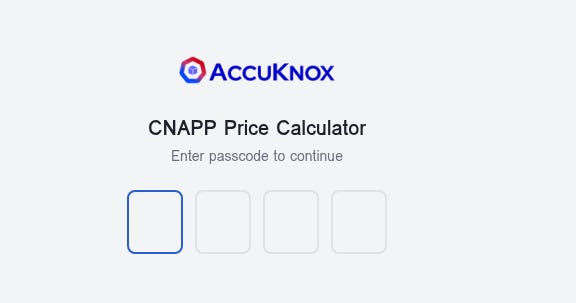
That URL became the distribution model. Nobody sent files, and nobody confused versions. When pricing changed, I updated the tool once and everyone got the latest values immediately.
Three Steps, One Order
I had seen the same failure pattern repeatedly. People skipped fields they found annoying and promised to fill them later. Sometimes they forgot.
The wizard blocks the pricing step until quote details are complete. It blocks PDF export until required fields are filled.
Step one captures everything that goes on the cover page:
Required fields with live validation. Nothing gets sent without a customer name, a preparer, a billing entity, and a logo.
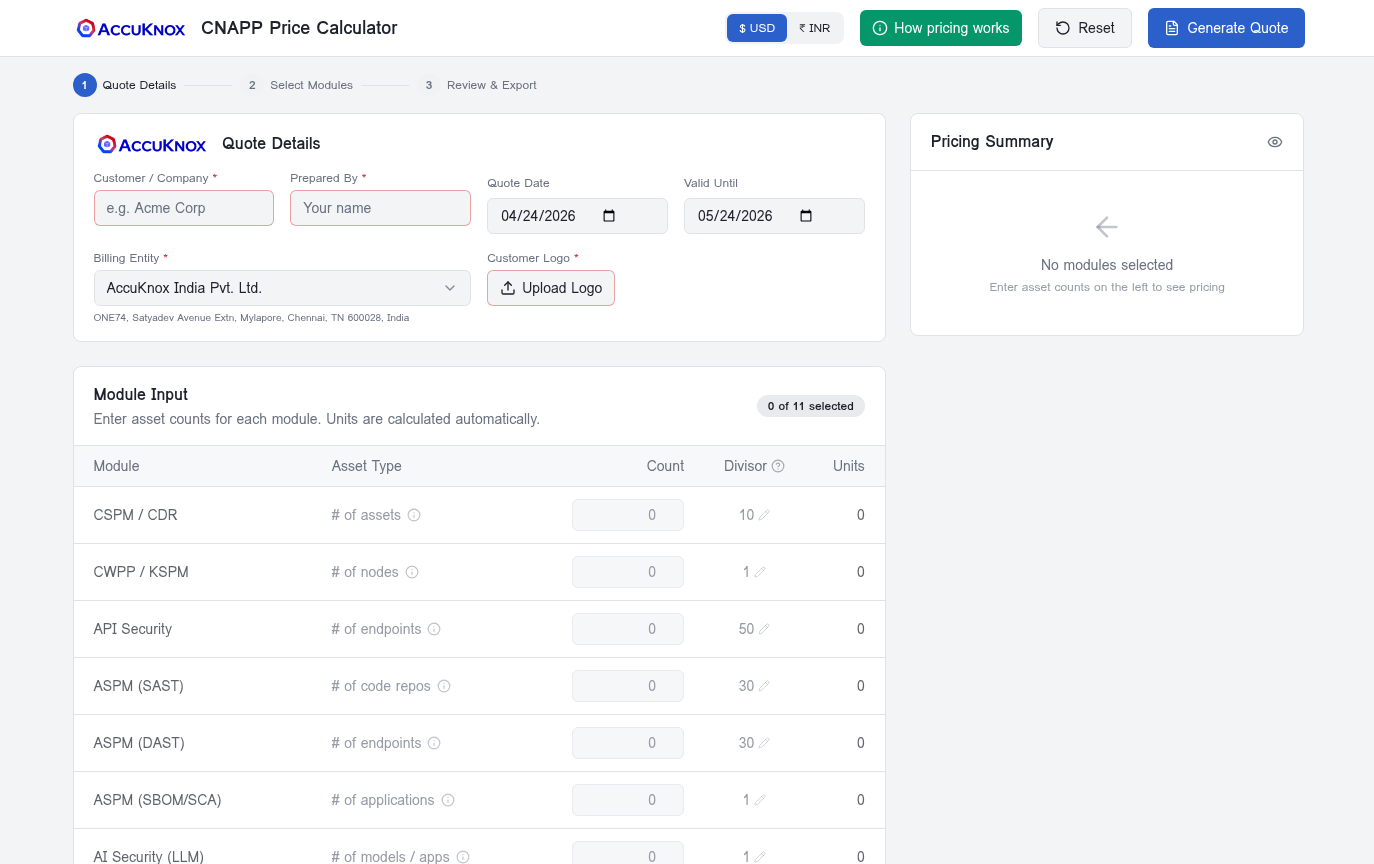
Customer name, prepared-by, quote date, valid-until, billing entity, and customer logo are all required. The form blocks progression until they are filled. The valid-until date defaults to 30 days out so nobody sends an expired quote from an old template.
Here is what the same form looks like when it is done:
One Dropdown Switches Currency, Address, and Legal Text Together
Switching entities updates the registered address, currency defaults, number format, and legal footer simultaneously.
This took the most thought. It controlled a full downstream chain: currency symbol, number format, legal address block, footer text, and entity name. In the spreadsheet, these were manual and separate steps. People got one part right and missed another.
Select AccuKnox India Pvt. Ltd., and currency, formatting, address, and legal text switch together. The dropdown cannot check whether a rep picked the right entity on purpose. A rep still has to know which entity the deal belongs to.
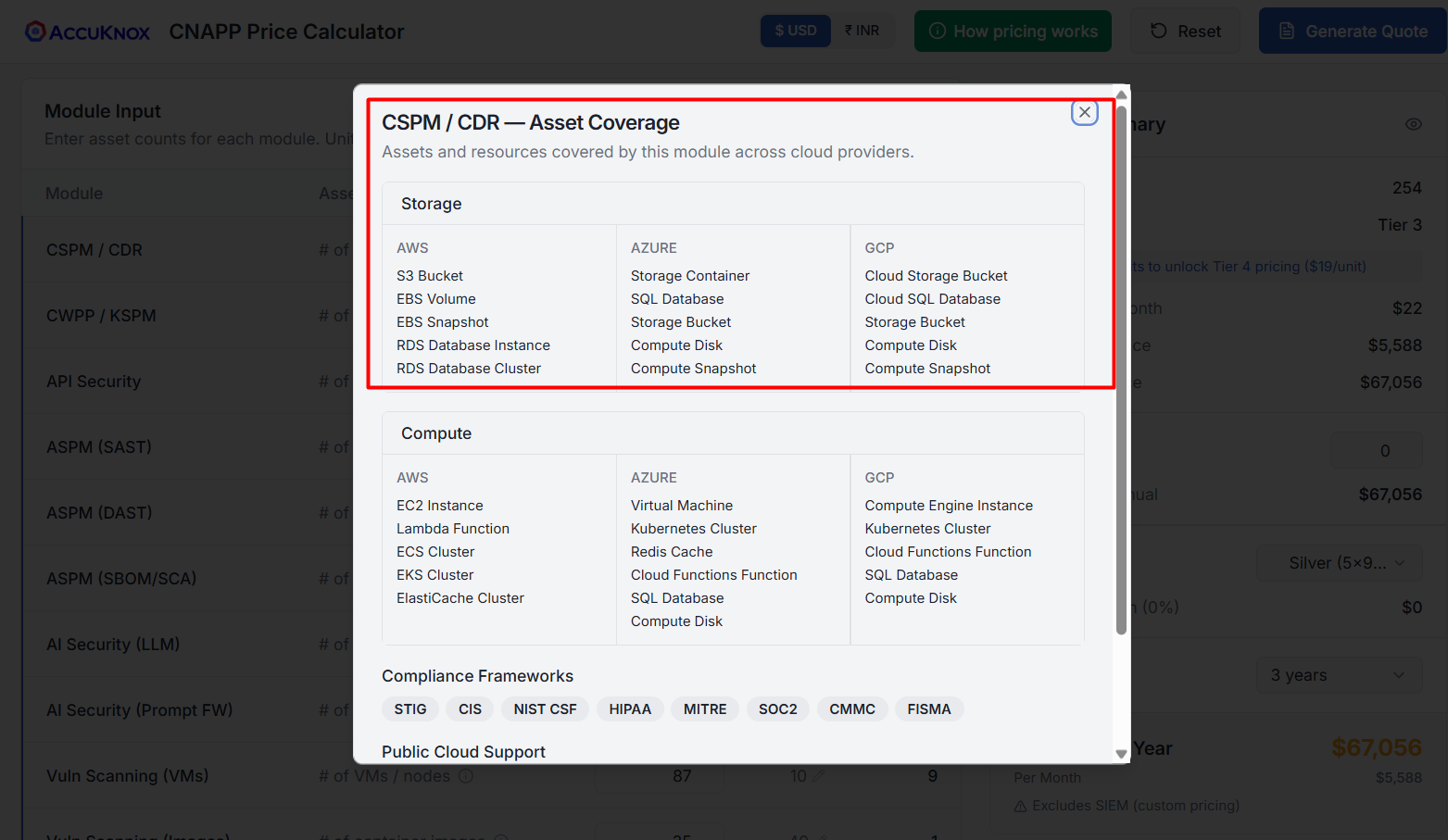
The Pricing Engine
This replaced the old formula chain:
Eleven modules, live unit calculations, real-time tier tracking, and one very useful nudge.
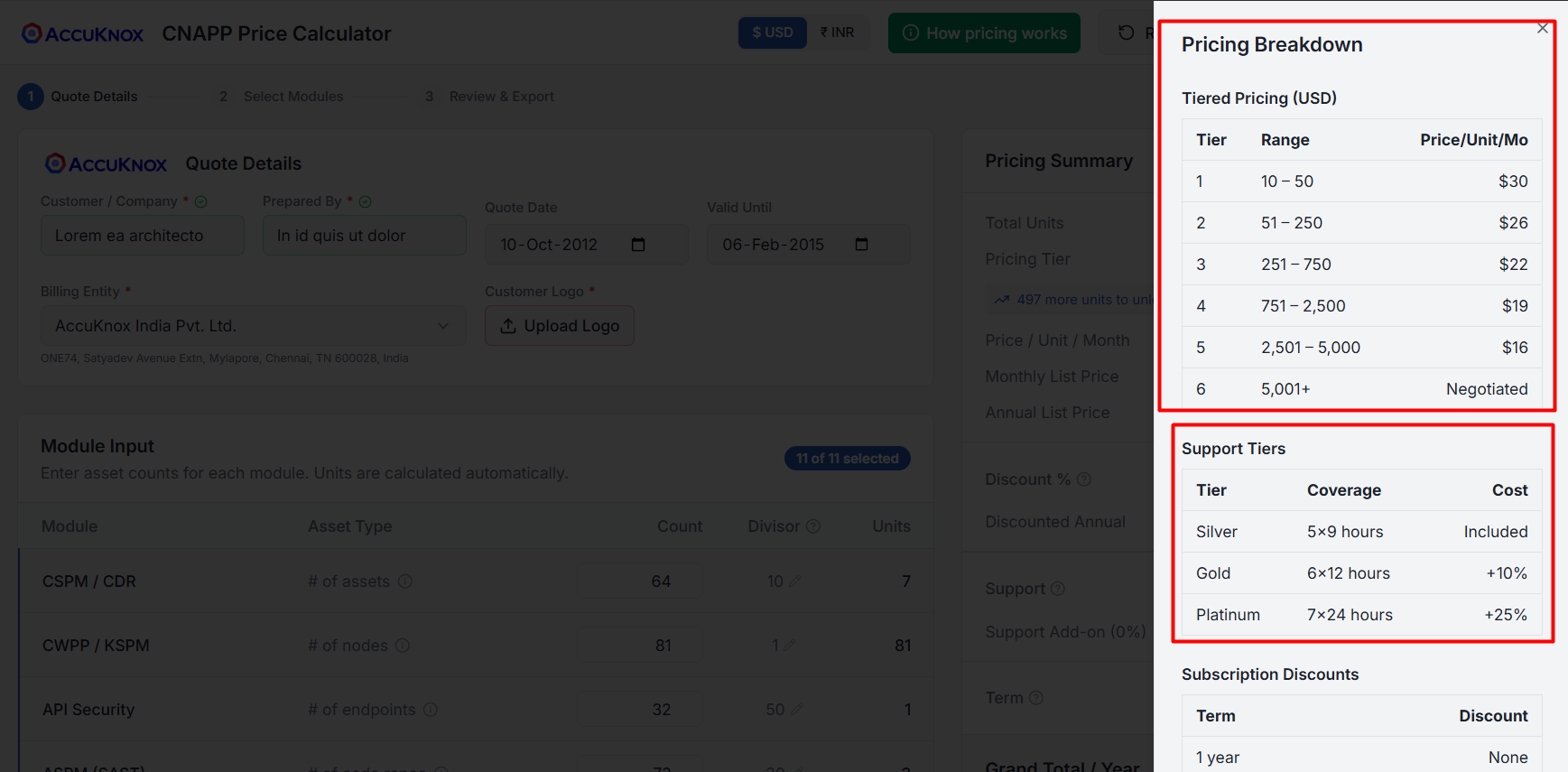
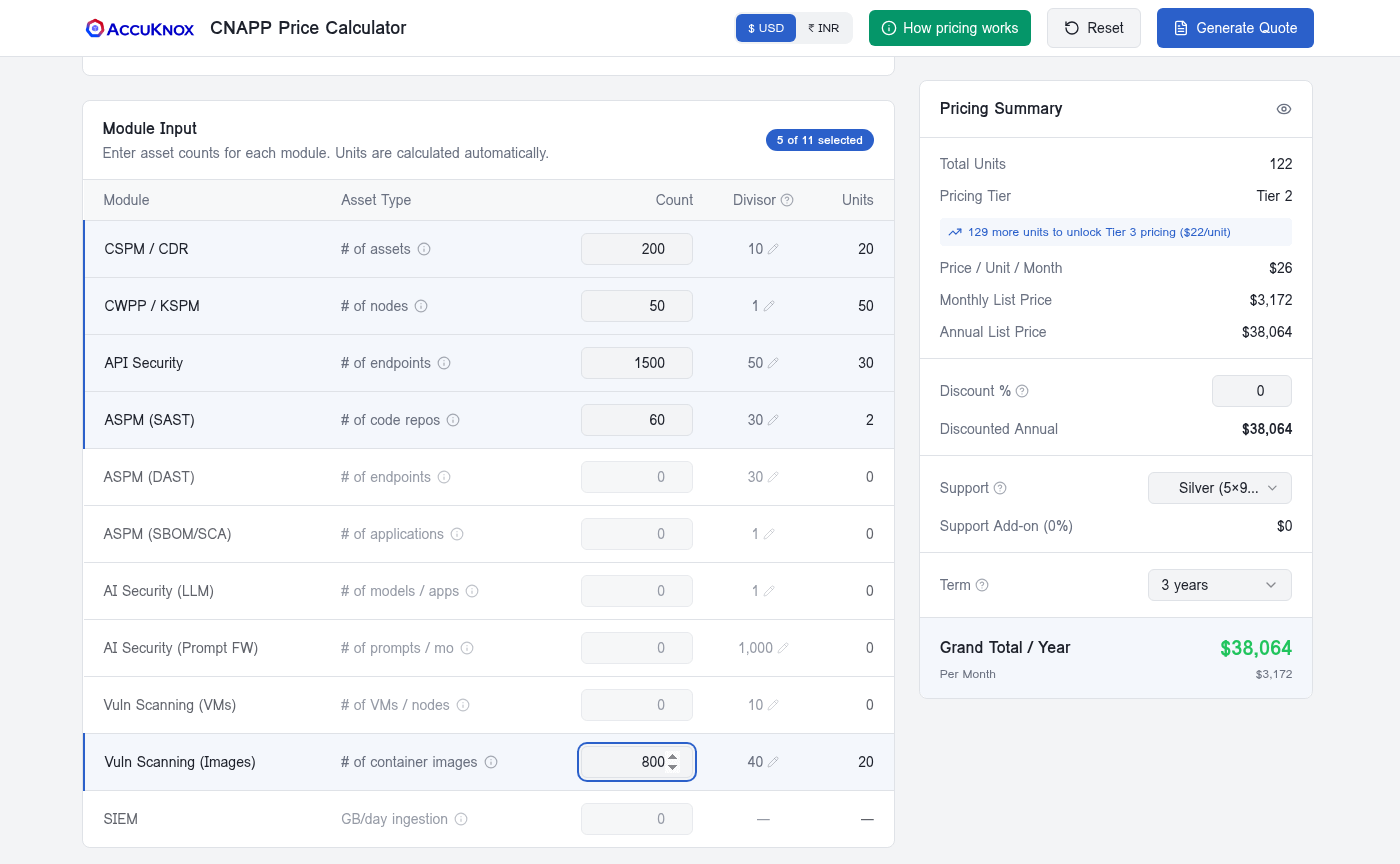
The layout is intentional: inputs sit on the left, pricing impact sits on the right, and both stay visible at once. There is no "fill then calculate" flow. Reps type values and see outcomes live.
Each module row has three fields that matter:
Count: Raw numbers from the customer.
Divisor: Converts raw counts to billable units. I made this editable on purpose. Most reps should keep the defaults, but some deals require negotiated normalization factors. If the tool could not handle exceptions, reps would return to spreadsheets. Defaults are prefilled, overrides are visible.
Units:
ceil(Count / Divisor). Simple, visible, auditable.
The right panel handles everything else:
Total units are summed across selected modules. That single total sets the tier. The tier is quote-wide, not per module.
Price per unit, monthly list, annual list, discount, support multiplier, term modifier, and grand total update in real time.
The detail I cared about most was this message:
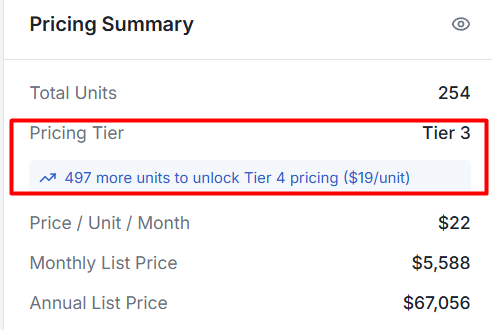
129 more units to unlock Tier 3 pricing ($22/unit)
In the old spreadsheet, tier thresholds were buried in formulas. Most reps never surfaced them during calls. That meant missed opportunities when a customer was already close to the next discount tier.
Now the threshold distance is explicit and live. Reps can test module combinations on a call and show the customer the tier effect right away, instead of promising to check and follow up later.
What Changed
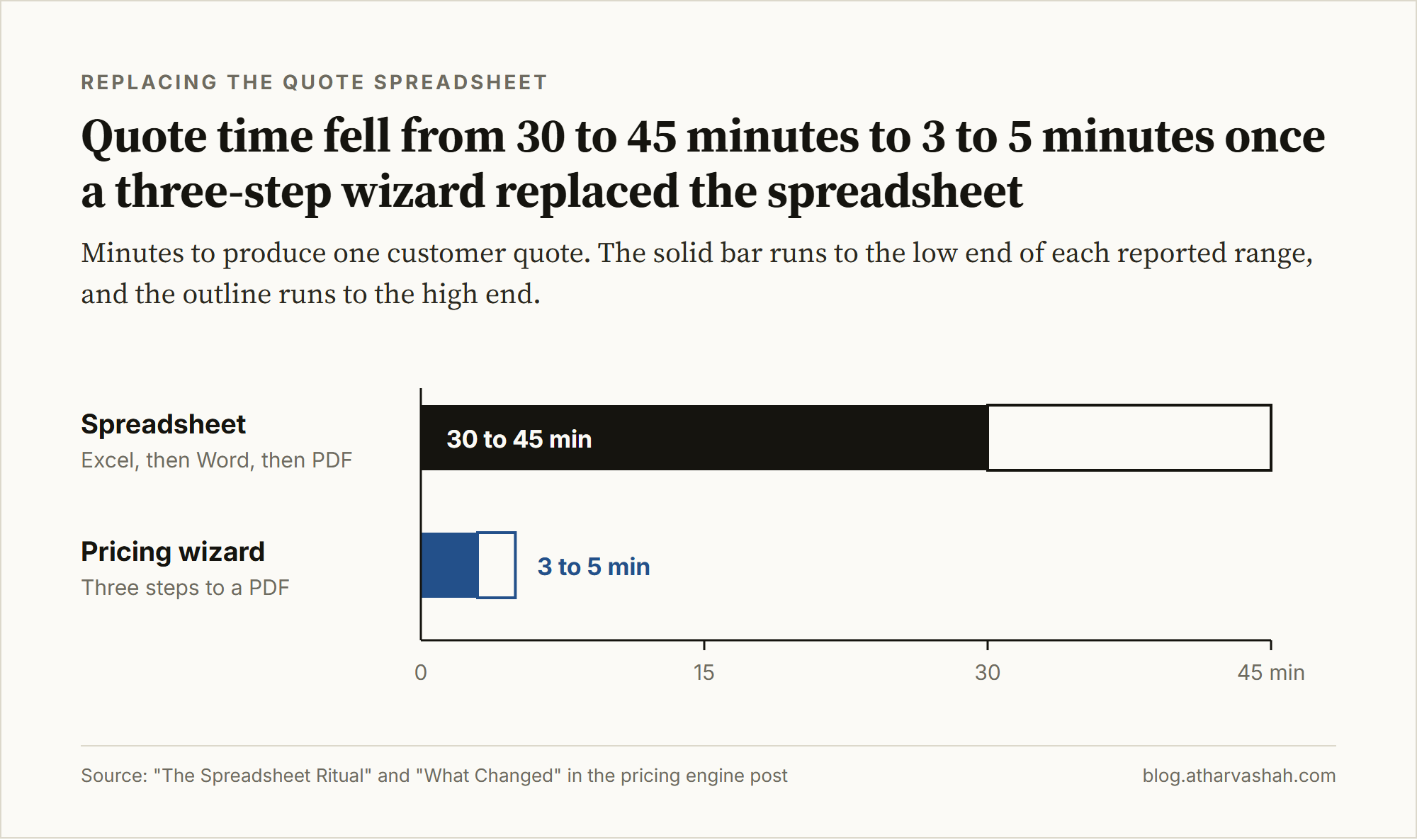
Quote time dropped from 30-45 minutes to 3-5 minutes.
That gap matters. A same-call quote lands while the customer is still deciding. A next-day quote lands after they have moved on to other options.
Zero currency errors and zero wrong-entity quotes since launch. Nobody has reported an "Excel says one number, PDF says another" incident either.
New sales engineers can now produce correct branded quotes on day one. The spreadsheet used to require a one-hour walkthrough plus validation from a senior rep.
Quote cycles used to turn into long Slack threads. Rate card updates meant inbox blasts. New rep onboarding included spreadsheet survival training. None of that happens anymore.
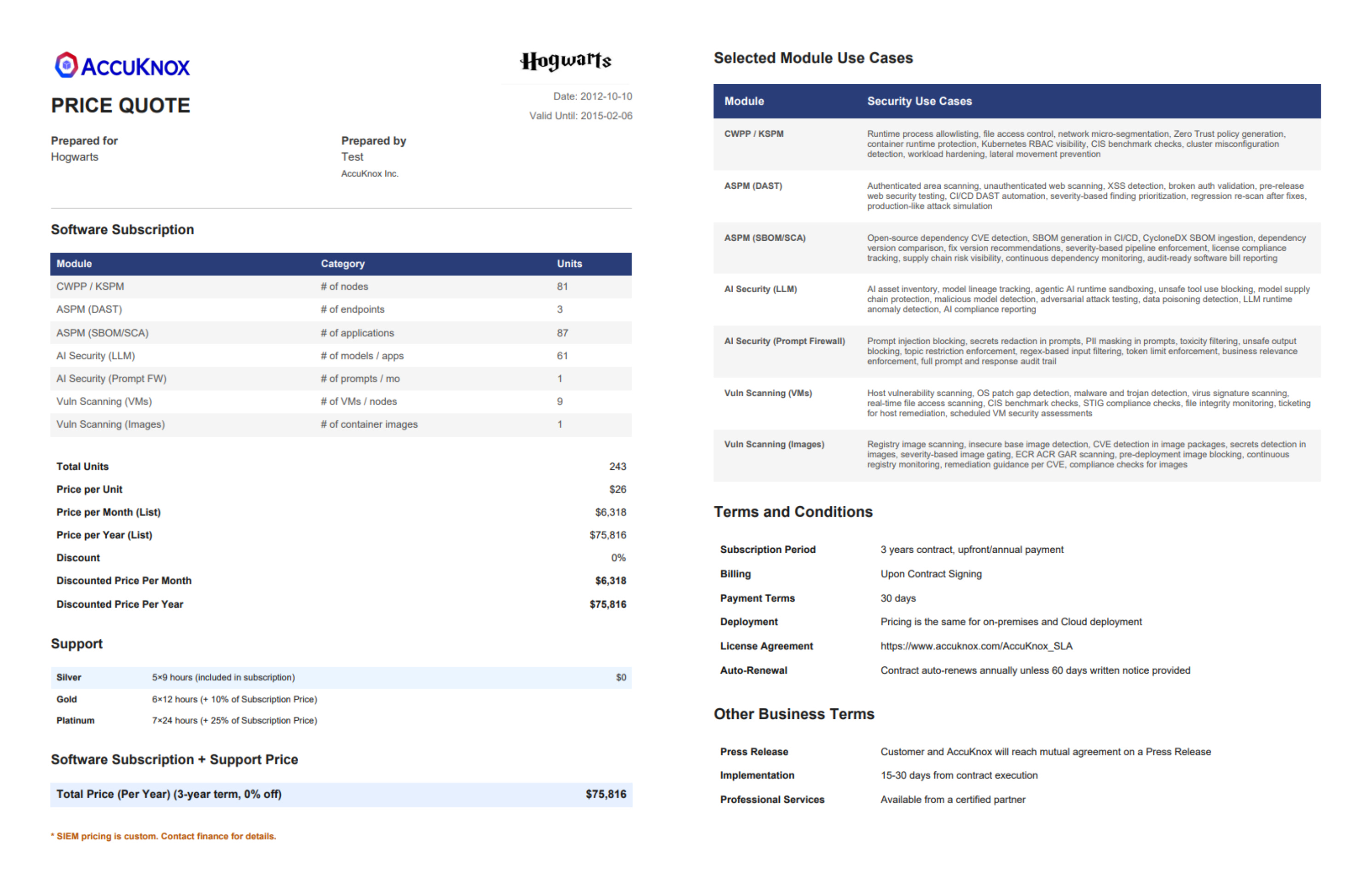
Each quote is now a generated artifact tied to exact inputs. We can reconstruct what was quoted months later, including module mix, rate card, and discount.
If your B2B quotes still live in Excel, I am curious what your failure mode looks like. Reply here or find me on X.
Related reading: Composition vs Composable in Software Engineering and Shift Left Testing: Why Late Bugs Cost 100x.