TL. DR: I did not set up Magi as a prompt box. I set it up as a content operating system. The real work was manual. We had to create the knowledge architecture first: 11 markets, 11 ICPs, 33 personas, competitor context, influencer tracking, reusable source collections, and mandatory SEO frontmatter. At AccuKnox, one thing became obvious fast. Content quality was never the model problem. It was the input structure problem.
Most AI content tools break in the same place, because they start generating before the company has defined what the AI should know. That gap produces the usual sludge: generic blog posts, flat LinkedIn copy, landing pages that mention features without understanding buyers, and email sequences that read like they were written for a company with no history and no real market.
That was the setup problem I was solving with Magi for AccuKnox.
The goal was simple: take everything the team already knew, structure it by hand, and make it usable by the system.
That meant product context, buyer context, competitor context, transcript context, and publishing rules, each one built by hand, cleaned up, and mapped into a format Magi could use.
What this looked like at AccuKnox
This was not a one-off experiment. Across internal AccuKnox working sessions, three threads kept repeating:
The taxonomy had to be explicit. Market to ICP to persona to knowledge base to ideas.
The publishing standard had to be enforced. Every blog needed a TLDR, frontmatter, FAQ schema, links, structure, and positioning context.
The interface had to match the workflow. Calendar, collections, knowledge views, content generation states, and editor UX all mattered, because the team had to use this every day.
One meeting summary captured the operating model in one line:
"Take the first cut. I'll fine tune at the very end."
The team built the structure first, and the AI handled the transformation after that, with human judgment staying at the edges where it belonged.
The core architecture
The entire setup got easier once I stopped thinking about content and started thinking about buyer-mapped data.
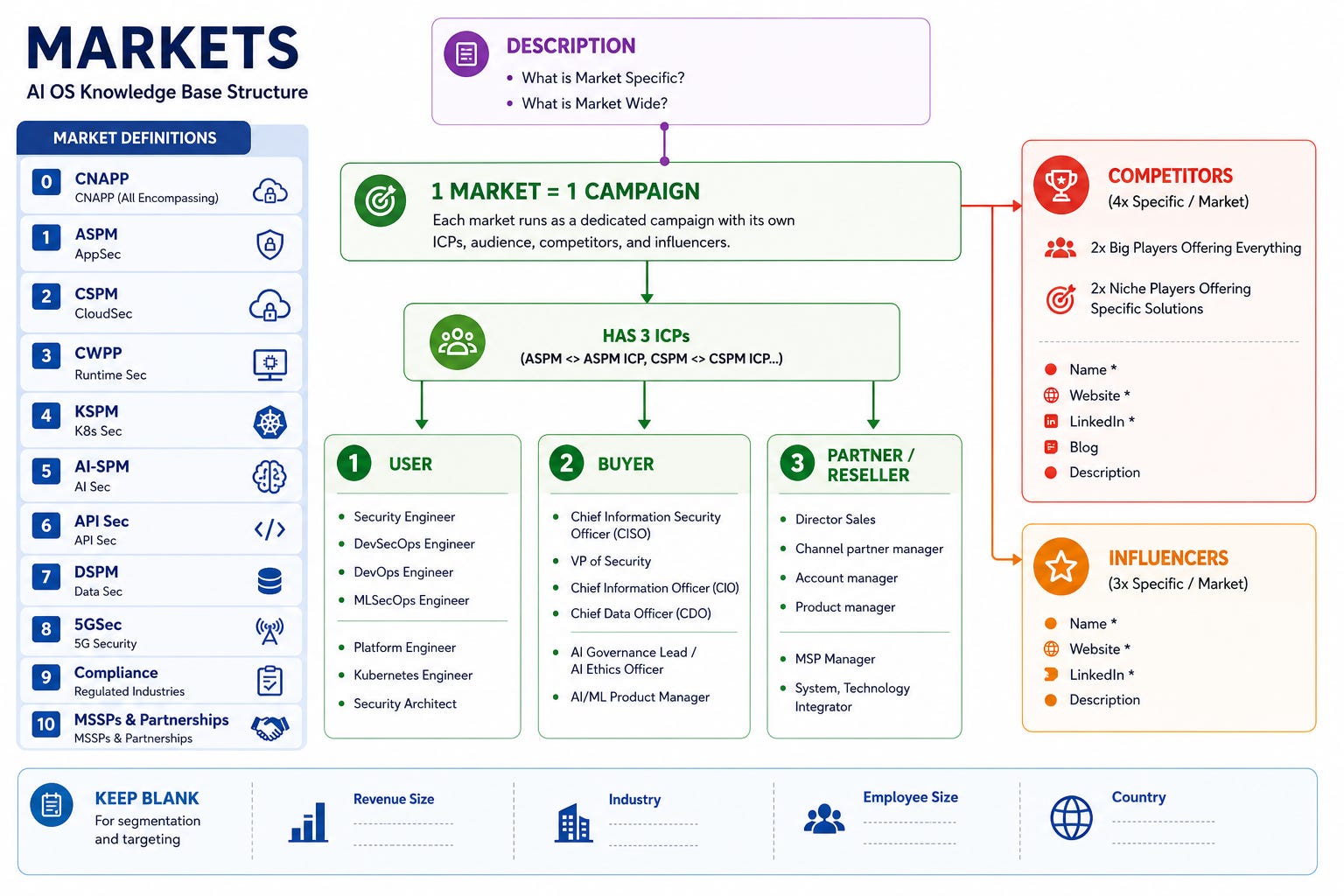
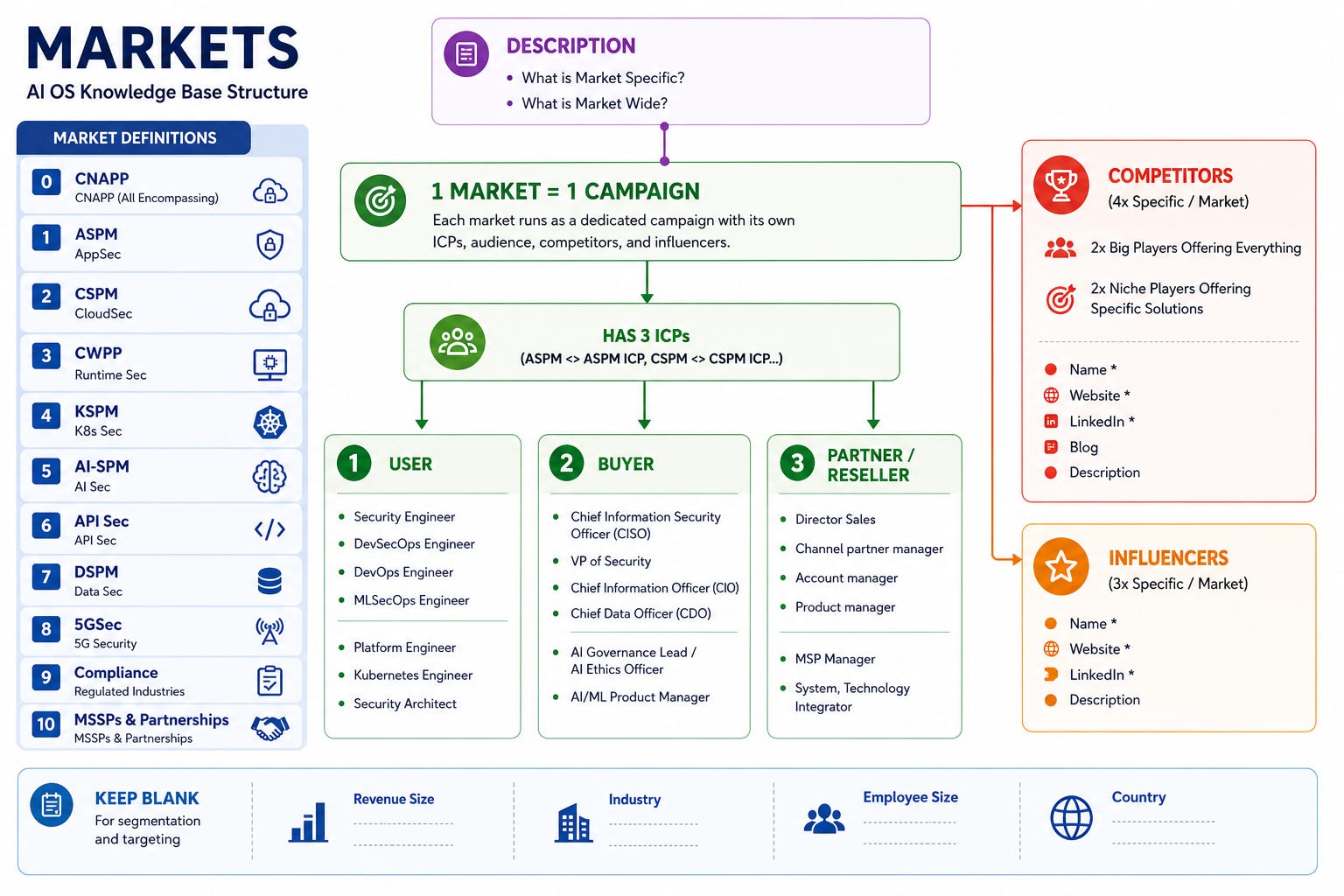
The foundation was simple on paper: 1 Market -> 1 ICP -> 3 Personas. That meant 11 markets, 11 ICPs, and 33 personas, and each persona needed more than a job title. Every one carried a real description, primary use cases, pain points, the KPIs that person gets judged on, and enough context for the AI to understand why that person would care.
We mapped three ICP types across every market. User covers the hands-on operators: the Security Engineer, DevSecOps Engineer, DevOps Engineer, MLSecOps Engineer, Platform Engineer, Kubernetes Engineer, and Security Architect. Buyer covers the decision makers with budget: the CISO, VP of Security, Chief Information Officer, Chief Data Officer, AI Governance Lead, and AI/ML Product Manager. Partner/Reseller covers channel and distribution: the Director of Sales, Channel Partner Manager, Account Manager, Product Manager, MSP Manager, and System/Technology Integrator.
That grid looks simple on a whiteboard. It gets hard once you run it across eleven markets: CNAPP, ASPM, CSPM, CWPP, KSPM, AI security, API security, DSPM, compliance, 5G security, and MSSP partnerships.
The full market grid looks like this inside Magi, once it is properly configured:
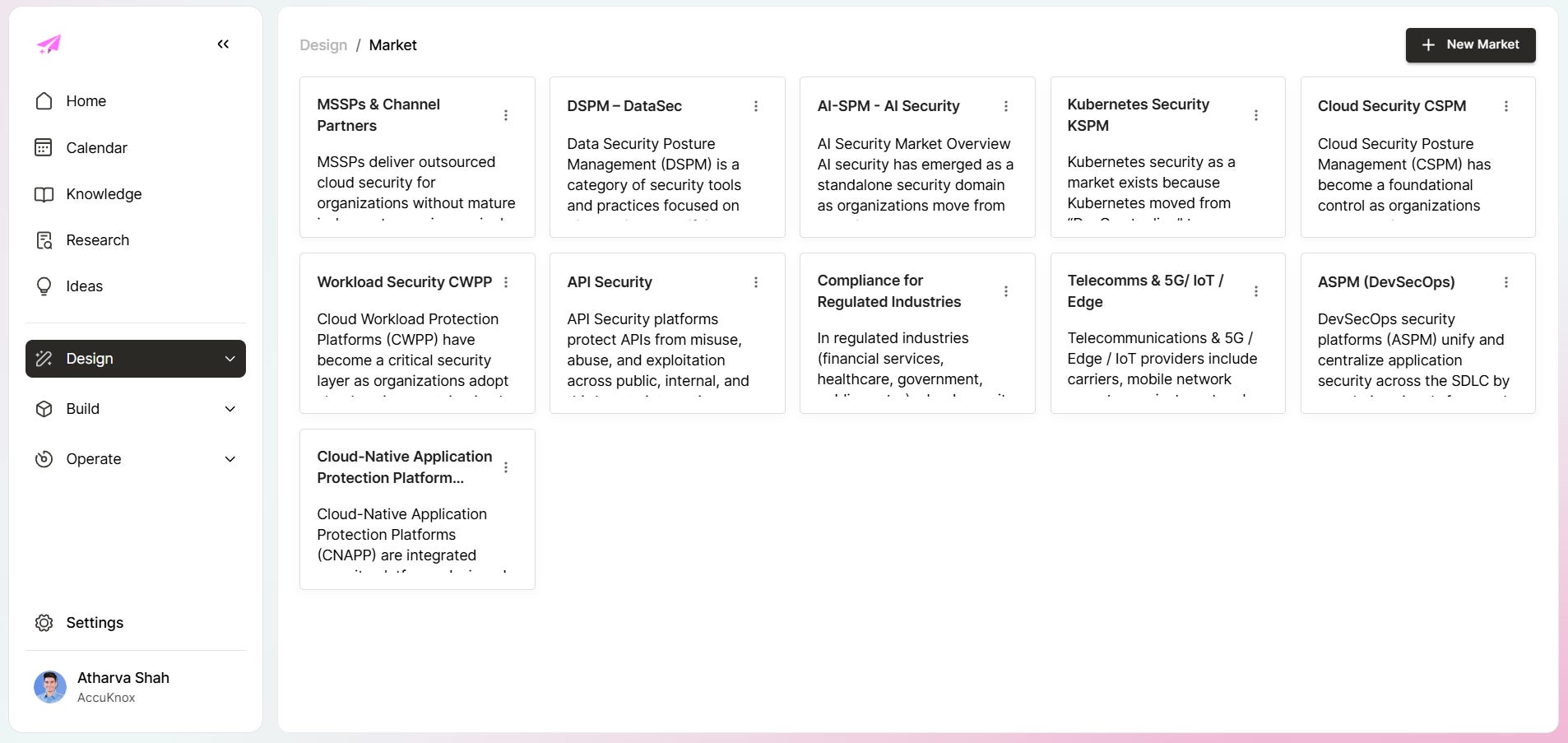
Each card is a live campaign anchor. Click into any one and you see the ICP, competitor set, influencers, and persona breakdown for that specific market. Building all eleven took weeks of working sessions before Magi generated a single draft, and that sequencing, structure before output, is what the rest of this setup was built around.
What went into the knowledge base
The spreadsheet schema was the real product spec. None of it arrived through automatic ingestion: we defined the markets, mapped the ICPs, wrote the personas, organized the collections, and decided what belonged where, by hand, before Magi could use any of it.
The knowledge base has seven layers, and each one held a different piece of the picture.
1. Personas and campaigns
The personas tab was where everything else downstream got grounded. It mapped market, persona name, description, use case, pain points, and KPIs.
Without that specificity, every market gets the same generic pitch. A CNAPP buyer wants to cut cloud risk, while a platform engineer drowns in runtime alerts. Show the AI that difference and the writing changes at once.
A fully built-out ICP looks like this inside Magi. This is the AI-SPM market with its ICP description, use cases, buying cycle, and three distinct personas mapped:
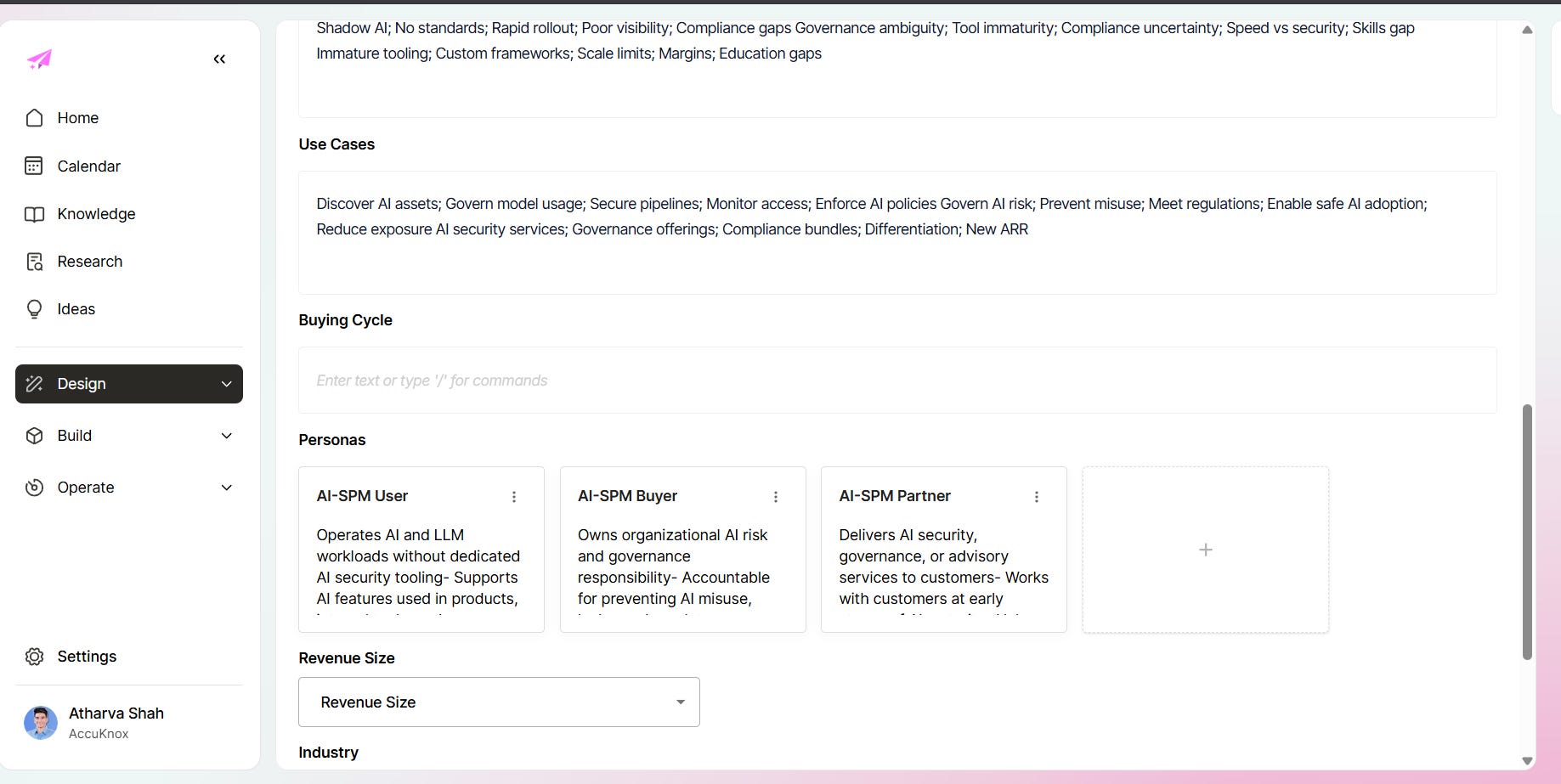
Every persona carries its own context stack. The AI-SPM User persona holds a description, use cases, and pain points: shadow AI, no standards, rapid rollout, poor visibility, and compliance gaps. Its KPIs are AI asset coverage, policy violations, risk events, audit readiness, and MTTR. The AI guesses at none of this. You put it in, and the system uses it.
2. Competitors
Every market needed direct competitive context. The rule we followed set four competitors per market: two big players with broad platform coverage, two niche players with specific point solutions.
That included name, website, LinkedIn, blog, and a short positioning summary. The system needed to know the shape of the market: broad platforms such as Wiz and Orca crowd some categories, and narrower players hold others. If the AI has no enemy map, it writes like it has never seen the market before.
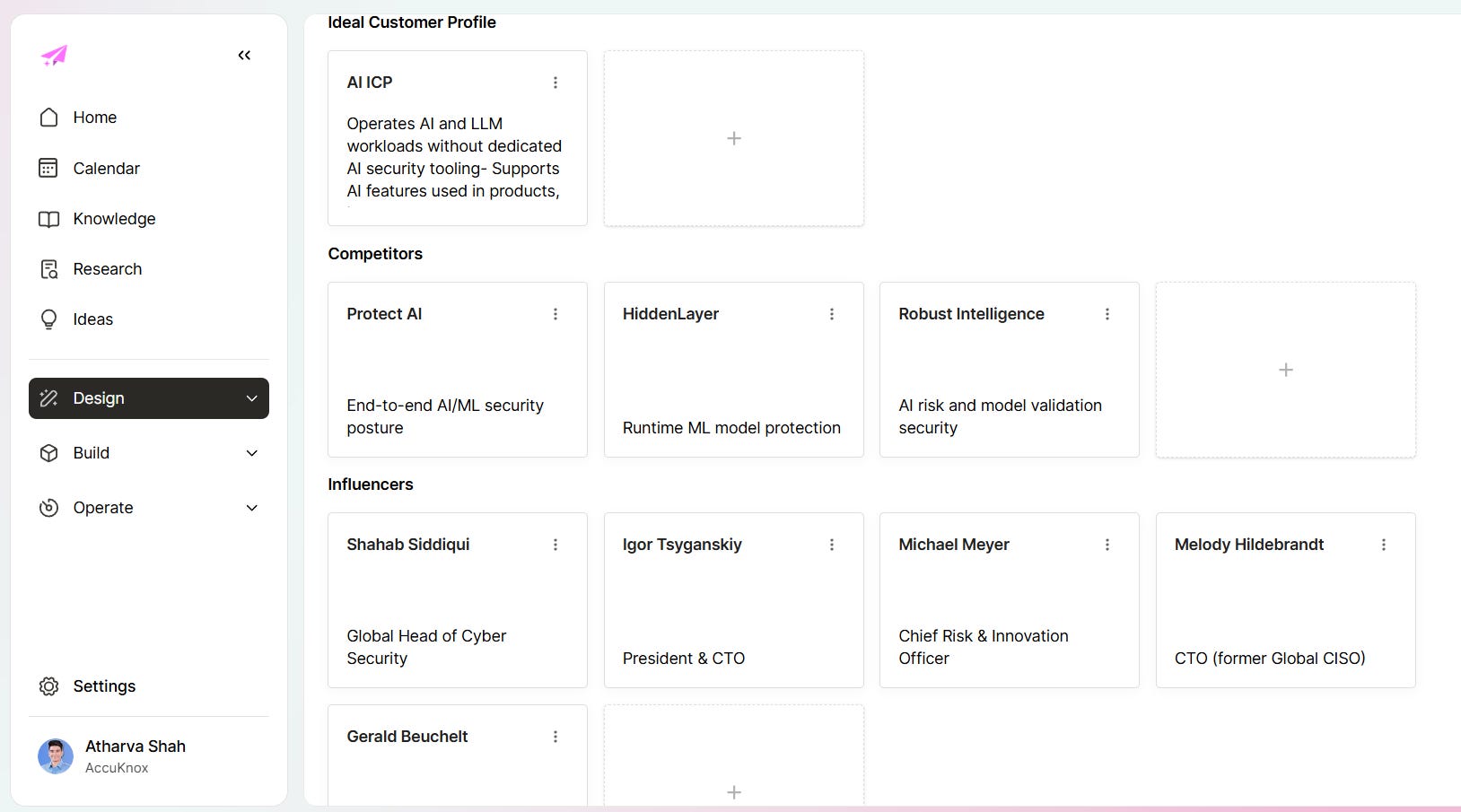
Here is what the competitive layer looks like inside a live market. AI-SPM had Protect AI, HiddenLayer, and Robust Intelligence mapped with positioning context for each:
3. Influencers
For each market we tracked three people, with name, title, and LinkedIn. We tracked them for signal rather than for outreach. The people closest to a category write about their problems, and that is free market research. A list meant we read them instead of browsing at random.
4. Knowledge files
Everything the company already knew that was not yet in a usable format went in:
FAQs and llms.txt
Whitepapers and eBooks
CVE pages and security advisories
Press releases
Technical documentation and help docs
Playbooks (sales, onboarding, objection handling)
Blog posts (published and competitor)
Slide decks and pitch materials
Important help doc URLs and sitemaps
POC executive summaries
Sales call transcripts and objection logs
Your company already holds explainers in sales calls, POC conversations, review notes, Slack threads, and internal docs, and that conversational material usually makes better source content than anything written for publication. As with the rest of the knowledge base, we still chose what to extract from these, how to classify it, and where it lived.
5. SEO frontmatter and brand rules
The difference between content that is readable and content that can actually ship is metadata, and we wanted the latter. Every blog needed mandatory metadata and SEO framing at generation time.
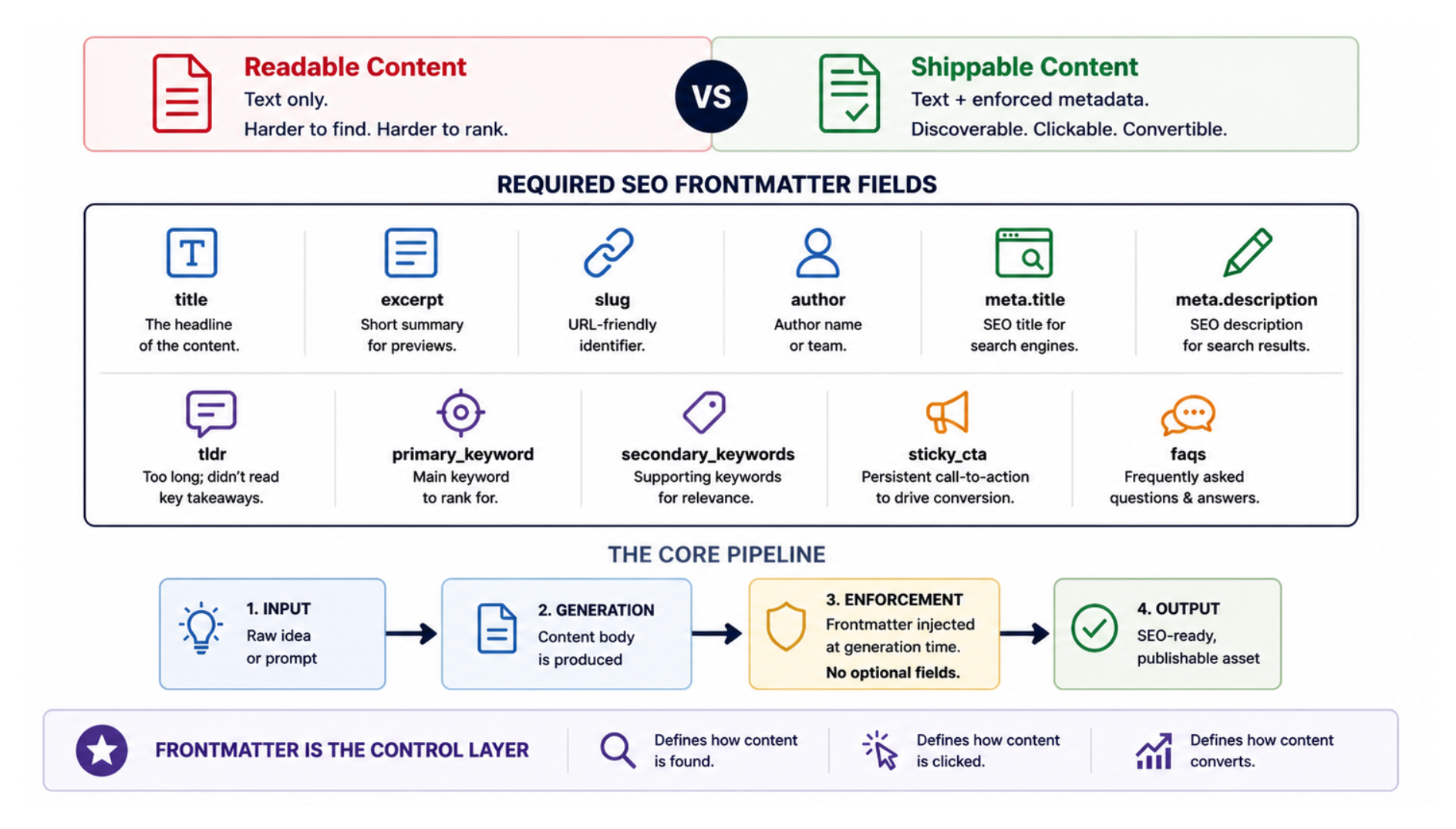
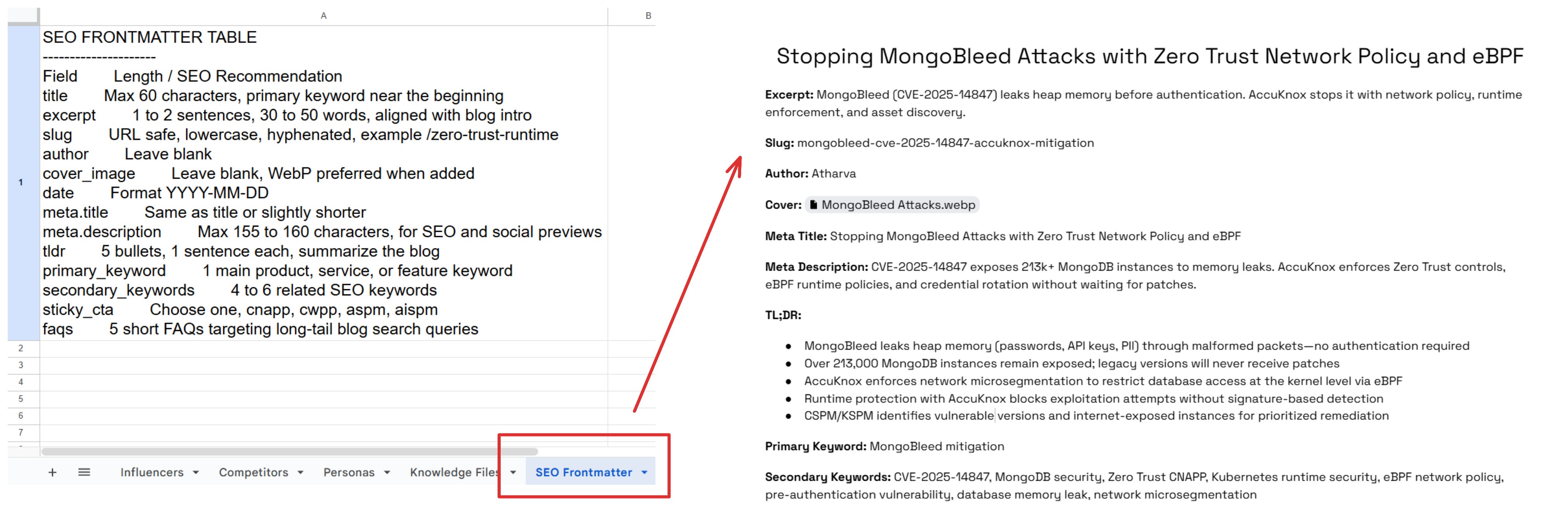
The required fields included title, excerpt, slug, author, meta.title, meta.description, tldr, primary_keyword, secondary_keywords, sticky_cta, and faqs.
That sounds administrative, but it sets the entire quality threshold for the output. Frontmatter, tone guidance, category rules, and required links went into the brief, and the draft arrived close to publishable. Our internal summaries backed this up: the standardized blog framework ran on 14 mandatory components, and skipping any of them was the fastest way to get a draft sent back for rework.
6. Landing page hierarchy
The landing page tab handled parent and child page relationships. That mattered because page generation without site hierarchy usually creates random one-off pages with no connective logic. We wanted category pages and industry pages to map back to a real information architecture.
7. Map knowledge to campaigns
One practical question drove this layer: which piece of knowledge belongs to which campaign? Without that answer, a large source library is just dead storage. With it, Magi pulled the right asset into the right flow, and the random content stopped.
Why the transcript layer mattered so much
At AccuKnox, sales calls, product demos, customer questions, Slack clarifications, internal review comments, and meeting recordings all held content that never got reused. This setup sharpened that problem for me.
Our internal call notes and transcript reviews were full of operating detail that rarely makes it into polished docs:
what the team was blocked on
how pages were supposed to be structured
which campaigns were recurring
what design assets were missing
which types of outputs were ready for testing
That is the language people actually use to explain the business to each other, and it is worth more than another generic AI prompt. The transcripts were input for us first, not an automatic ingestion shortcut: they helped us understand what the system needed to know before we built anything.
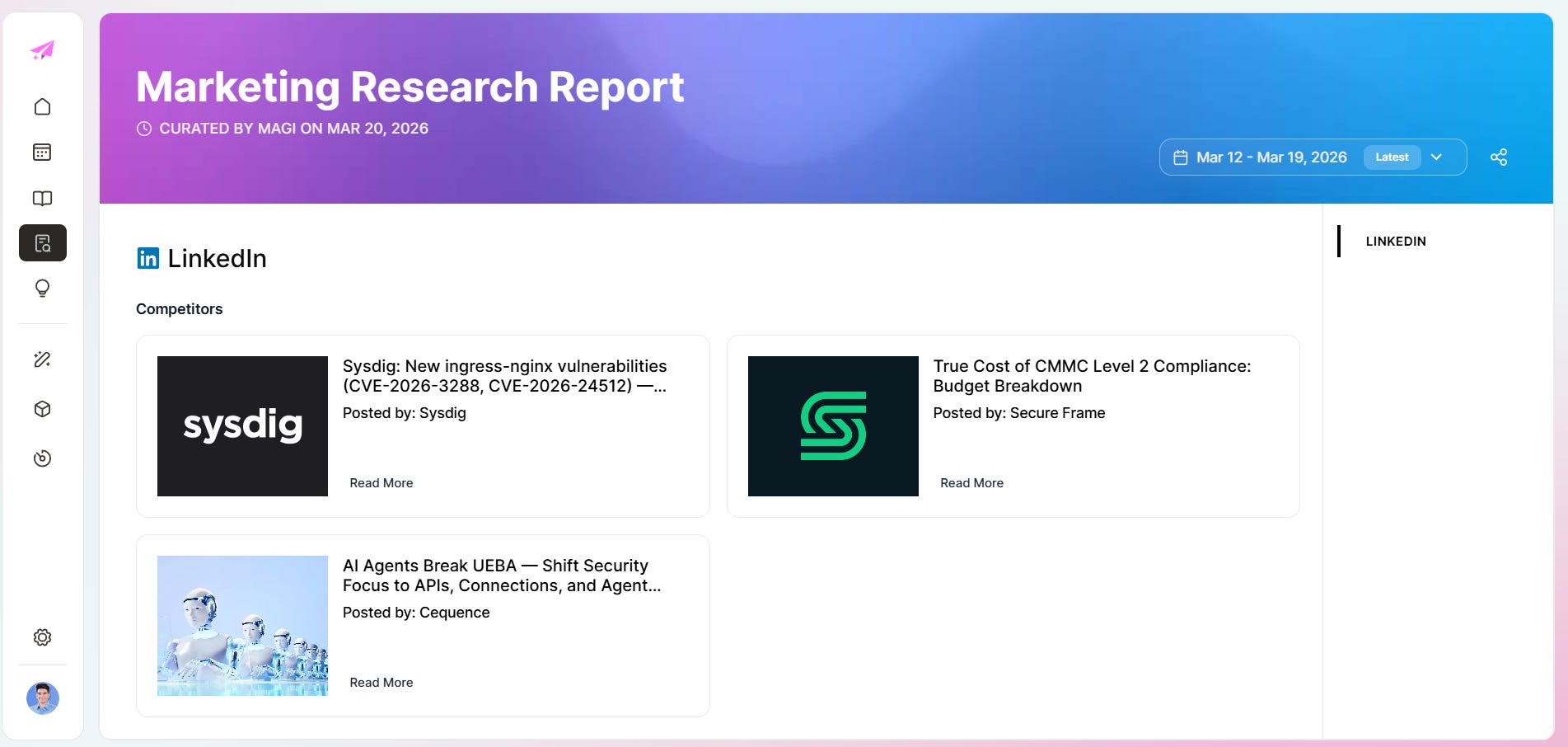
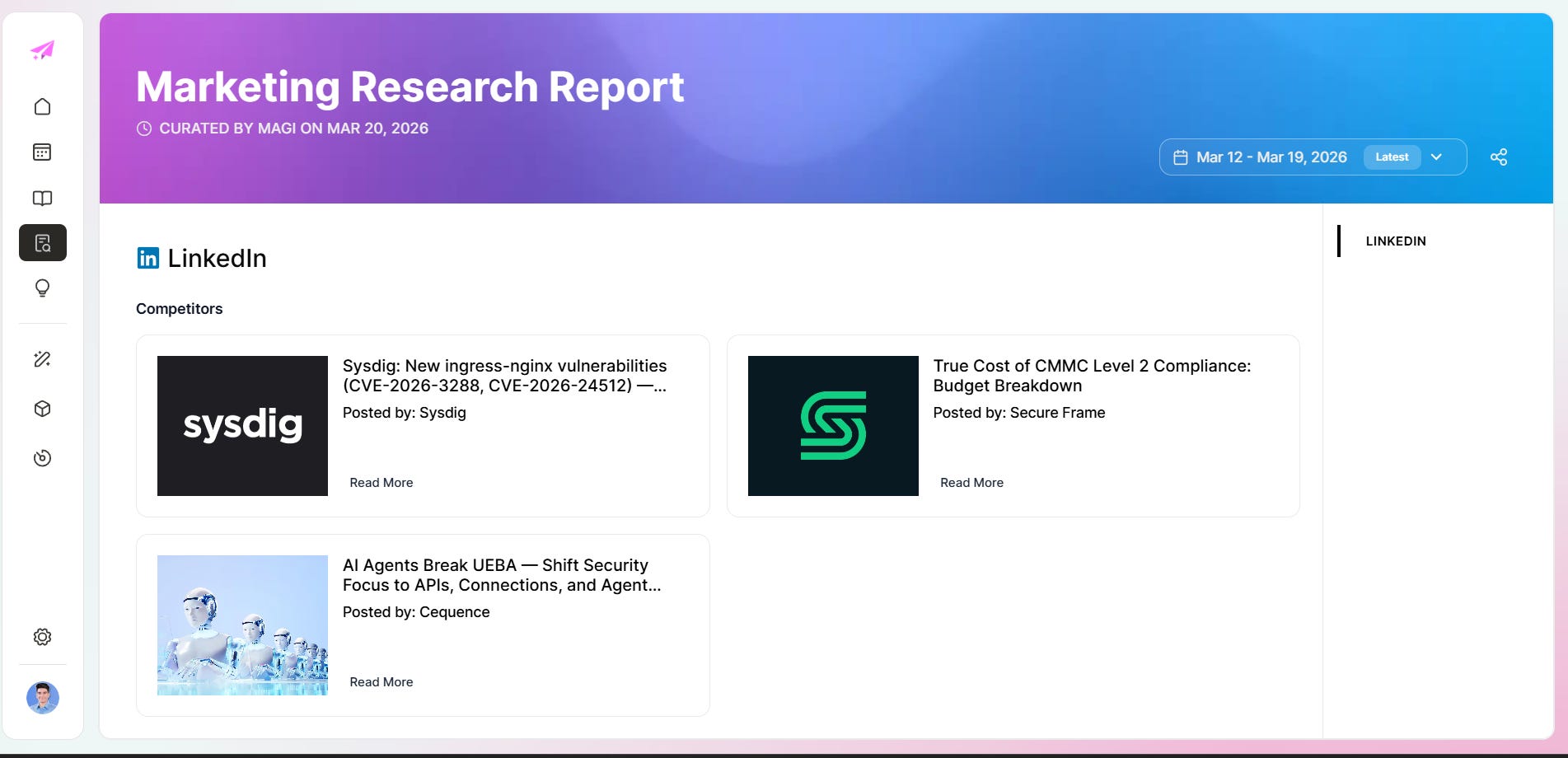
The research layer also powers competitive monitoring, because Magi's research reports pull competitor LinkedIn posts, blog content, and CVE coverage into a single view per market, so you are not browsing five sources by hand.
For a rebuild from scratch, I would still start with transcripts, docs, and source collections, then handle generation settings, then map the ICP and knowledge layers by hand before expecting anything useful from the tool.
The product feedback loop with Magi
Getting the architecture right also surfaced what the product still needed. A few things came up repeatedly across working sessions:
A media library for product screens, explainer screens, and carousel assets, so content generation could pull real visuals.
More visible workflow stages, specifically In Progress and In Review.
A progress bar during generation, so the team was not staring at a blank screen.
A cleaner editor, so review did not feel like a chore.
The parts that were already solid enough to test were the calendar, the collections, and the TOFU blog template. A working calendar, working collections, and a working template mark the point where a tool crosses from demo to daily use.
BrandOS
Once set up, generated content stayed on brand by default, and you could switch between different voices, tones, and keywords for each piece. Brand rules could apply globally across campaigns or get overridden per content type.
Watch the video below to see the options inside Magi's Brand OS.
A prompt box alone does not teach a tool how a company sounds. Brand OS did that before it wrote a word: it held the tone guidance, not the person typing the prompt.
Calendar view
The calendar mattered because content teams do not think in isolated prompts. They think in deadlines, campaign timing, and channel mix.
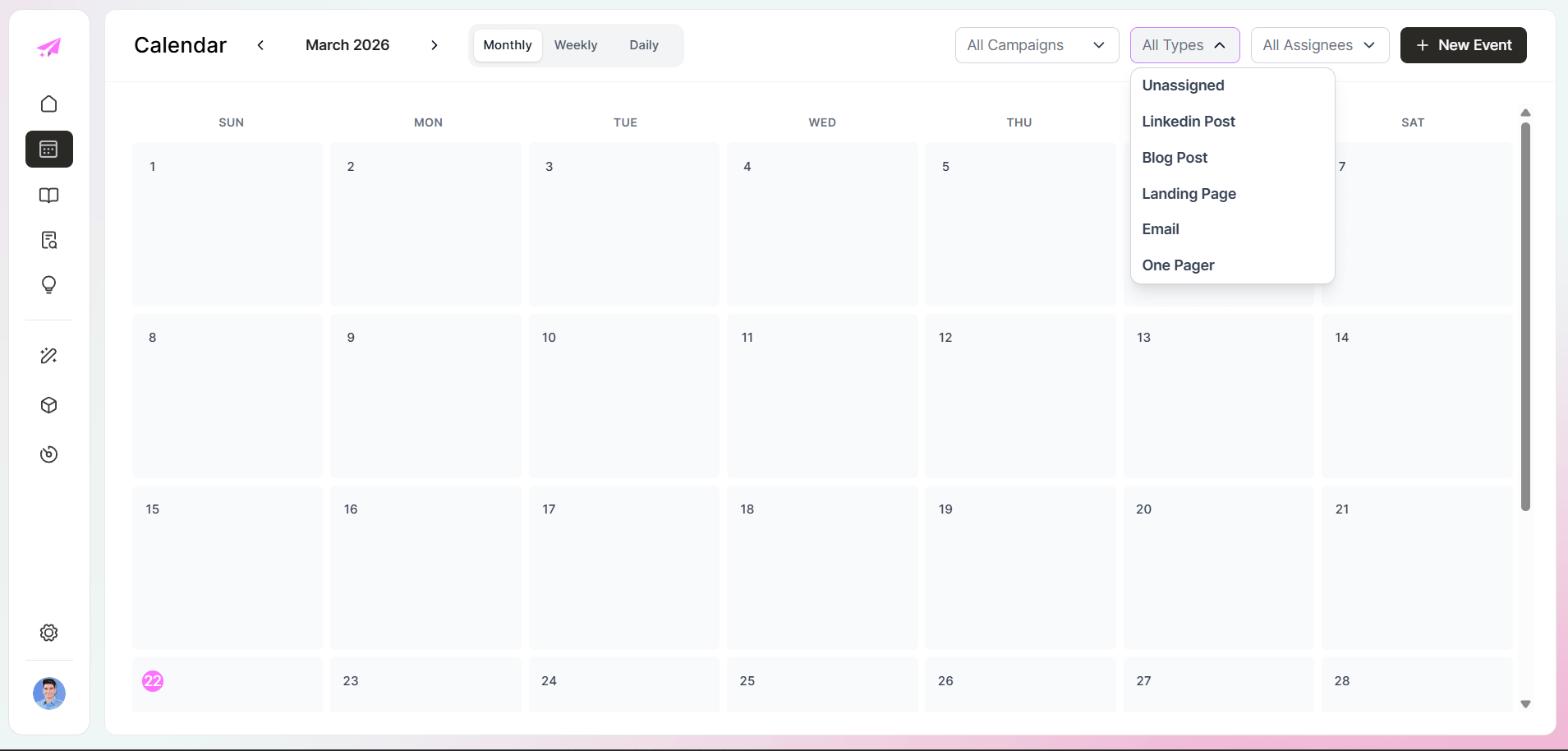
A scheduling interface shows blog posts, landing pages, emails, and one-pagers together, and the tool stops feeling like an AI toy. It starts to feel like a planning surface.
Knowledge base and collections
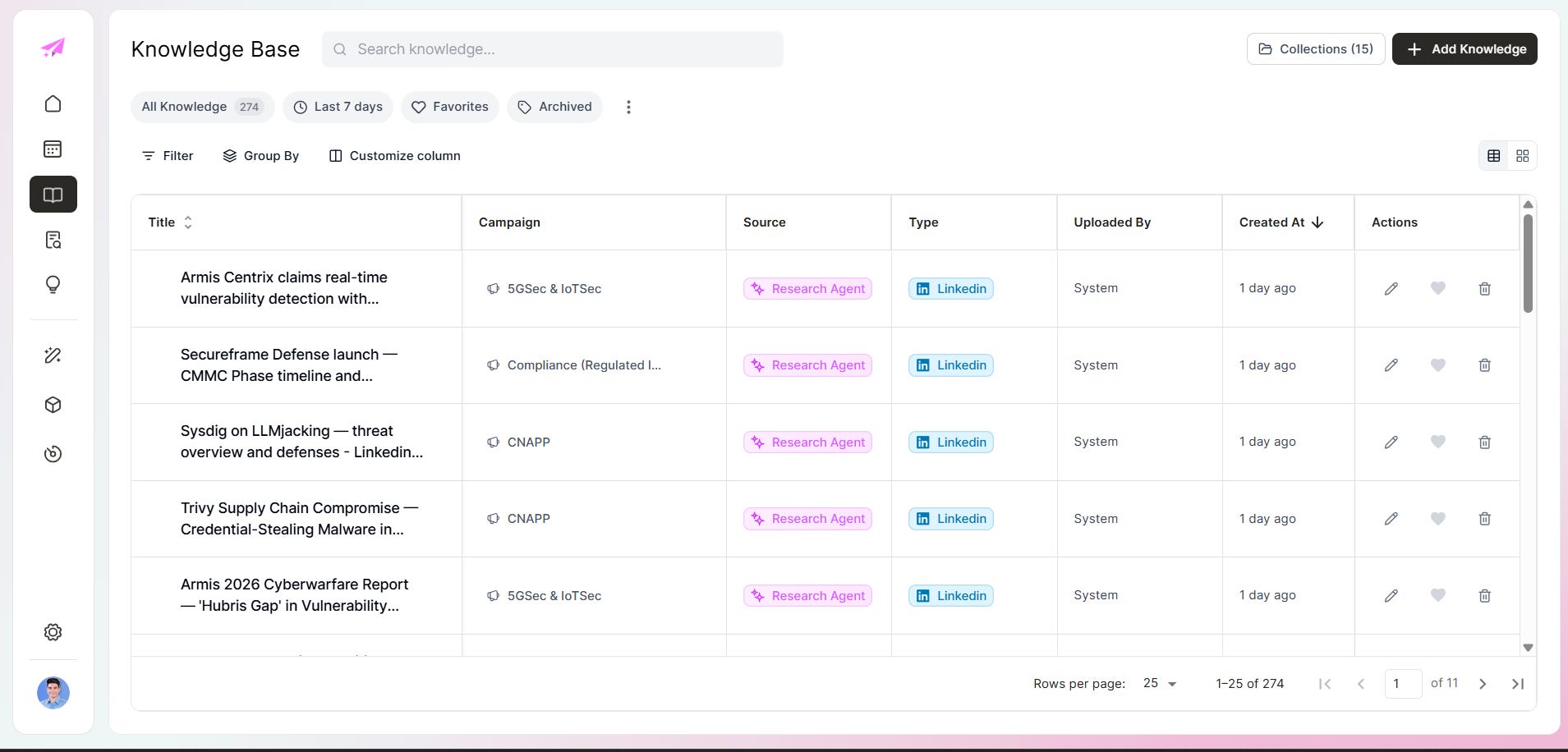
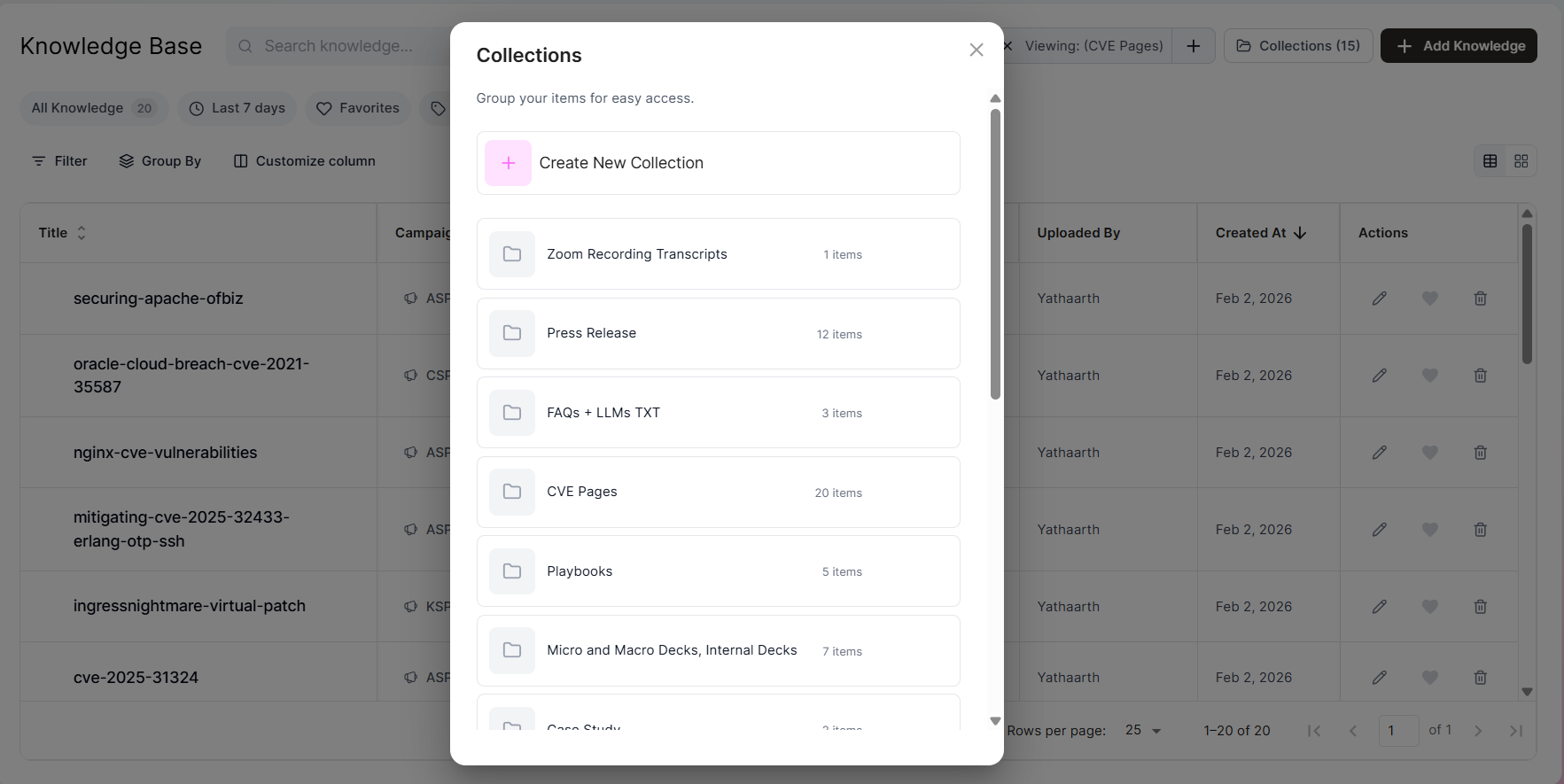
Source assets need somewhere to live that is not a random shared drive or a Slack thread from six months ago. The knowledge base and collections views handle that: browseable, sortable, grouped by campaign. When the knowledge layer is invisible, people stop trusting it. When it is organized, they actually use it.
Knowledge to idea generation
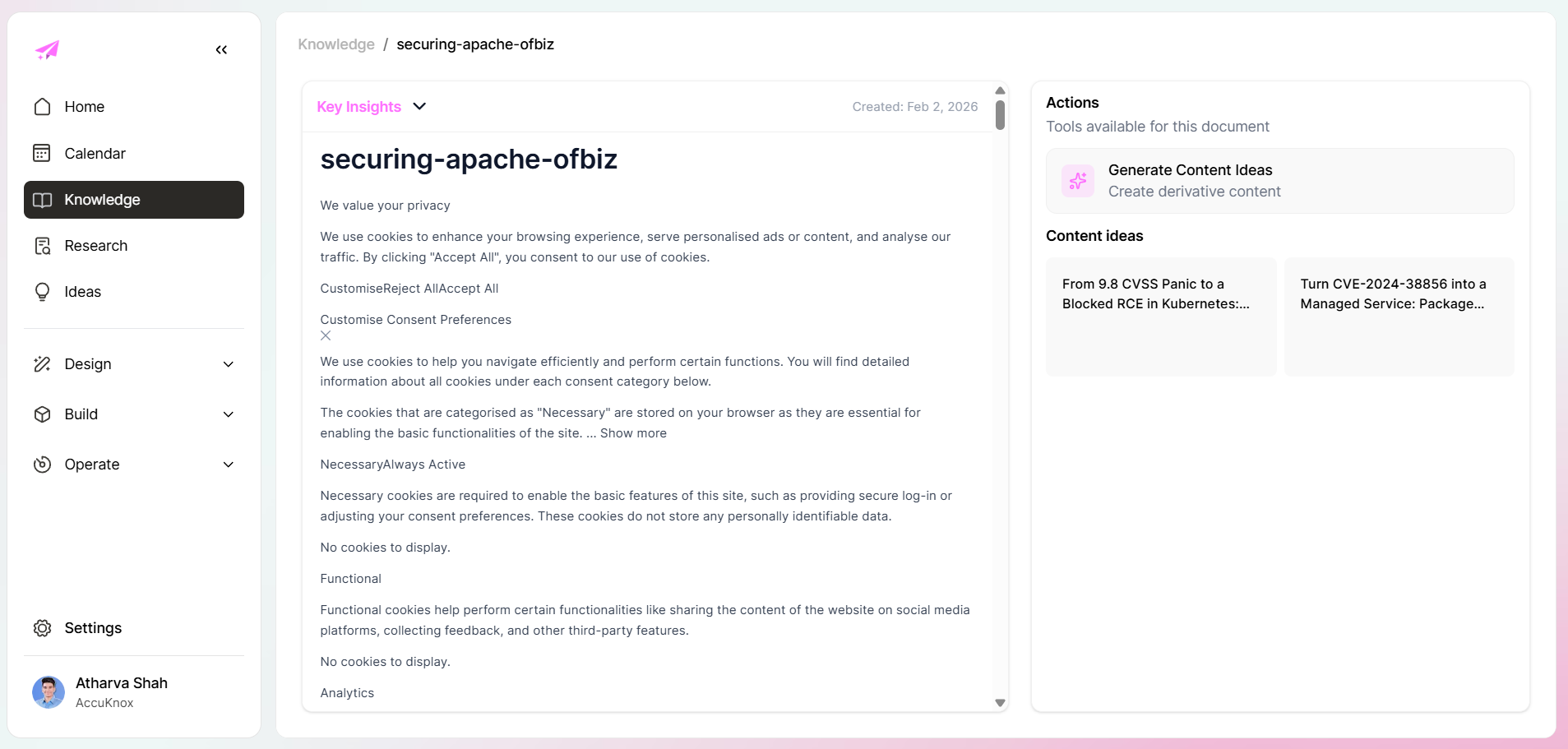
Once a source item can generate content ideas, you stop treating research as dead weight. That created a tighter loop:
collect signal
classify it correctly
map it to a campaign
generate derivative content
That loop is what made the knowledge base compound instead of sitting as dead storage.
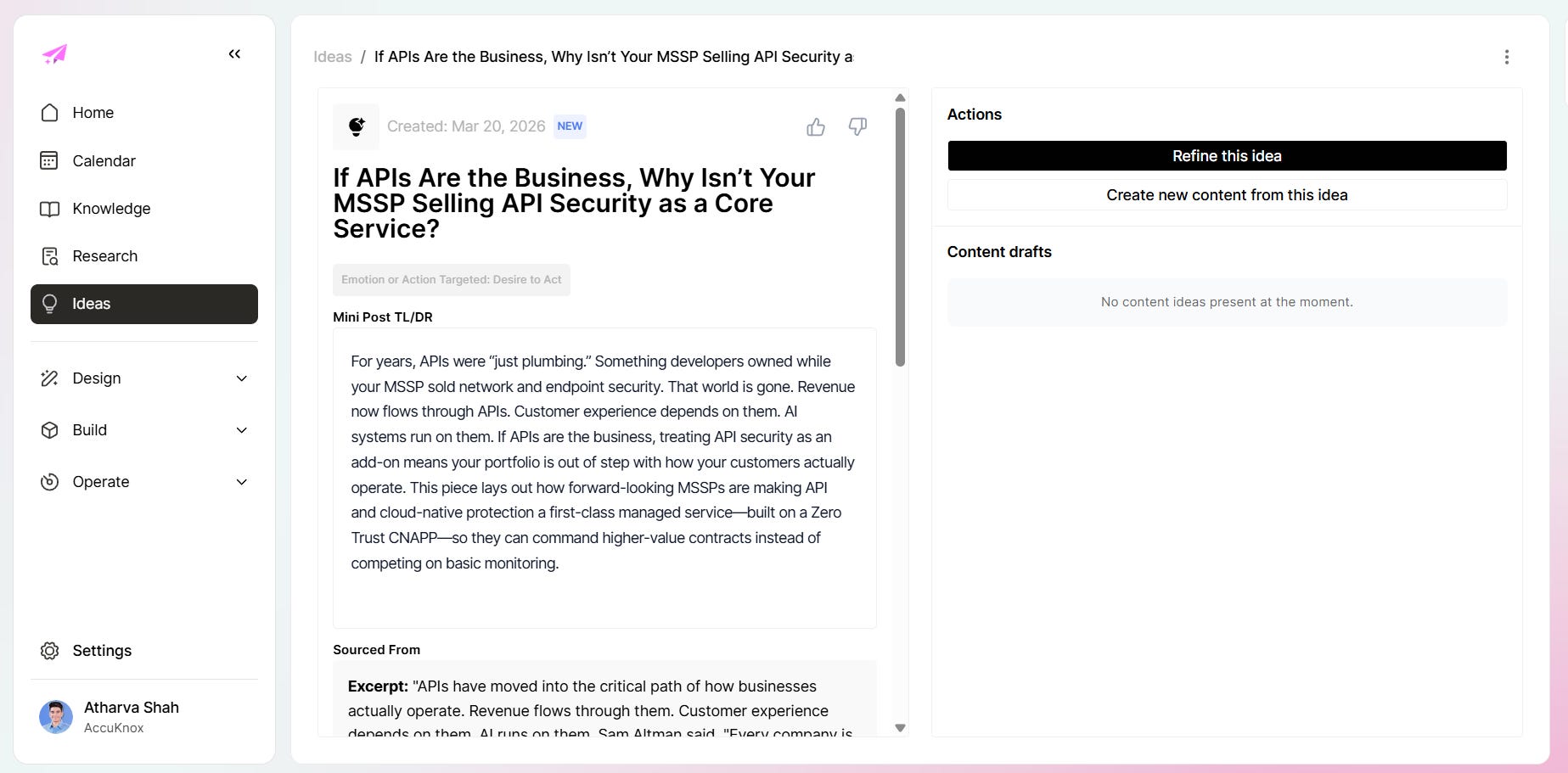
The ideas view shows this at scale. Each idea is tagged to a campaign, mapped to a knowledge source, typed by content format, and dated:
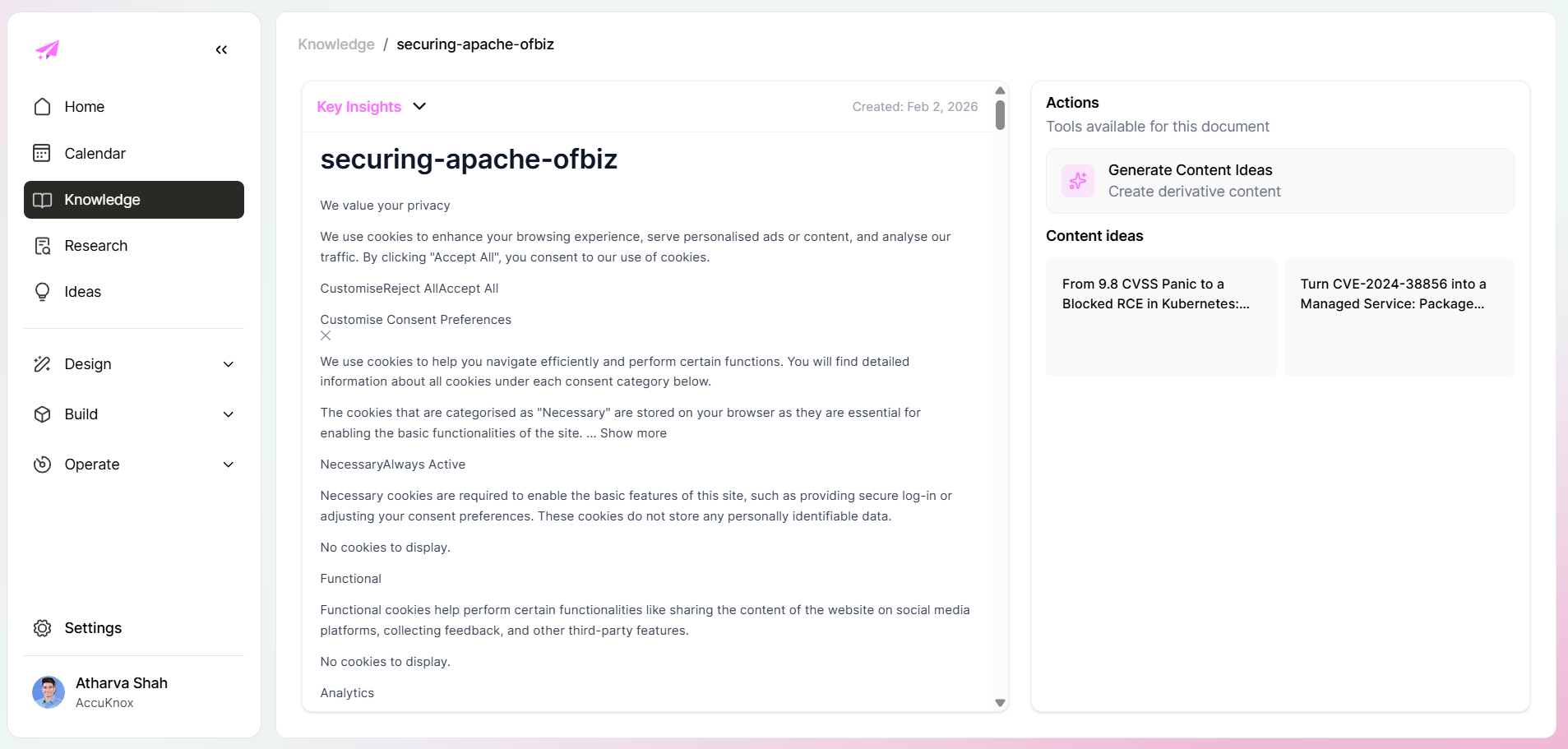
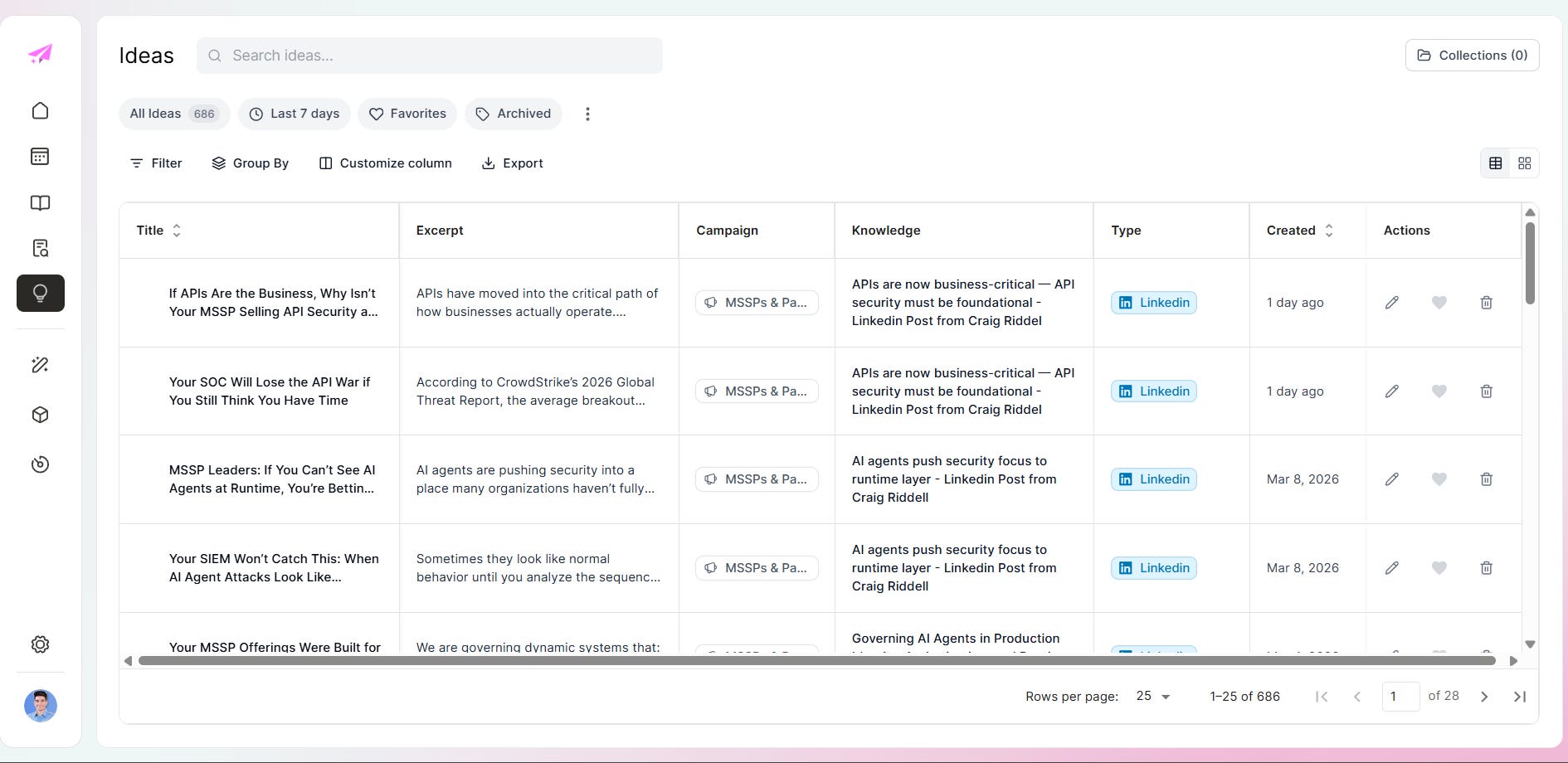
Click into any idea and you get a full brief: a Mini Post TLDR, the sourced excerpt that triggered it, and a draft generation button. The idea arrives already positioned, not as a blank page.
The interface that made the tool feel real
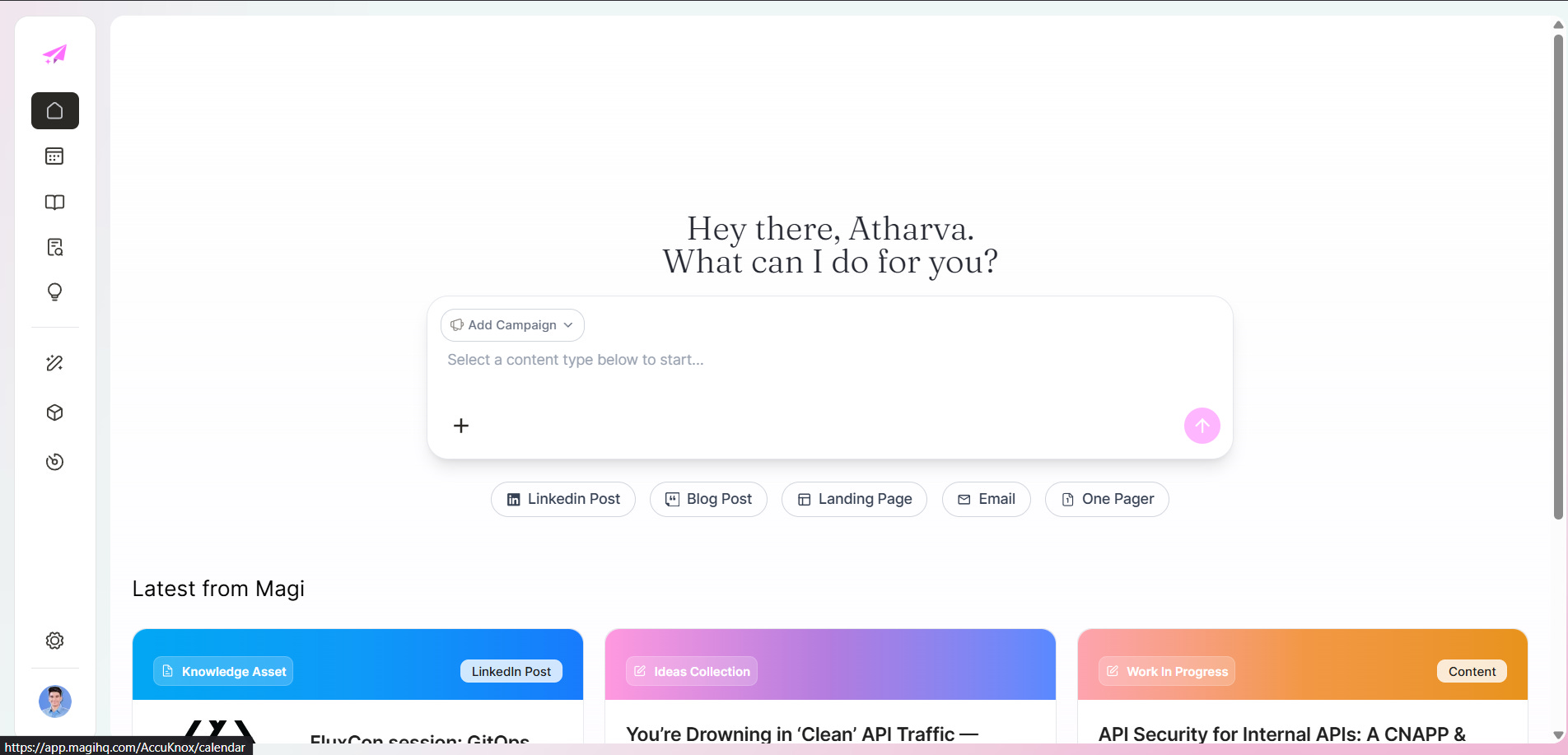
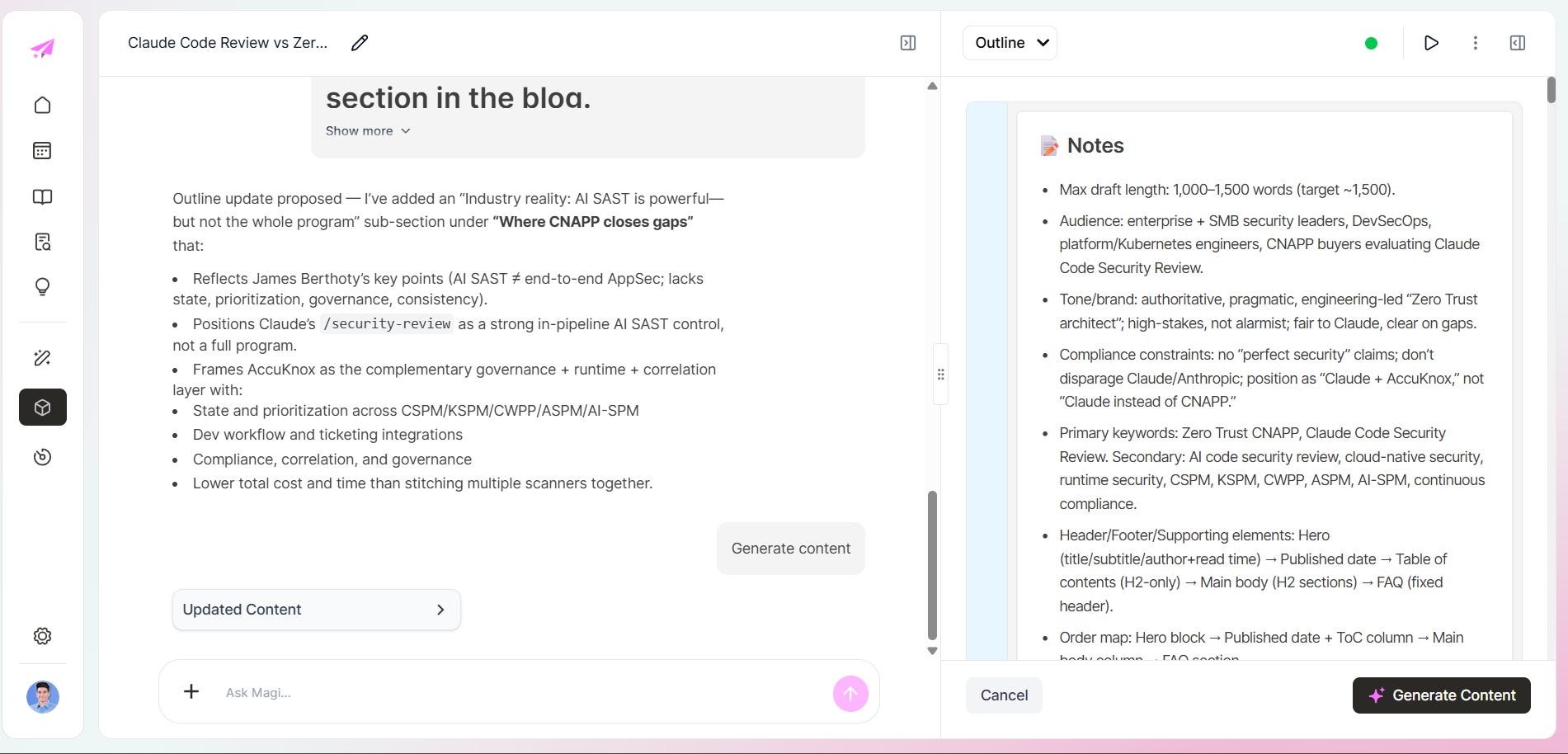
The interface was not just polish. It reflected the operating model underneath: campaign-first, content-type aware, with structured notes feeding generation, workflow states staying visible, and recent work one click away. That alignment decided whether the team lived in the tool or demoed it once and forgot it.
Content in production
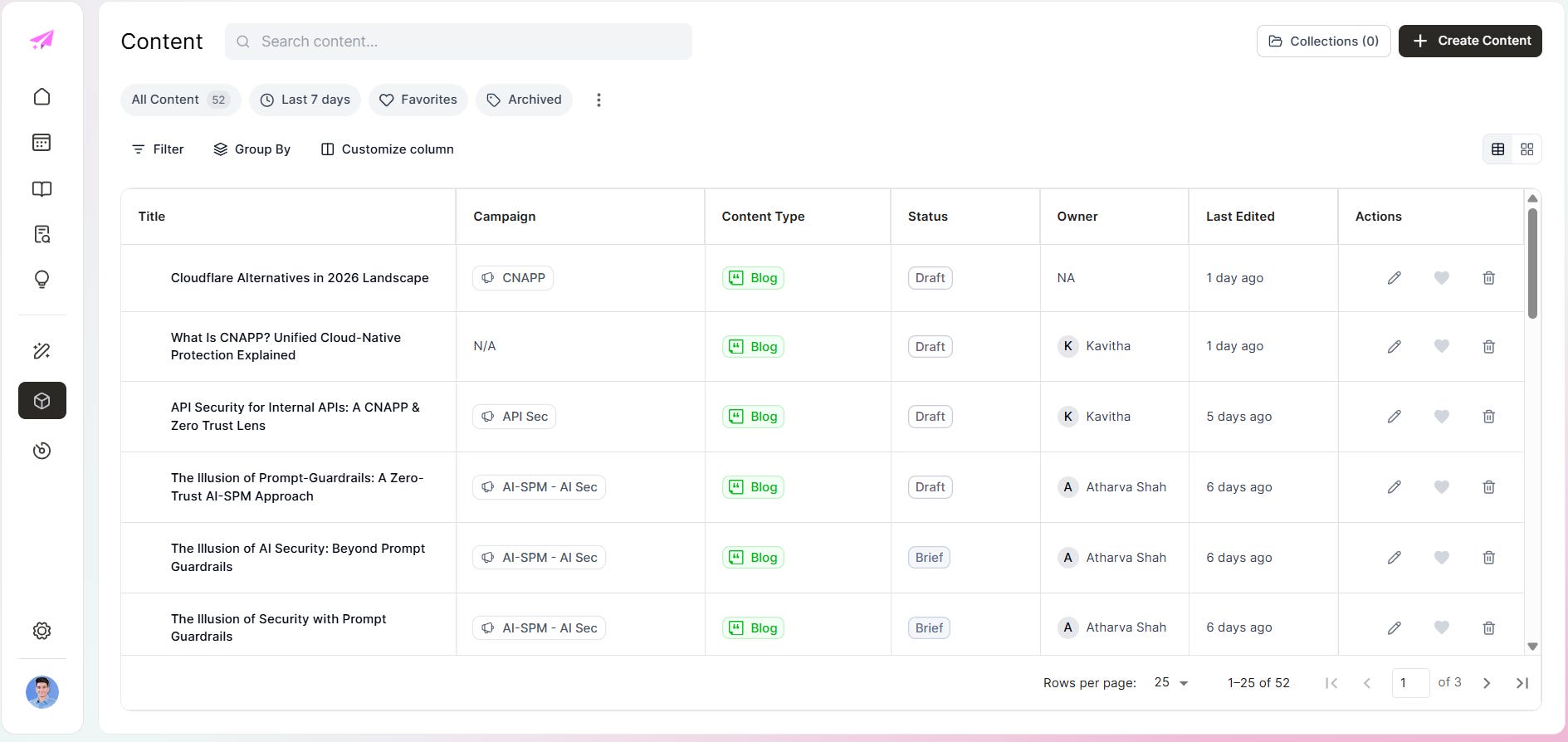
With the architecture in place, content becomes a queue problem, not a blank page problem. Fifty-two pieces look like this: campaign tagged, content type assigned, owner named, status visible.
Generation runs from the brief. You set campaign, content type, ideas, and length, and the system pulls from the knowledge base, applies brand rules, and produces a draft:
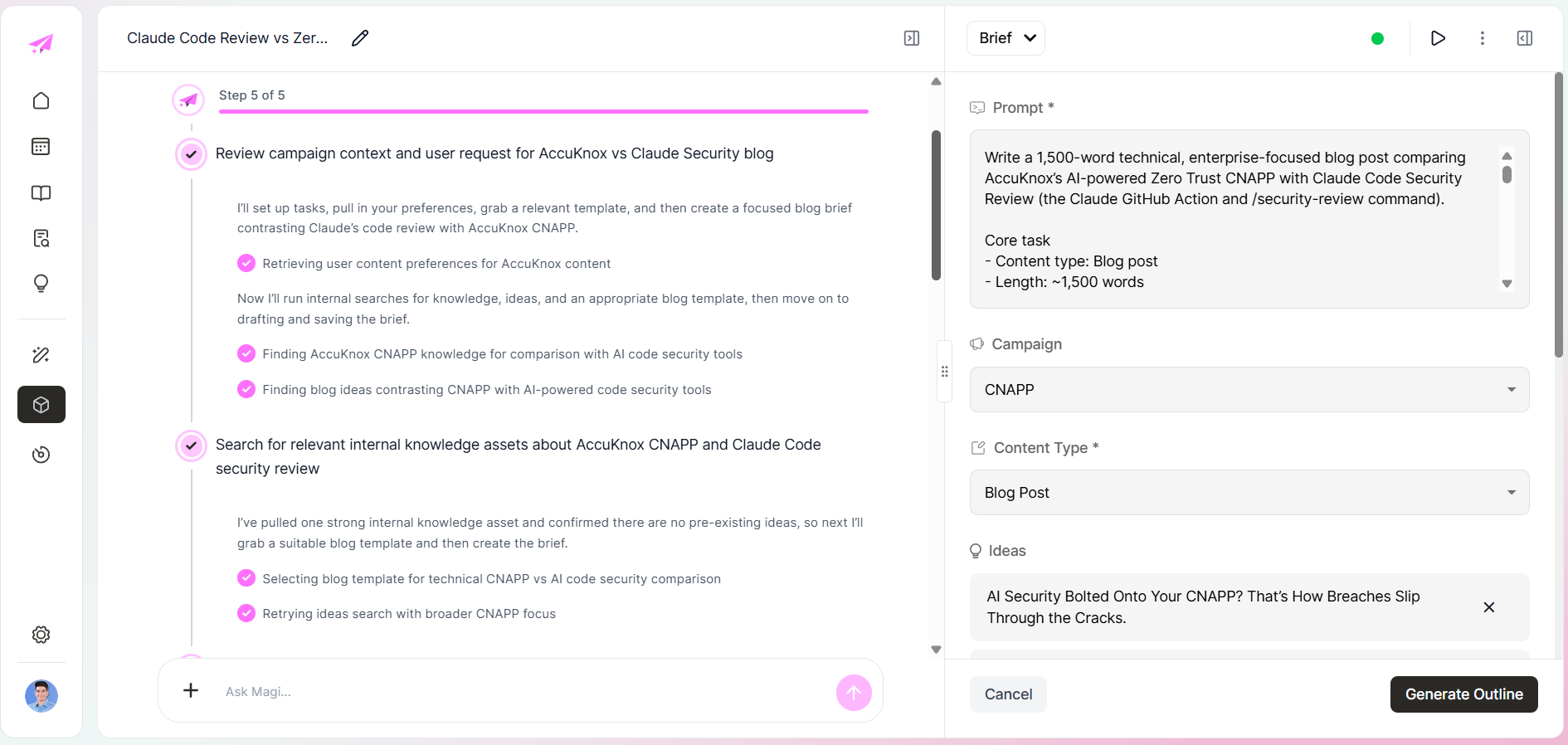
That brief was grounded in a specific knowledge source, campaign, and ICP, and the output showed it.
What changed once the setup was right
Before the setup, Magi could write. It just wrote like a stranger. After the setup, the drafts had:
clearer buyer framing
better category specificity
stronger SEO structure
more usable prompts for emails and landing pages
less generic phrasing
a better shot at matching how the team actually talks
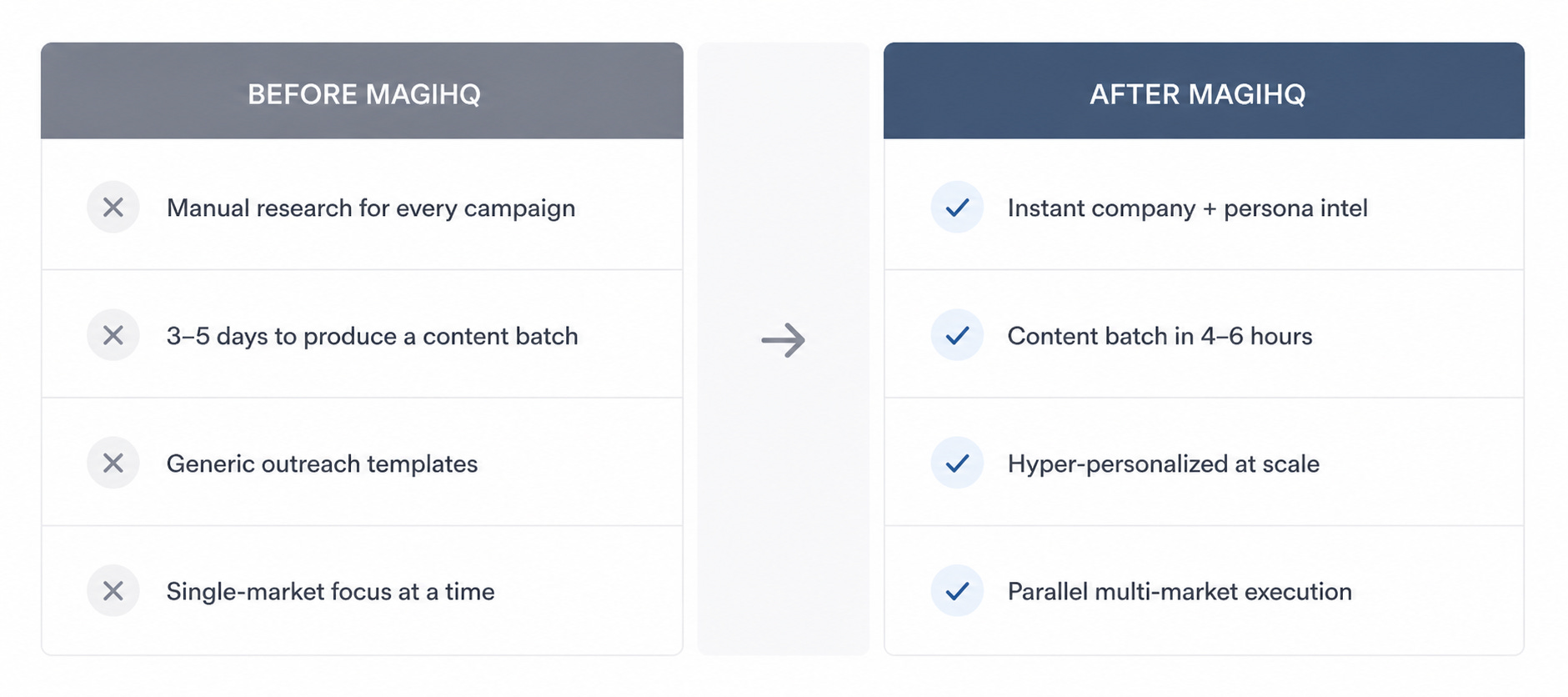
The model was never the bottleneck. The knowledge architecture was.
The instinct, when output disappoints, is to reach for a better prompt. Here, the gap was never the model. It was eleven markets and thirty-three personas mapped before Magi wrote a single draft.